INSTALLING BATTERIES
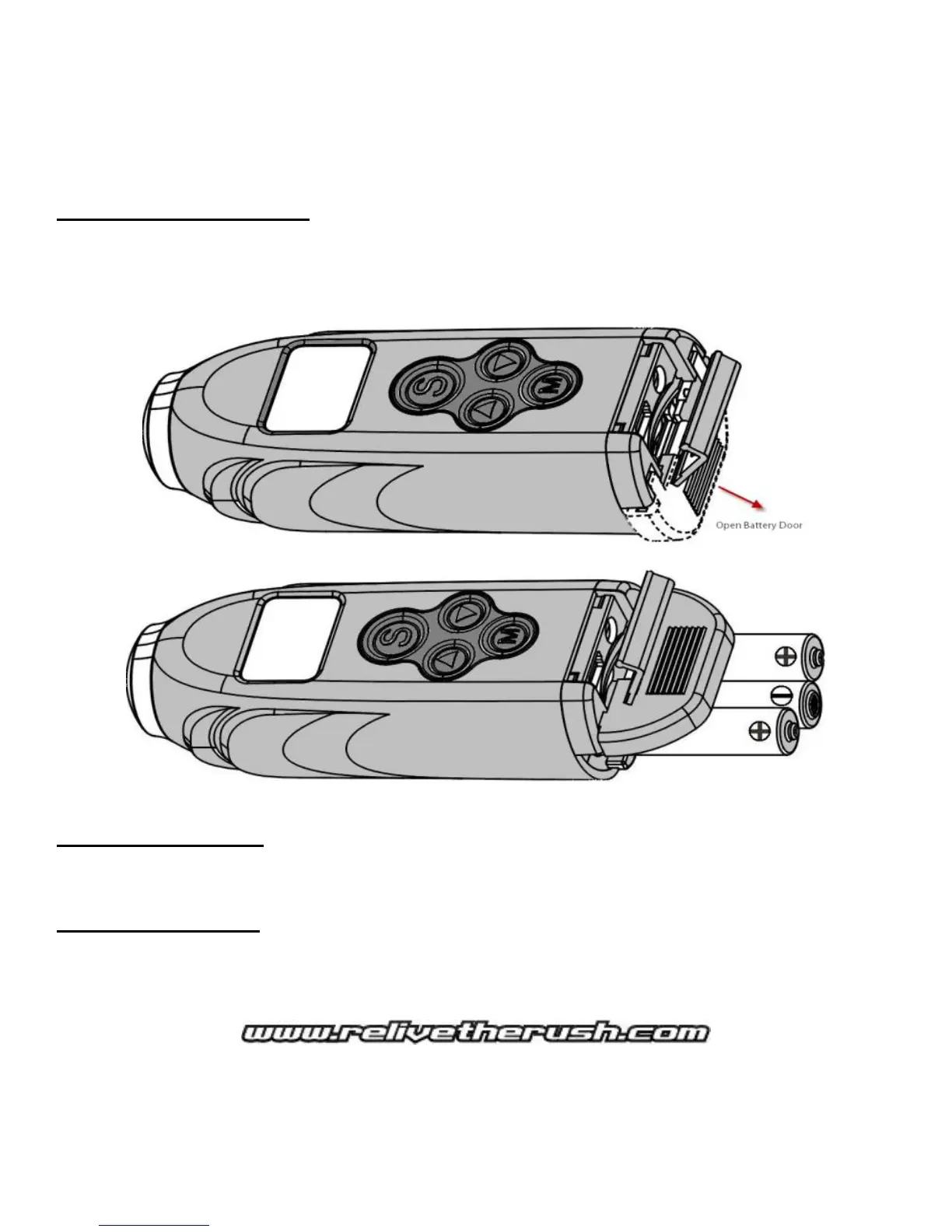
1. Open the USB/TV/SD door located at the rear of the camera.
2. Push the BATTERY door down and outward. (Figure 2.1)
3. Insert batteries, then close the battery door first then close top door second. (Figure 2.2)
Figure 2.1
Figure 2.2
Helpful tip on batteries: To extend your recording time, EPIC highly recommends Energizer™
Lithium batteries for optimum performance.
NOTE: To save battery life, the camera will automatically shut down after 5 minutes of inactivity.
Low battery indication: When the batteries are low, the half battery icon will begin to flash
continuously along with a beep sound for 60 seconds. This is a warning to replace the batteries with
fresh ones, or the camera will power down automatically.



 To Next Page