Operation
Mastercycler
®
nexus
English (EN)
45
5.6.1 Editing a schedule entry
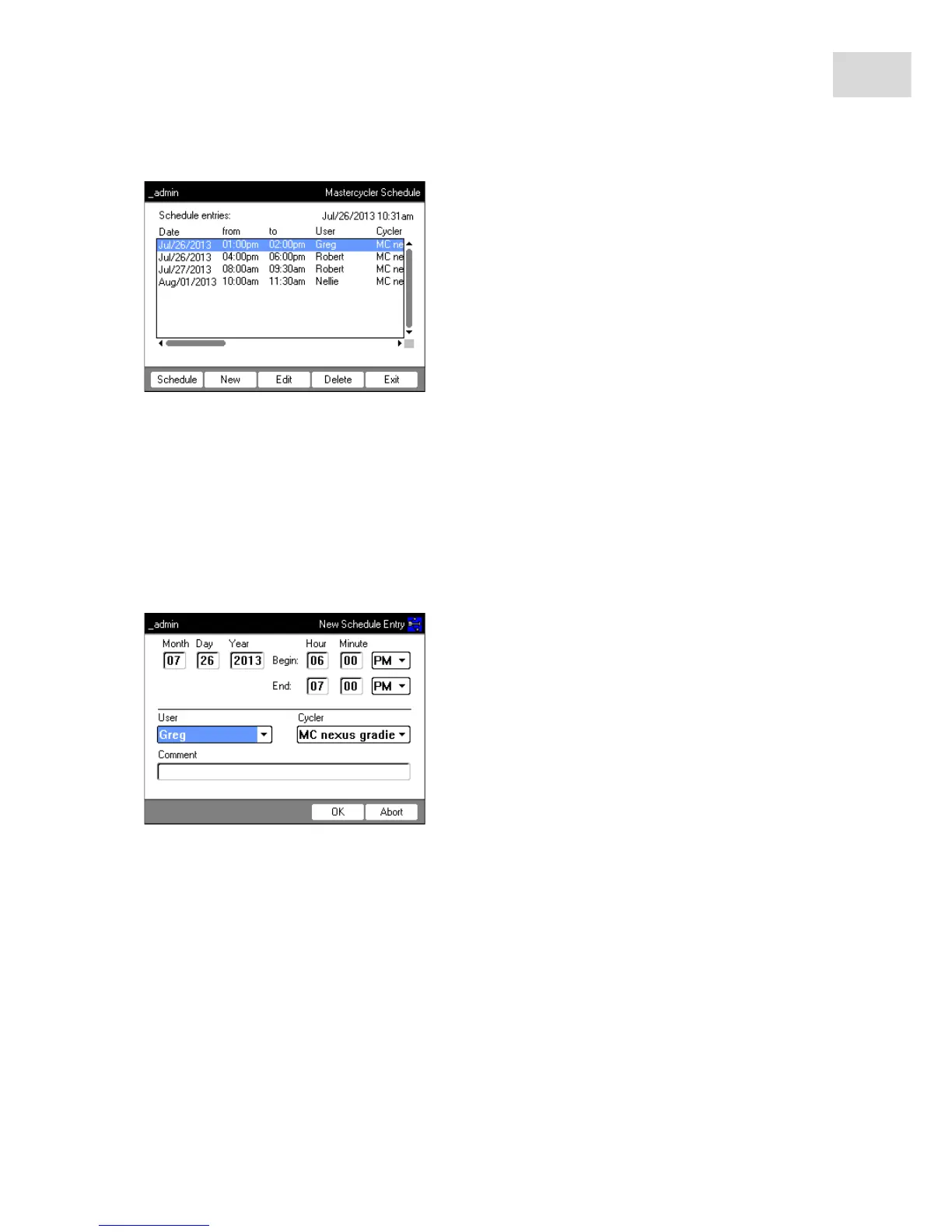
The following window appears if you choose to display, create or change a schedule entry:
1. Compete the fields as follows.
2. Press the OK softkey.
The schedule entry appears in the list in the Mastercycler Schedule window.
Schedule Display the schedule.
New Create a new schedule entry.
Edit Change the schedule entry for the logged-in user.
Delete Delete the schedule entry for the logged-in user.
Exit Close the window.
Day, Month, Year Date of the reservation.
Begin: Start of the reservation.
End: End of the reservation.
User: Name of the respective user. Only users that have been set up can be selected.
Cycler Reserved device.
Comment Optional: comment for the reservation.



 To Next Page