Programming
Mastercycler
®
nexus
English (EN)
56
1. Mark the temperature control step in which you would like to define the gradient.
2. Press the Options softkey.
The options for the selected temperature control step are displayed.
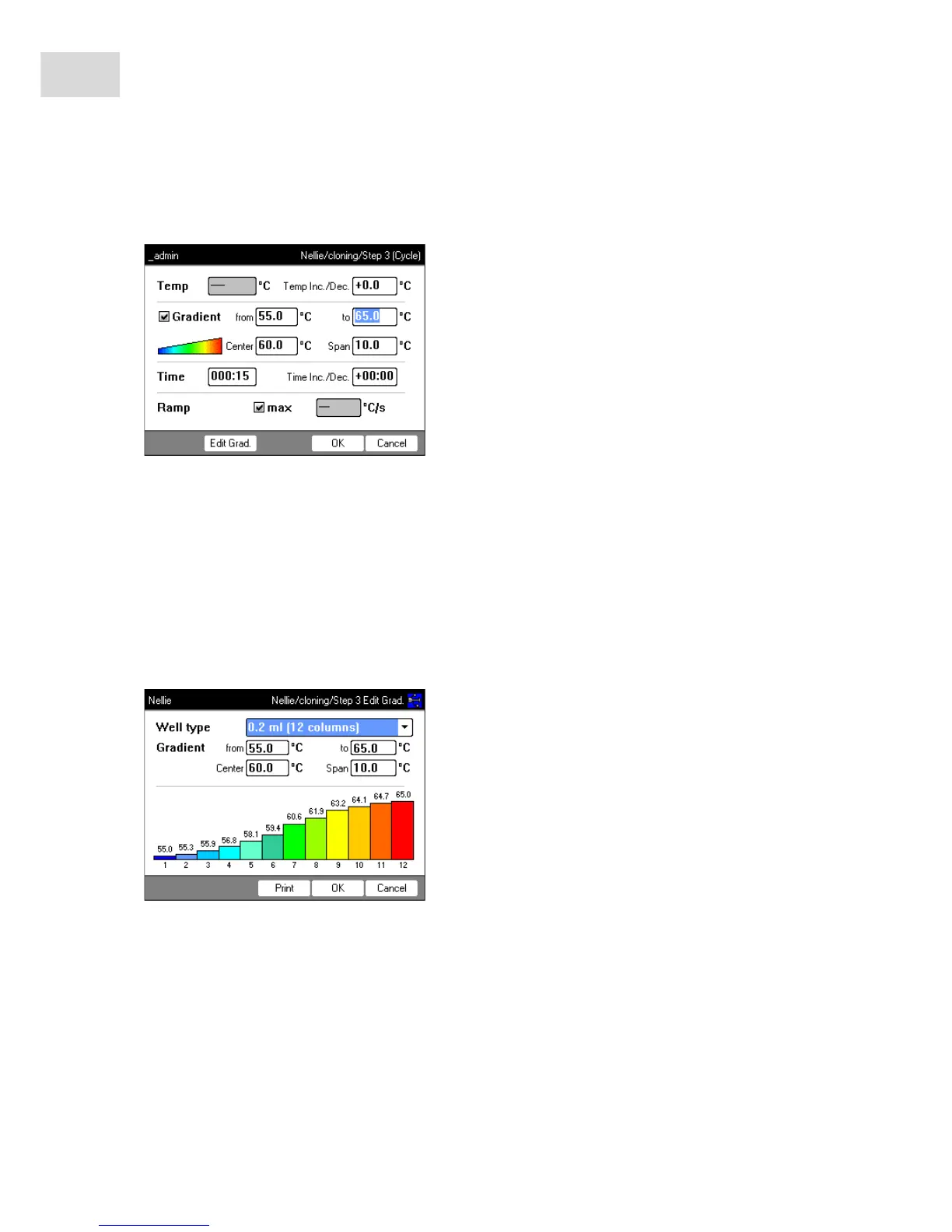
3. Check the Gradient checkbox.
4. Define the gradient temperatures.
The gradient temperatures can be defined in two ways:
•By entering limit temperatures
– from: lower limit temperature (left side of block)
– to: upper limit temperature (right side of block)
•By entering the center temperature and the temperature span
– Center: center temperature (center of block)
– Span: temperature span (gradient range)
5. Optional: press the Edit Grad. softkey to display the resulting temperatures in the block columns.



 To Next Page