Programming
Mastercycler
®
nexus
English (EN)
57
6. Press the OK softkey to accept the settings and close the window.
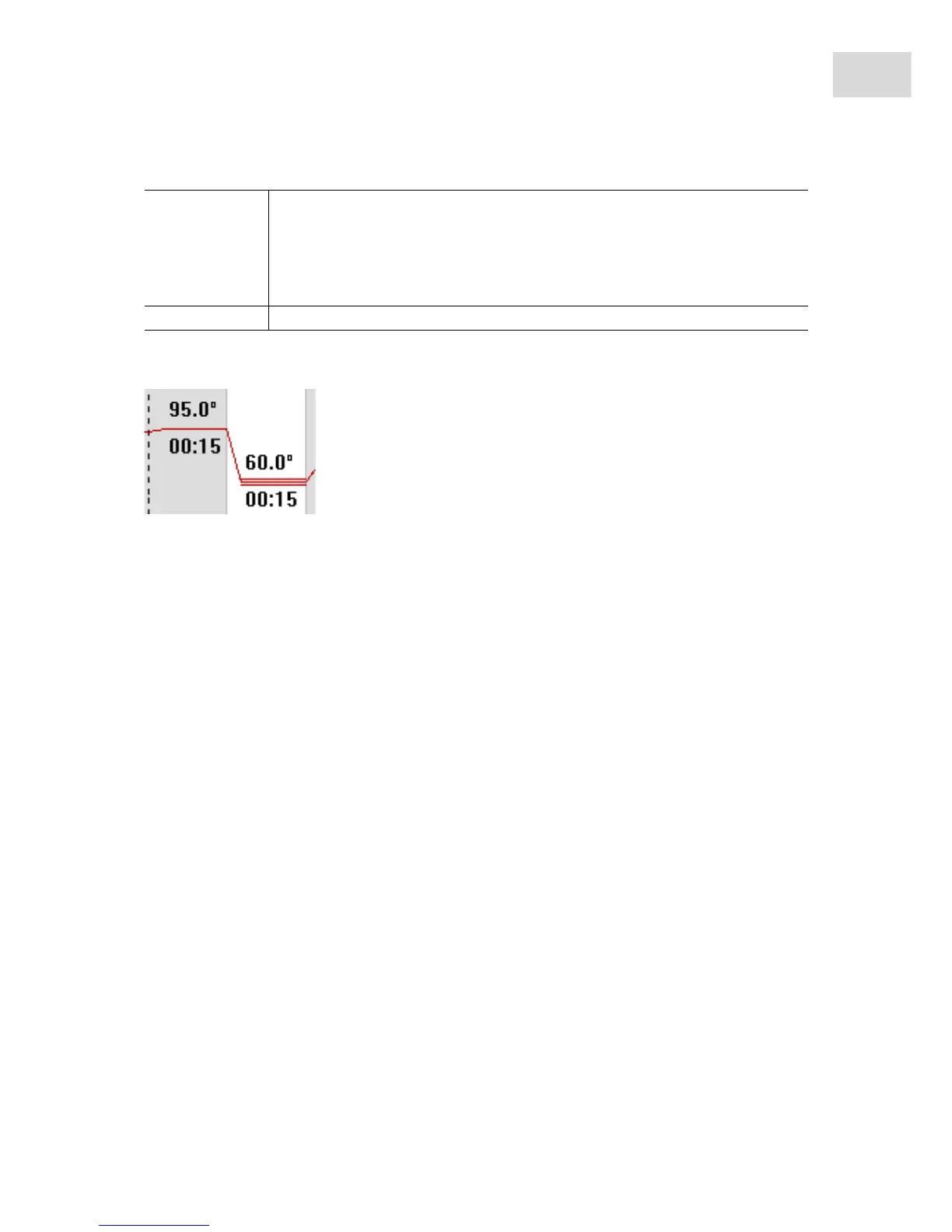
The gradient step is symbolized in the program editor by three horizontal lines.
6.3.4 Deleting program steps
1. Mark the desired program step with the arrow keys. To delete all program steps, press the ClearAll
softkey.
2. Press the del key.
3. Press the Save softkey to save the change.
Press the Exit softkey to exit the editor.
6.3.5 Exporting a program as a PDF or text file
You can export a program to an external storage medium as a file for archiving.
1. Connect a storage medium (see p. 40).
2. Press the >> softkey.
3. Press the Export softkey.
4. Select the file format (text or PDF). Press the OK softkey.
The program is saved to the external storage medium as a file.
6.3.6 Saving a program and exiting the editor
1. Press the >> softkey.
2. Press the Save softkey.
The program is saved.
3. Press the Exit softkey.
The navigation tree is displayed. You can now start the program (see Starting a program on p. 61).
Well type Select the tube type:
• 0.2 ml (12 columns): standard PCR tubes and 96-well plates
• 0.5 ml (11 columns): 0.5 mL PCR tubes
• 0.2 ml GSX1 (12 columns): 0.2 mL PCR tubes
• 0.2 ml GX2 (8 columns): 0.2 mL PCR tubes
• 0.5 ml GX2 (7 columns): 0.5 mL PCR tubes
Gradient Gradient temperature



 To Next Page