4
Checking the Printer’s Condition
4-3
Start.bk
Rev. C
A5 size CHAP4.FM
1/27/99 Pass 0
R
Proof Sign-off:
Miyazaki _______
Yamanouchi _______
Jacqueline _______
Printing the Nozzle Check Pattern
You can check the print head nozzles from your computer with
the Nozzle Check utility in the printer software.
Note:
Do not start the Nozzle Check utility while printing is in progress;
otherwise, your printout may be marred.
Follow the steps below:
1. Make sure the printer is turned on and paper is loaded in the
printer. (A3 or wider paper)
2. Access the printer software. See “Accessing the printer
utilities” on page 4-2.
3. Click the
Nozzle Check
button.
4. Follow the messages on your screen.
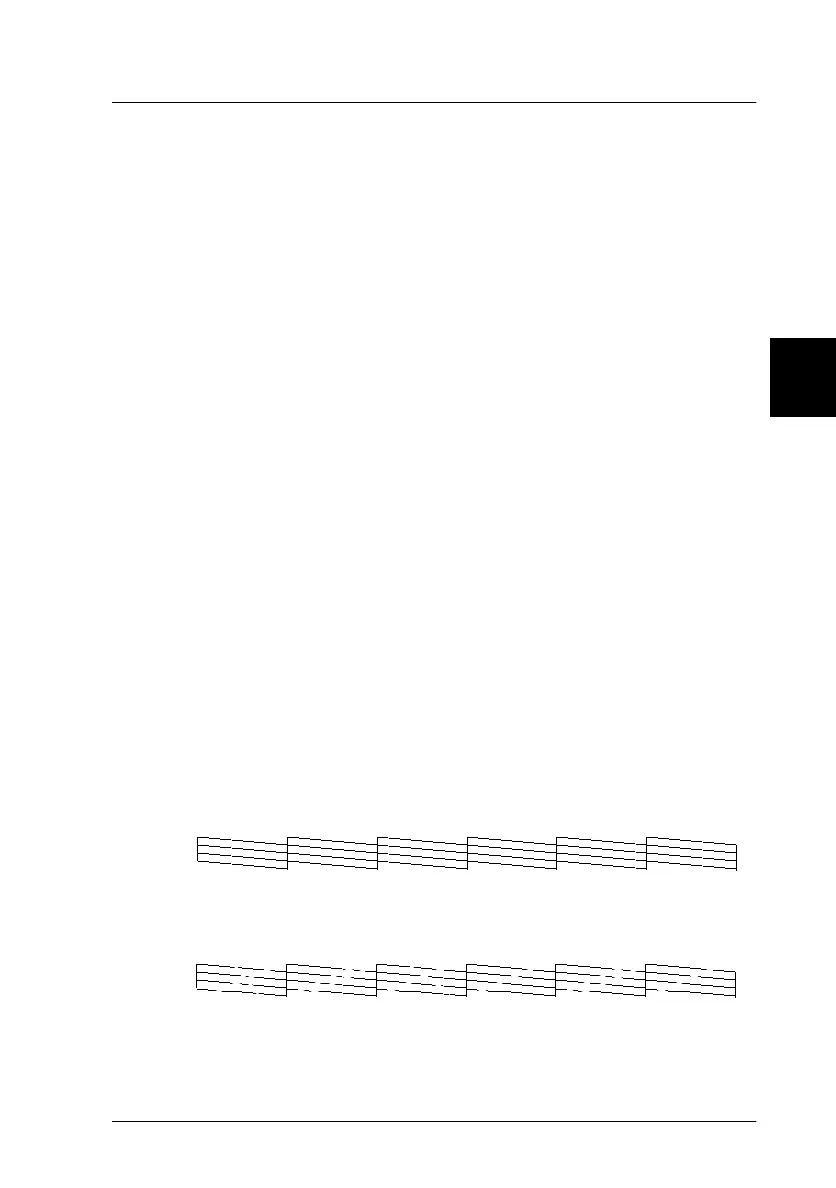
The printer prints an operational check page including firmware
(ROM) version information and a nozzle check pattern. The
nozzle check pattern will resemble one of the two samples shown
below:
Nozzle Check Pattern
Good condition: Print heads do not require cleaning.
Poor condition: Print heads require cleaning.
Note:
Actual tests are printed in color.















 To Next Page