• OS X: Open the Applications folder, click Epson Software, and click EPSON Scan Settings.
2. Select your scanner from the Select Scanner list.
3. Select the Network setting and click Add.
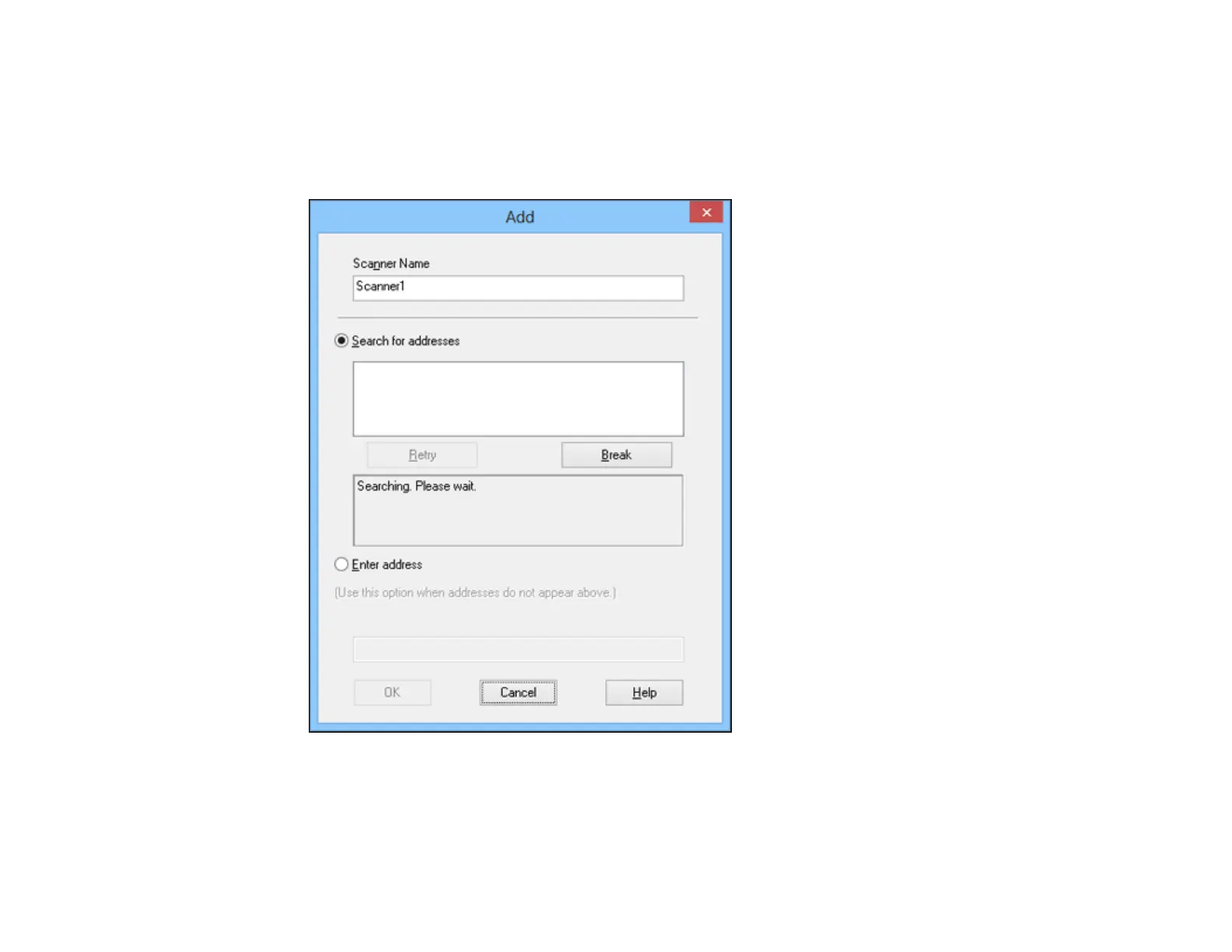
You see a screen like this:
4. Do one of the following:
• Under Search for addresses, select the IP address of your scanner, and click OK.
28



 To Next Page