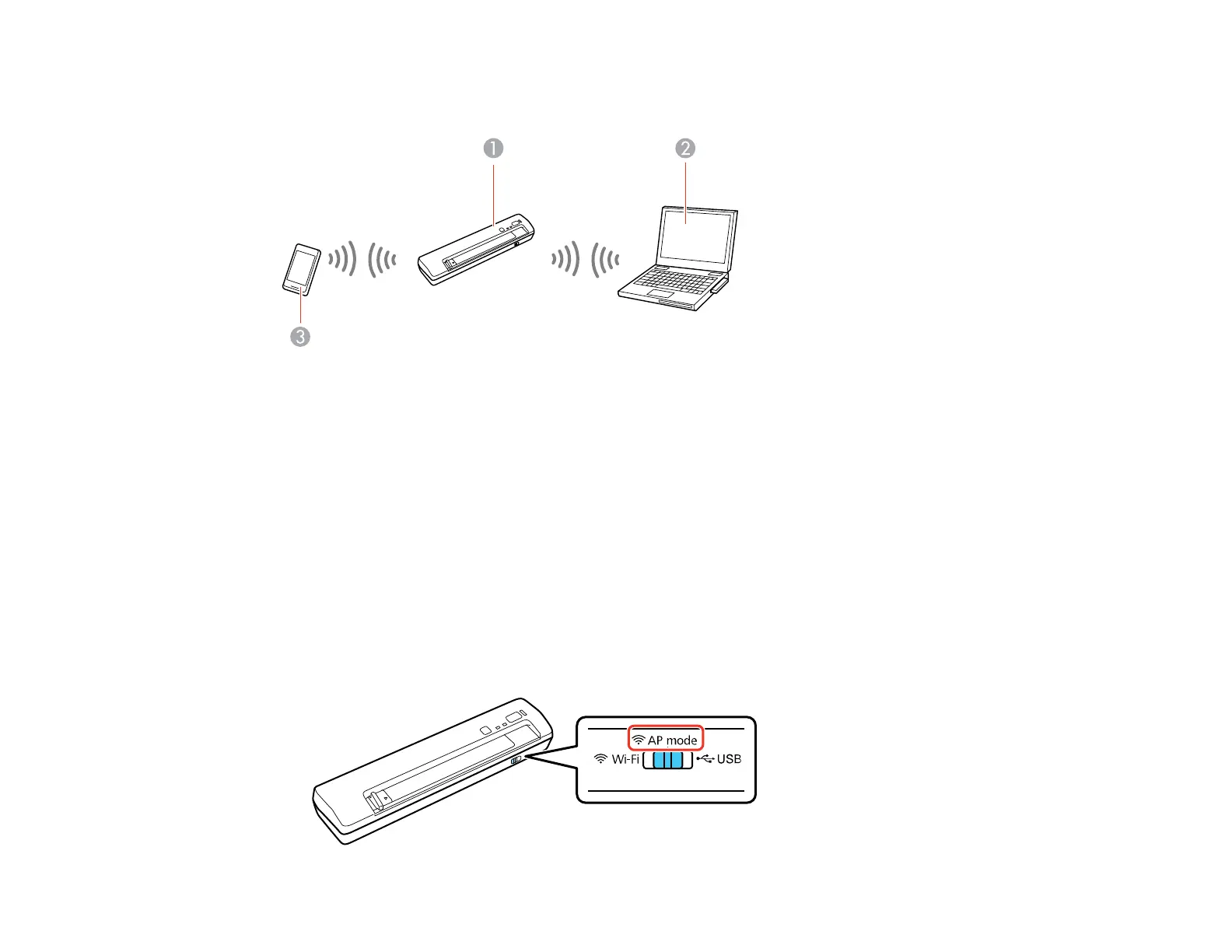
network, it enters access point mode and the scanner itself acts as the network access point for up to 4
devices.
1 Epson scanner
2 Computer with a wireless interface
3 Other wireless device
Enabling a Direct Wi-Fi Connection
Using WPS to Set Up a Direct Wi-Fi Connection
Parent topic: Wi-Fi Networking
Enabling a Direct Wi-Fi Connection
You can enable a direct Wi-Fi connection to allow direct communication between your scanner and
computer or other devices without a wireless router or access point.
1. Set the connection mode switch on the scanner to AP mode.
30



 To Next Page