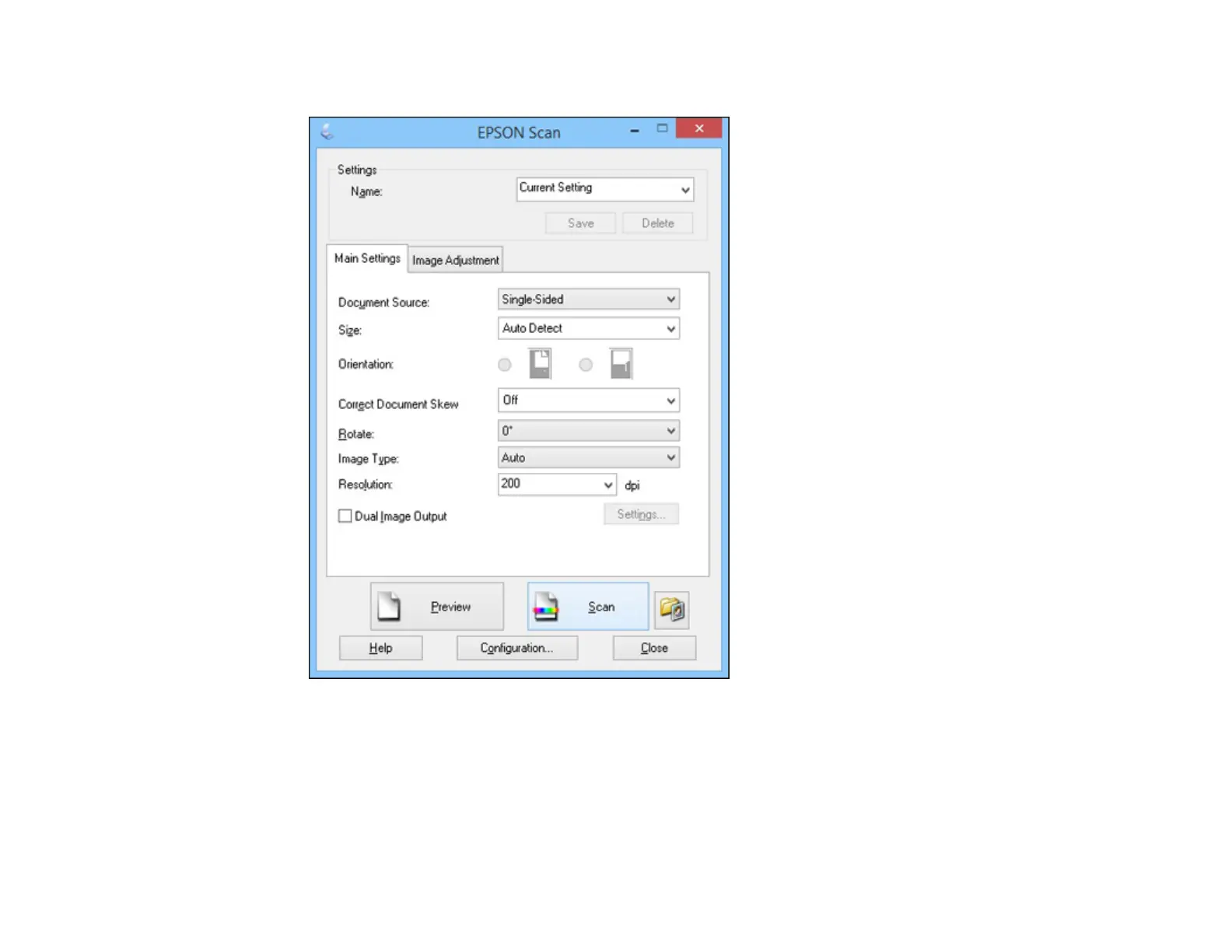
You see a window like this:
2. Select options for each of the scan settings on the screen.
3. If necessary, click the Preview button.
Epson Scan previews your original, and displays the result in a separate Preview window. The
scanner also ejects the page.
4. Reload the page in the scanner.
41



 To Next Page