Name Function
M
Focus ring
Adjusts the image focus. s Quick Start Guide
N
Control panel
s "Control Panel (EB-W10/X10/W9/X9/X92)" p.13
s "Control Panel (EB-S10/S9/S92)" p.14
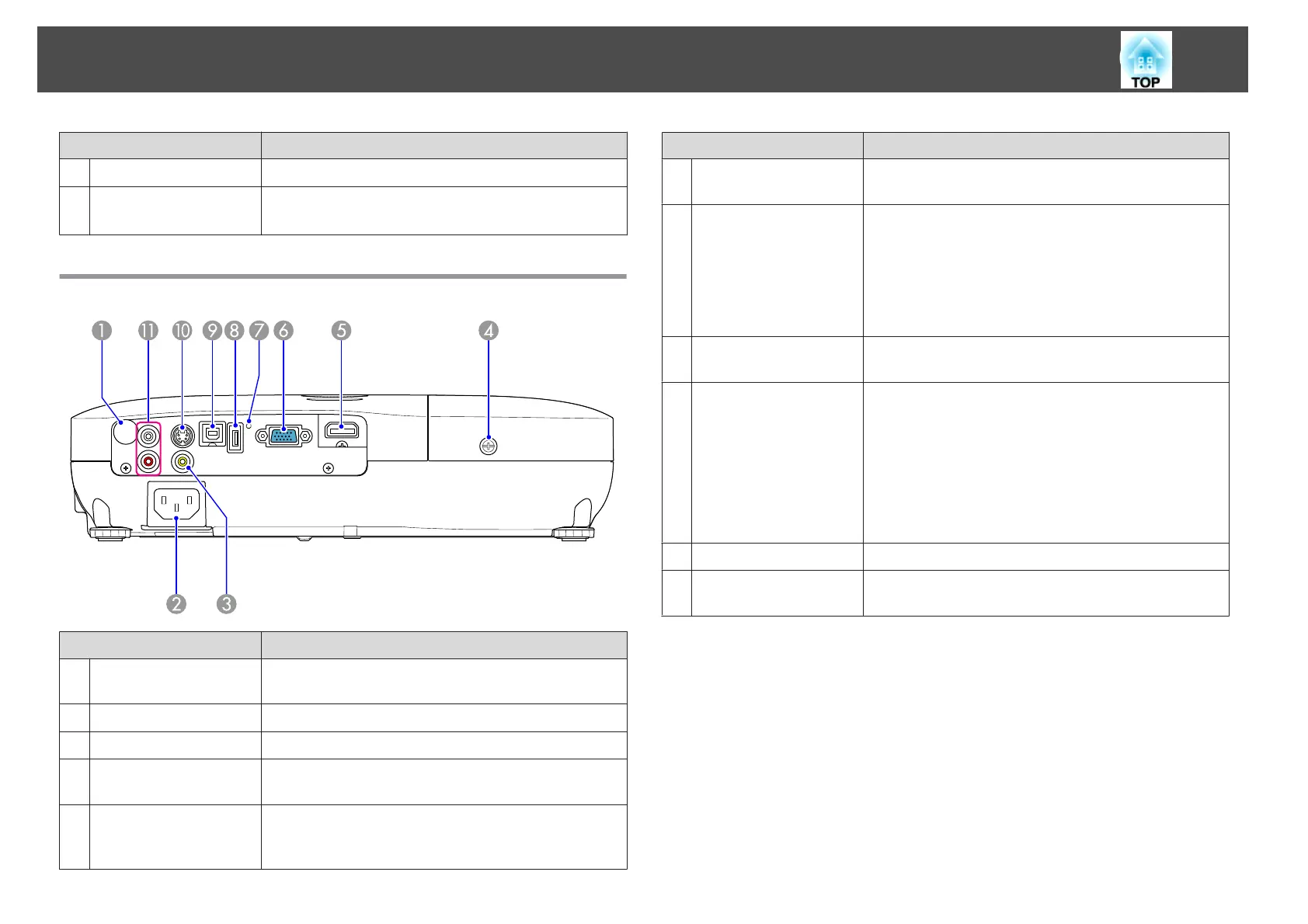
Rear (EB-W10/X10)
Name Function
A
Remote Receiver
Receives signals from the remote control. s Quick Start
Guide
B
Power inlet
Connects to the power cable. s Quick Start Guide
C
Video Input Port
For composite video signals from video sources.
D
Lamp Cover Fixing
Screw
Screw to fix the Lamp cover in place. s p.75
E
HDMI port
Inputs video signals from HDMI compatible video
equipment and computers. This projector is compatible
with HDCP
g
.
Name Function
F
Computer input port
For video signals from a computer and component video
signals from other video sources.
G
USB indicator
The following explains the status of USB devices
connected to USB(TypeA) port.
OFF: USB device is not connected
Orange Light ON: USB device is connected
Green Light ON: USB device is operating
Red Light ON: Error
H
USB(TypeA) port
Connects a USB storage device or a digital camera, and
projects JPEG images using Slideshow. s p.41
I
USB(TypeB) port
You can use the following functions by connecting to a
computer with the supplied USB cable.
• USB Display s p.18
• Wireless Mouse s p.34
• Paging operation of document files such as PowerPoint
files s p.36
• Monitoring and controlling of the projector via USB
communication s p.88
J
S-Video input port
For S-video signals from video sources.
K
Audio-L/R port
Inputs audio from the audio out port on the other
equipment. s Quick Start Guide
Part Names and Functions
10


 To Next Page