9
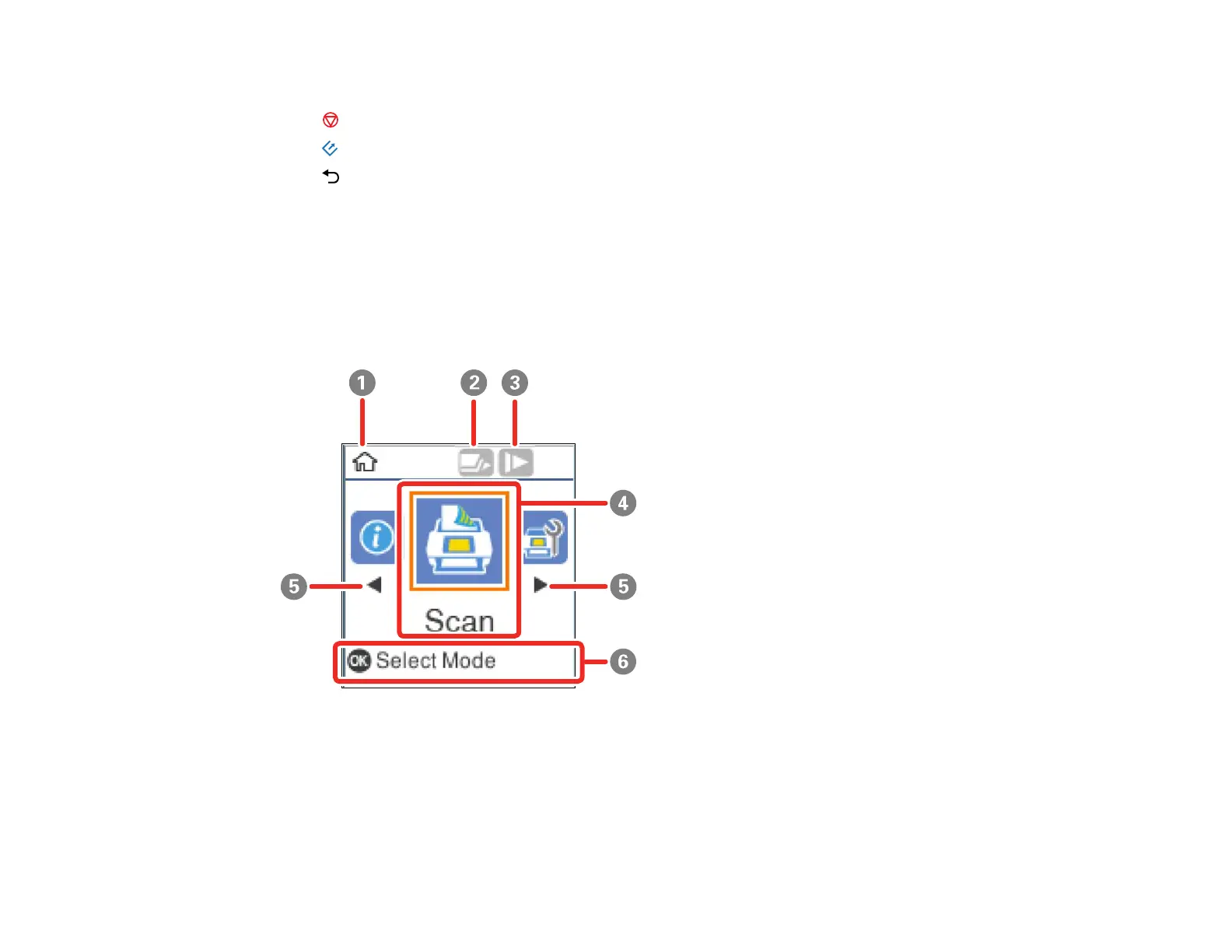
5 Navigation arrows and the OK button
6
stop button
7 start button
8 back button
The LCD Screen
Viewing Animations
Setting User Access Restrictions (Access Control)
Status Icon Information
Parent topic: Using the Control Panel
The LCD Screen
1 Home screen indicator
2 Double Feed Detection Skip (DFDS) is enabled (blue) or disabled. Select the DFDS Function
option in the Scanner Settings menu to change the setting.
3 Slow mode is enabled (blue) or disabled. Select the Slow option in the Scanner Settings menu to
change the setting.


 To Next Page