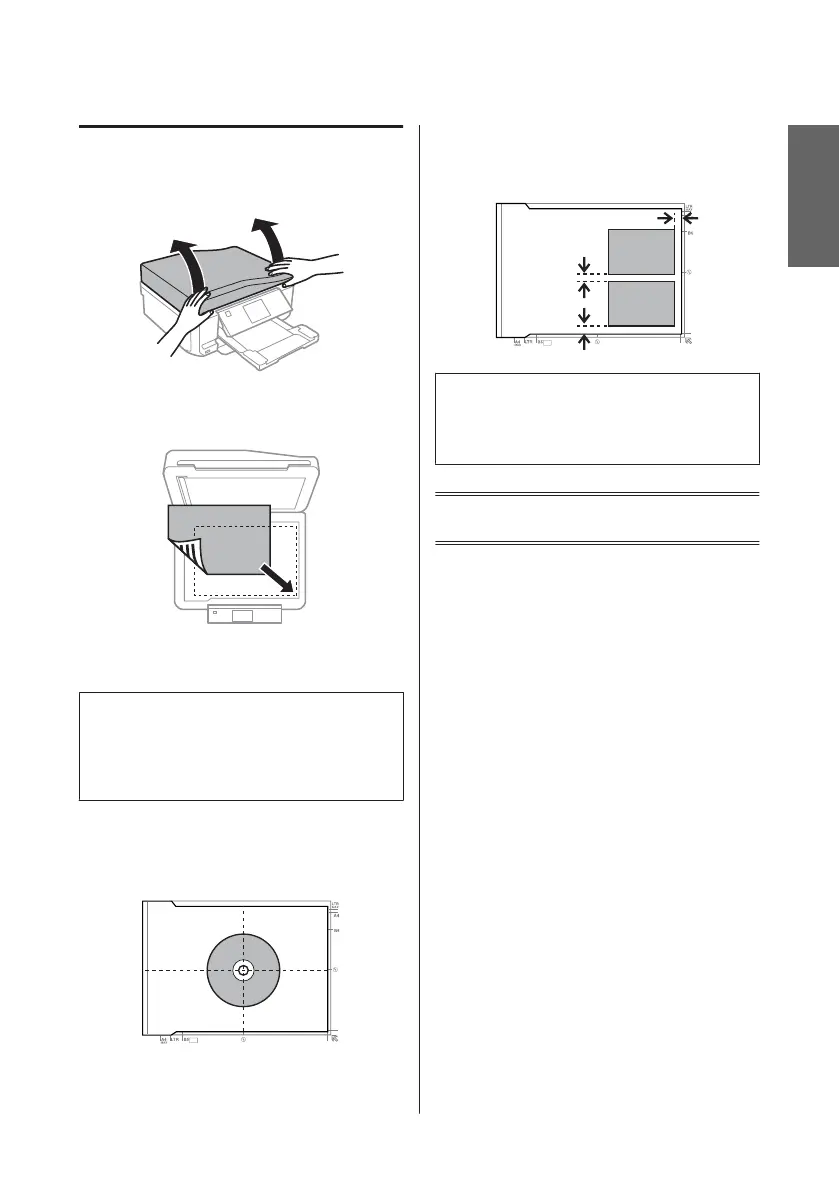
Scanner glass
A
Open the document cover.
B
Place your original face-down on the scanner
glass, and slide it to the front-right corner.
C
Close the cover gently.
Note:
When there is a document in the Automatic Document
Feeder (ADF) and on the scanner glass, priority is given
to the document in the Automatic Document Feeder
(ADF).
Placing a CD
Place the CD in the center.
Placing photos
Place photos 5 mm apart.
Note:
You can copy one photo or multiple photos of different
sizes at the same time, as long as they are larger than 30 x
40 mm.
Copying
Follow the steps below to copy documents.
A
Load paper in the cassette 2.
& “Into the paper cassette” on page 5
B
Place original.
& “Placing Originals” on page 9
C
Enter Copy mode from the Home menu.
D
Press + or - to set the number of copies.
E
Set the color.
F
Press d to make the copy settings.
English
Basic Guide
Copying
11














 To Next Page