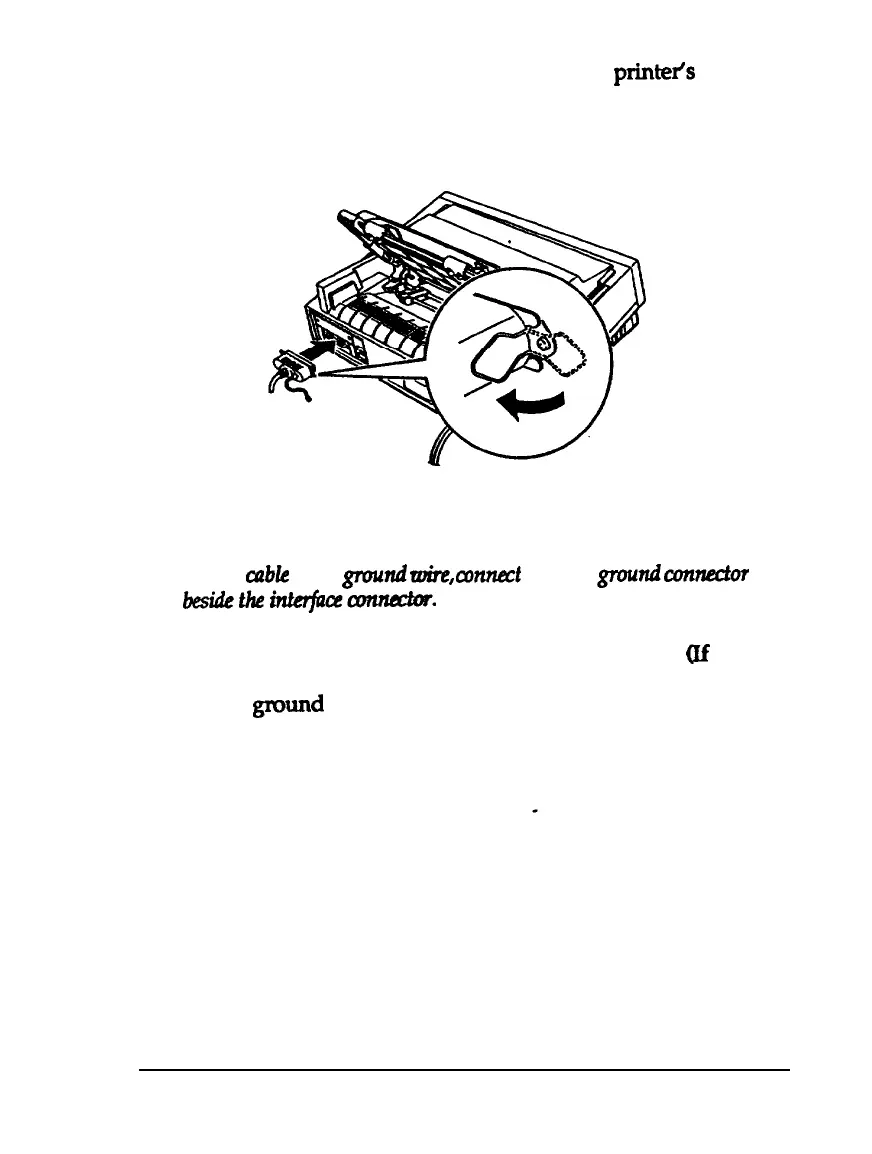
1.
Make sure both the printer and computer are turned off; then
plug the cable connector securely into the
printeis
parallel
interface connector. Squeeze the wire clips together until
they lock in place on either side of the connector.
Note:
If your
cable
has a
ground
toire,
connect
it to the
gmnd
con-
besidetheinttrfceaonnadar.
2.
Plug the other end of the cable into the computer.
(if
there is
a ground wire at the computer end of the cable, attach it to
the
gxwnd
connector at the back of the computer.)
Setting Up the Printer
1-13



 To Next Page