Loading continuous paper with the pull tractor
By pIacing the tractor ii\ the pull-tractor position, you can load
paper from the rear,
fron~orbottom.Thestqs
axe
the same
for all paper paths.
Note:
Whmtktmctorf6intkpuaJraclor
R
donotwetk
EAR-oFFhttonw*LoAD/E
buttontofczdtkpyIpokck
tO#UStllndby~
1.
Makesuretheprinterishuwdoffandthepapergukieand
theprintercoverare~ved.
2.
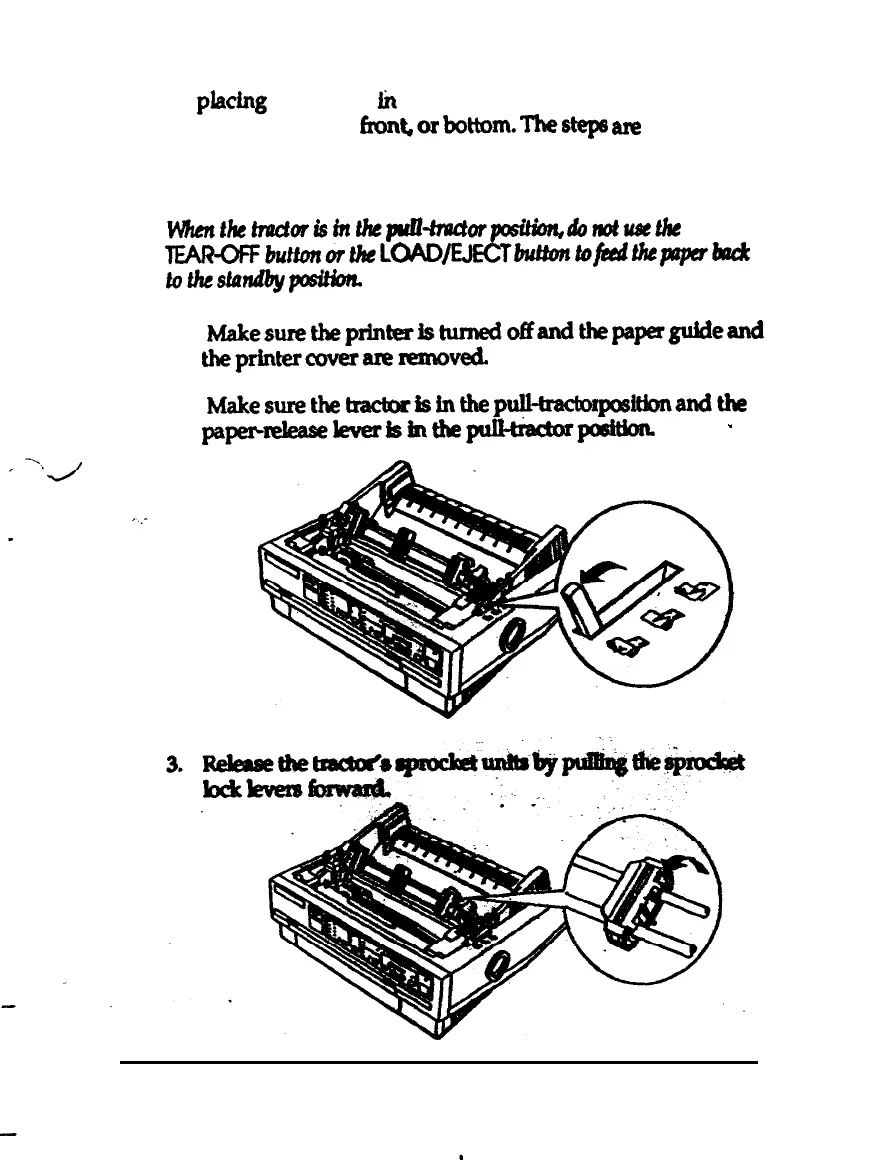
Makesurethetracbrisinthepulkacbr
positionandthe
paperhleverlsinthe~poeitbar
*
2-14
Paper Handling



 To Next Page