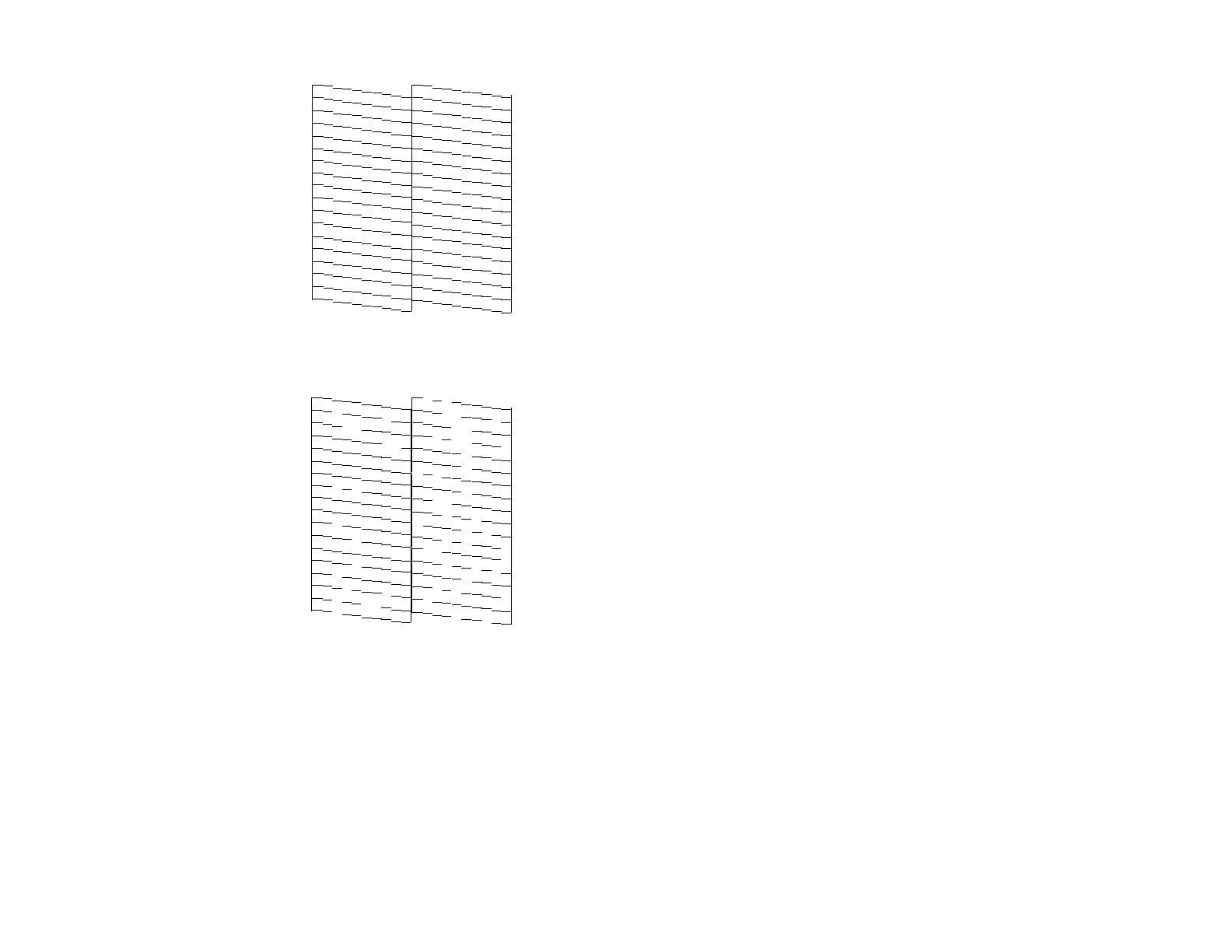
Print head needs cleaning
• If there are no gaps, click Finish.
• If there are gaps or the pattern is faint, click Clean to clean the print head again.
If quality still does not improve after cleaning the print head 3 times, flush the ink tube.
Parent topic: Print Head Cleaning
Related concepts
Print Head Cleaning
Print Head Nozzle Check
59





 To Next Page