EasyManua.ls Logo

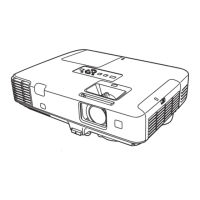
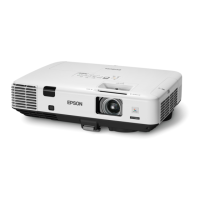
Epson PowerLite 1915 - User Manual

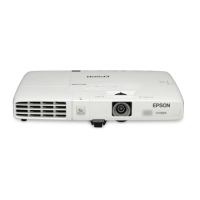
Epson PowerLite 1915
95 pages
Print Icon
To Next Page IconTo Next Page
Loading...
PowerLite® 1915/1925W
Network and PC Free Operation Guide

Table of Contents

Other manuals for Epson PowerLite 1915

Questions and Answers

  • A
    Angela JamesSep 14, 2025
    What to do if a connection cannot be made from another computer when connected using EasyMP Network Projection on my Epson PowerLite 1915 Projector?
    • J
      Jorge TurnerSep 14, 2025
      If a connection cannot be made from another computer when connected using EasyMP Network Projection: * The presenter may have left the conference room without cutting off the network connection. With EasyMP Network Projection, the connection with the computer that was previously connected can be cut off when another computer tries to connect with the projector. * The Projector keyword may not be set for the projector. Cut off the current connection and perform a connection operation. * You may not know the Projector keyword. Restart the projector and reconnect.
  • M
    Melissa PenaSep 16, 2025
    What to do if I cannot start this application while Quick Wireless Connection is running on my Epson PowerLite 1915?
    • G
      gregorymoranSep 16, 2025
      Close Quick Wireless Connection and then start EasyMP Network Projection.
  • M
    Marie KeyNov 18, 2025
    Why do movies in EasyMP Network Projection have display or audio problems on my Epson Projector?
    • J
      Jessica BenjaminNov 18, 2025
      Several factors can cause display or audio issues with movies in EasyMP Network Projection: * The movie playback screen in Media Player may not be displayed depending on the computer. * WEP encryption being effective or multiple projectors connected can decrease the display speed. * If DHCP is set to On in Advanced Connection Mode or Wired LAN connection, and an available DHCP server is not found, it may take some time to enter LAN standby status. * EasyMP Network Projection was started while a movie was playing, or the resolution and color number were changed. Start EasyMP Network Projection first before starting play back. * Wireless LAN 802.11g/b is being used in Quick Connection Mode. Use Advanced Connection Mode or Wireless LAN 802.11a in Quick Connection Mode when using th...
  • T
    Thomas HuffmanNov 20, 2025
    What to do if I cannot connect my Epson PowerLite 1915 Projector in Advanced Connection Mode or Wired LAN connection?
    • T
      Todd MirandaNov 21, 2025
      If you're having trouble connecting in Advanced Connection Mode or Wired LAN connection, consider the following: * Ensure the SSID setting is the same for the computer, access point, and projector. Set them to the same SSID. * Verify that the same WEP key is set for the access point, computer, and projector. * Check that connection denial functions, such as MAC Address restrictions and port restrictions, are correctly set at the access point. Set the projector to allow connections from the access point. * Confirm that the IP address, Subnet Mask, and Gateway Address for the access point and the projector are set correctly. Adjust each setting if not using DHCP. * If the access point and the projector's subnet are different, select Manual search from EasyMP Network Projection, sp...

Epson PowerLite 1915 Specifications

General IconGeneral
BrandEpson
ModelPowerLite 1915
CategoryProjector
LanguageEnglish

Related product manuals