EasyManua.ls Logo

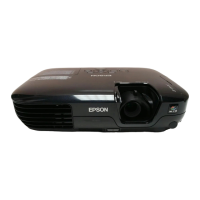
Epson PowerLite S4 - User Manual

Epson PowerLite S4
69 pages
Print Icon
To Next Page IconTo Next Page
Loading...
User’s Guide
Epson PowerLite S4
®

Table of Contents

Other manuals for Epson PowerLite S4

Questions and Answers

  • W
    Wayne KaneJul 26, 2025
    How to fix an Epson PowerLite S4 when the power indicator light is red and it's overheating?
    • J
      Jane LoganJul 26, 2025
      If the power indicator light on your Epson Projector is red due to a high temperature error (overheating), the lamp will turn off automatically. Wait about 5 minutes for the projector to switch to standby mode. Then, ensure the air filter and air exhaust vent are clear and that the projector is not against a wall. If the air filters are blocked, clean or replace them. Press the power button to turn the power back on. If the issue persists, stop using the projector.
  • B
    brandonmendozaJul 31, 2025
    Why is the power indicator light orange on my Epson Projector?
    • P
      paul84Jul 31, 2025
      If the power indicator light on your Epson Projector is orange, it might be due to a high temperature warning. Ensure that the air filter and air exhaust vent are clear and not obstructed. Clean or replace the air filter if it is clogged. If the temperature rises too high again, the projection will stop automatically.
  • C
    Christina BurkeAug 5, 2025
    What to do if the power indicator light is orange on my Epson Projector and I see a lamp replacement notification?
    • J
      jenniferdavisAug 5, 2025
      If the power indicator on your Epson Projector is orange, it could be a notification that the lamp needs replacing. Replace the lamp with a new one as soon as possible to avoid potential issues. The Power indicator status will vary depending on the projector status at the time.
  • H
    Heidi CoxAug 9, 2025
    What to do if the power indicator light is red on my Epson PowerLite S4 Projector because of a lamp issue?
    • D
      dblackburnAug 10, 2025
      If the power indicator light on your Epson Projector is red and it's related to a lamp problem, take out the lamp and check if it is broken. If it's not broken, put it back in and turn the power on. If it still doesn't turn on, replace it with a new lamp. If the problem persists, stop using the projector.
  • K
    Kathy WellsAug 14, 2025
    What does it mean when the power indicator light is red on an Epson PowerLite S4 Projector due to an internal error?
    • M
      Matthew GreeneAug 14, 2025
      If the power indicator light on your Epson Projector is red due to an internal error, stop using the projector.
  • B
    Bryan PooleAug 19, 2025
    Why is the power indicator light red on my Epson PowerLite S4 Projector, indicating a fan or sensor error?
    • L
      Laura YuAug 20, 2025
      If the power indicator light on your Epson Projector is red due to a fan or sensor error, stop using the projector.

Summary

Meaning of Symbols

Symbol Meanings

Explains the meaning of warning and informational symbols used in the manual.

Copyright and Trademark Notices

Legal information regarding publication rights and product trademarks.

Projector Features

Direct Power On and Instant Off

Describes the projector's quick power-on and instant-off capabilities.

Ease of Use Features

Highlights user-friendly design aspects like lens cover and single foot design.

On-Screen Help and Color Modes

Accessing help and selecting color modes for optimal image quality.

Security Functionality

Details on setting up passwords and control panel locks for security.

Setting Up the Projector

Projection Method Options

Explains the four supported projection methods for various installation scenarios.

Part Names and Functions

Front and Top Components

Identifies and describes parts visible on the projector's front and top surfaces.

Control Panel Overview

Details the projector's control panel buttons, indicators, and ports.

Rear Connections

Identifies and describes the ports and connectors located on the rear of the projector.

Base and Air Vents

Describes the projector's base, including air intake vents and mounting points.

Remote Control Functions

Explains the operation of each button on the projector's remote control.

Adjusting and Changing the Image

Adjusting Image Quality

Covers auto setup, tracking, sync, and color modes for image optimization.

Adjusting Projection Position

Details how to fine-tune the projected image's position using Image Shift.

Adjusting Volume

Instructions for controlling the projector's built-in speaker volume.

Selecting Image Source

Guides on choosing the input signal for the projected image.

Additional Projector Functions

Muting Image and Sound

Temporarily turns off the projected image and audio output.

Freezing the Image

Pauses the projected image while allowing other operations.

Changing Aspect Ratio

Adjusts the image aspect ratio from 4:3 to 16:9 for wide-screen viewing.

Displaying a Pointer

Adds a movable pointer icon to the projected image for highlighting.

Enlarging Image Details (E-Zoom)

Zooms in on specific parts of the projected image for closer inspection.

Using Remote as Mouse

Controls the computer's mouse pointer using the projector's remote.

Security Functions

Preventing Theft (Password Protect)

Secures the projector by requiring a password upon power-on.

Operation Lock Function

Locks the projector's control panel buttons to prevent unintended changes.

Saving a Users Logo

Recording Custom Logo

Saves a custom image to be displayed as a startup or background image.

Displaying Images on External Monitor

External Monitor Connection

Instructions for connecting and displaying projected images on an external monitor.

Configuration Menus

Using the Menu System

Guides on navigating and operating the projector's configuration menus.

Image Menu Settings

Adjusts image quality parameters like brightness, contrast, and color.

Signal Menu Settings

Configures input signal properties such as auto setup, tracking, and sync.

Settings Menu Options

Accesses various projector settings including zoom, pointer shape, and volume.

Extended Menu Options

Manages advanced display settings, user logos, and projection orientation.

Info Menu Display

Shows projector status, lamp hours, and input signal information.

Reset Menu Functions

Resets menu settings to their factory default values.

Maintenance

Cleaning Procedures

Instructions for cleaning the projector body, lens, and air filters.

Replacing Consumables

Guides on replacing remote batteries, lamp, and air filters.

Troubleshooting

Using the Help Menu

Accessing the built-in Q&A system for problem resolution.

Diagnosing Indicator Lights

Interpreting status indicator lights to identify projector issues.

Resolving Common Issues

Solutions for image problems, startup issues, and remote control malfunctions.

Where To Get Help

Internet Support Resources

Accessing Epson's website for drivers, FAQs, and troubleshooting.

Contacting Epson Support

Information on reaching support representatives via phone.

Purchasing Accessories

Details on how to buy screens, cases, and other projector accessories.

Appendix

Optional Accessories List

A list of optional accessories available for the projector.

Glossary of Terms

Definitions of technical terms used throughout the manual.

ESC;VP21 Command List

Lists commands for controlling the projector via serial interface.

Supported Monitor Displays

Compatibility table for computer and video signals with resolutions.

Specifications

Technical Specifications

Detailed technical data including dimensions, power, and lamp life.

Safety and EMC Compliance

Lists safety certifications and electromagnetic compatibility standards met.

Dimensions

Projector Physical Dimensions

Provides the physical measurements of the projector in millimeters.

Declaration of Conformity

FCC Compliance Statement

Regulatory statement regarding the projector's compliance with FCC rules.

Important Safety Instructions

General Setup and Usage Safety

Crucial safety guidelines for setting up and operating the projector.

Handling and Precautions

Warnings regarding lamp handling, battery safety, and electrical precautions.

Epson PowerLite S4 Specifications

General IconGeneral
Number of colors16.78 million colors
Projection distance6 m
Vertical scan range48 - 85 Hz
Horizontal scan range15 - 92 kHz
Projection technologyLCD
Contrast ratio (typical)500:1
Screen size compatibility30 - 300 \
Projector native resolutionSVGA (800x600)
Keystone correction, vertical-30 - 30 °
Lamp typeUHE
Lamp power170 W
Light source typeLamp
Service life of light source2000 h
Service life of light source (economic mode)3000 h
FocusManual
Focal length range16.6 mm
InterfaceUSB
Audio inputRCA x 2
Dimensions (WxDxH)246 x 328 x 100 mm
Power requirements100-240 V +/- 10%, 50/60 Hz AC
Connectivity technologyWired
Noise level36 dB
Dot clock scanning frequency162 MHz
RMS rated power1 W
Number of built-in speakers1
USB 2.0 ports quantityUSB 2.0 ports have a data transmission speed of 480 Mbps, and are backwards compatible with USB 1.1 ports. You can connect all kinds of peripheral devices to them.
Power consumption (standby)5 W
Power consumption (typical)250 W
Operating temperature (T-T)5 - 35 °C
Weight and Dimensions IconWeight and Dimensions
Weight2600 g

Related product manuals