11
Chapter 2 Installation
2
9
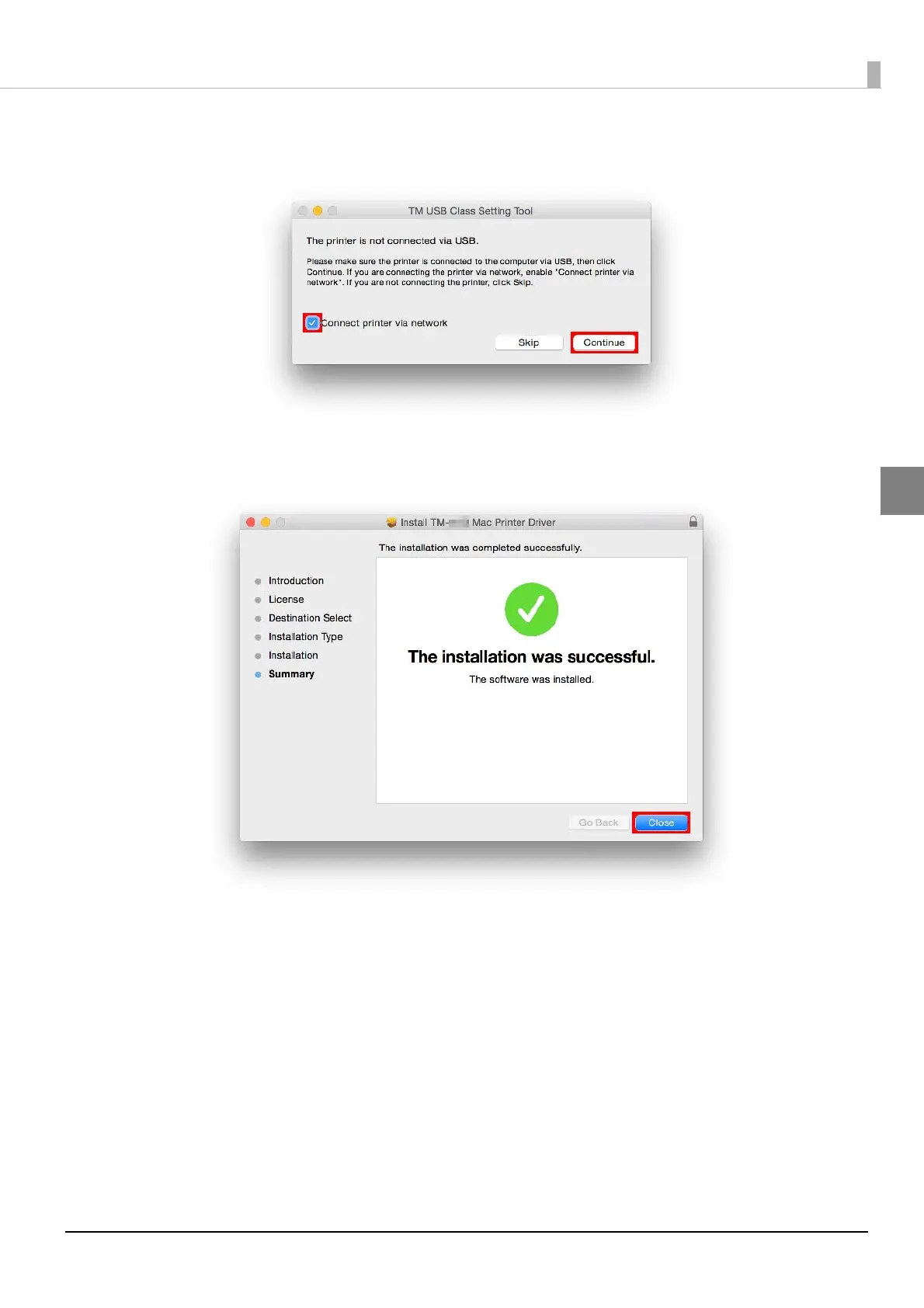
The "TM USB Class Setting Tool" screen appears. Select the [Connect printer via net-
work] checkbox and click the [Continue] button.
10
The "The Installation was completed successfully." screen appears. Click the [Close]
button.
This completes the printer driver installation. To use the printer driver to print, a print queue must be added.
See
"Adding the Print Queue" on page 12 to add the printer.









 To Next Page