33
Chapter 3 Using the Printer Driver
3
Procedure for Registering a Logo
1
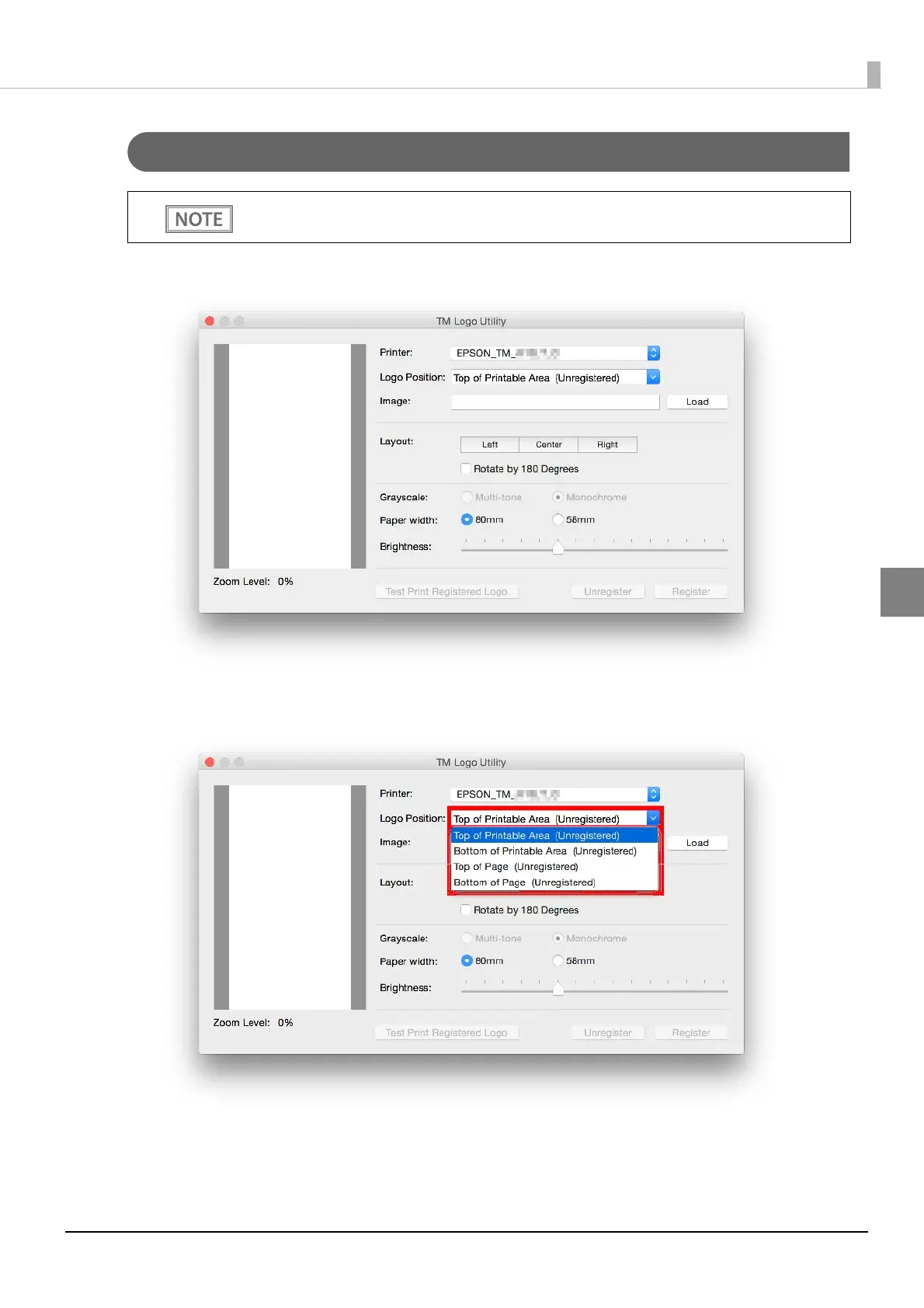
Start the TM Logo Utility.
2
Set the logo insertion position. Set [Logo Position] to [Top of Printable Area], [Bottom
of Printable Area], [Top of Page], or [Bottom of Page].
Make sure the printer power is on while you register a logo.









 To Next Page