16
Chapter 2 Installation
2
Uninstalling the Printer Driver
Uninstalling
1
Click TM-m30_xxx.dmg in the location where you saved it.
Double-click TM-m30_xxx_Uninstall to start the uninstaller.
2
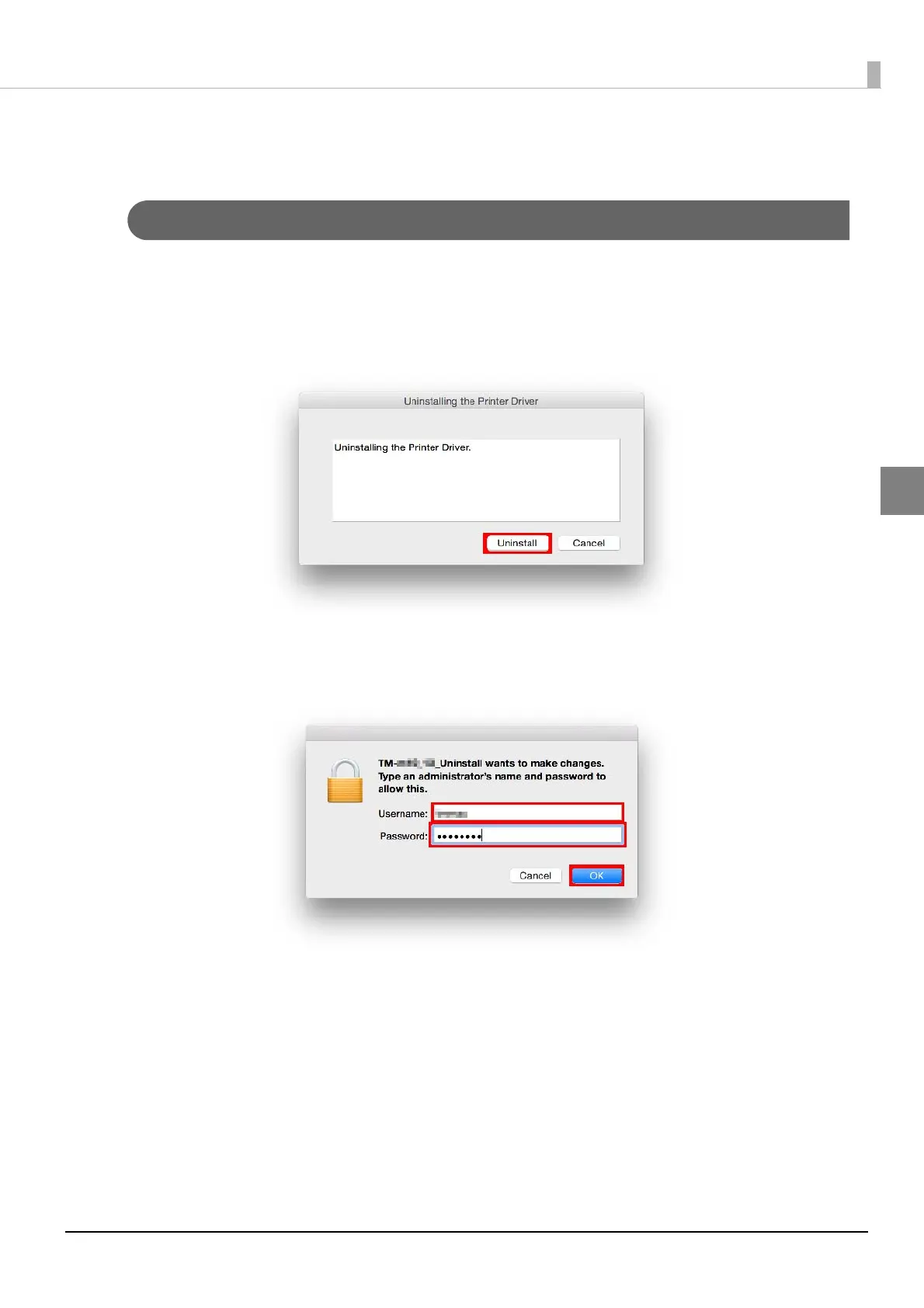
The "Uninstalling the Printer Driver" screen appears. Click the [Uninstall] button.
3
The operating system's administrator authentication screen appears. Enter a [Name]
and [Password], and click the [OK] button.
Start the uninstall.









 To Next Page