Note:
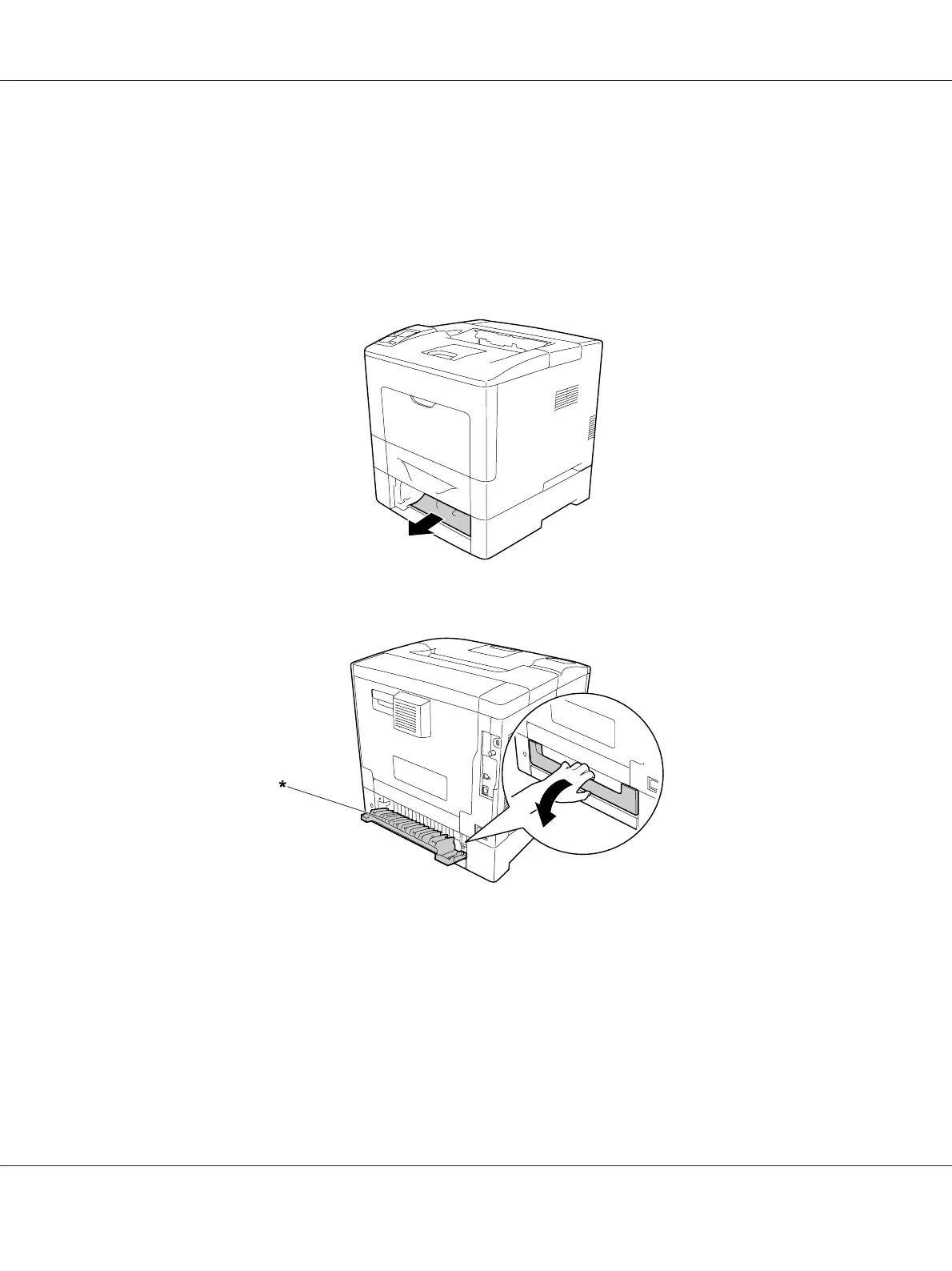
The optional paper cassette to be pulled out varies according to the error message displayed on the
LCD panel. When C2, C3 and/or C4 is displayed, pull out the optional paper cassette C2, C3 and/or
C4.
2. If there is any jammed paper, remove it gently with both hands. Be careful not to tear the jammed
paper.
3. Open the rear cover of the optional paper cassette.
* cover E2
Note:
The cover to be opened varies according to the error message displayed on the LCD panel. When E2
and/or E3 is displayed, pull out the rear cover of the paper cassette C2 and/or C3.
AL-M300/AL-M400 Series User's Guide
Troubleshooting 146












 To Next Page