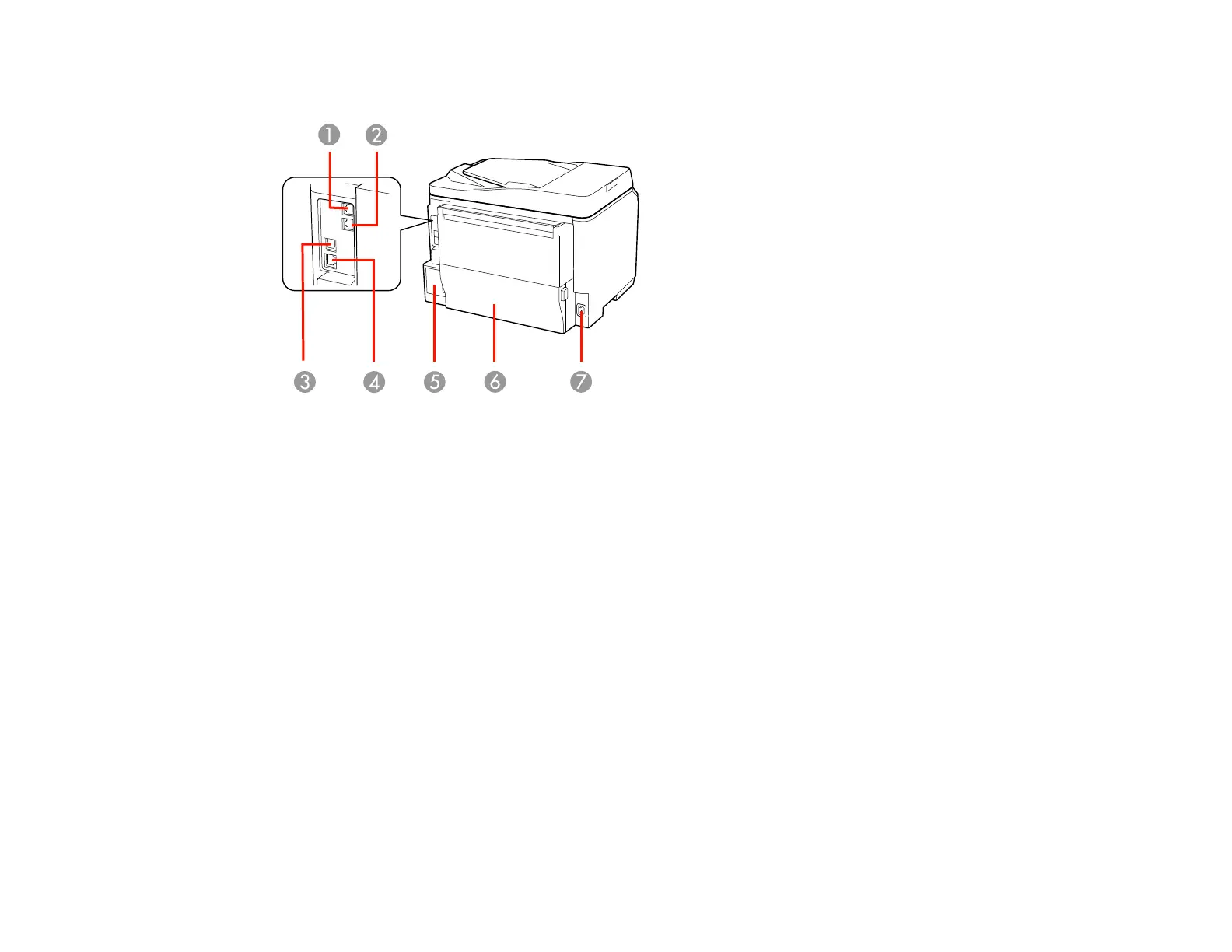
Printer Parts - Back
1 LINE port
2 EXT port
3 USB port
4 Ethernet LAN port
5 Maintenance box
6 Duplexer (rear unit)
7 AC inlet
Parent topic: Product Parts Locations
Two-Sided Printing, Scanning, Copying, and Faxing
You can print on both sides of the page automatically, using the product's built-in duplexer. By loading
your pages in the automatic document feeder (ADF), you can also scan, copy, and fax double-sided
documents.
• To print on both sides of the page from your computer, select 2-Sided Printing (Windows) or one of
the Two-sided Printing Settings (Mac OS X).
21













 To Next Page