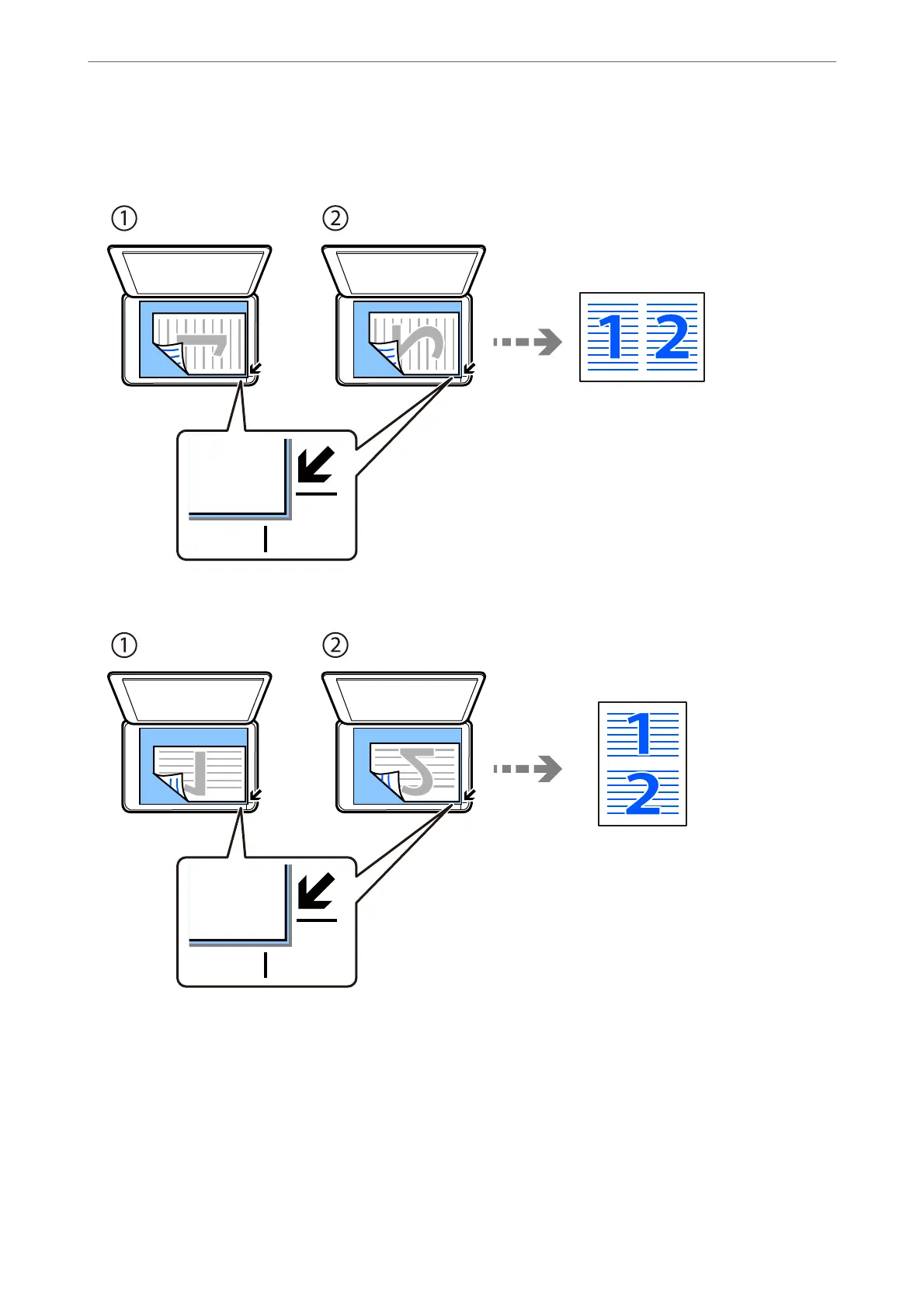
When placing originals, place them face-down as shown below.
❏ Copying originals horizontally
❏ Copying originals vertically
Note:
You can also select More to change the settings. See the related information below for explanations of the setting items.
Related Information
& “More Menu Options for Copying” on page 57
Copying
>
Copying Multiple Originals onto One Sheet
54



 To Next Page