EQD
®
5 EQ2288F
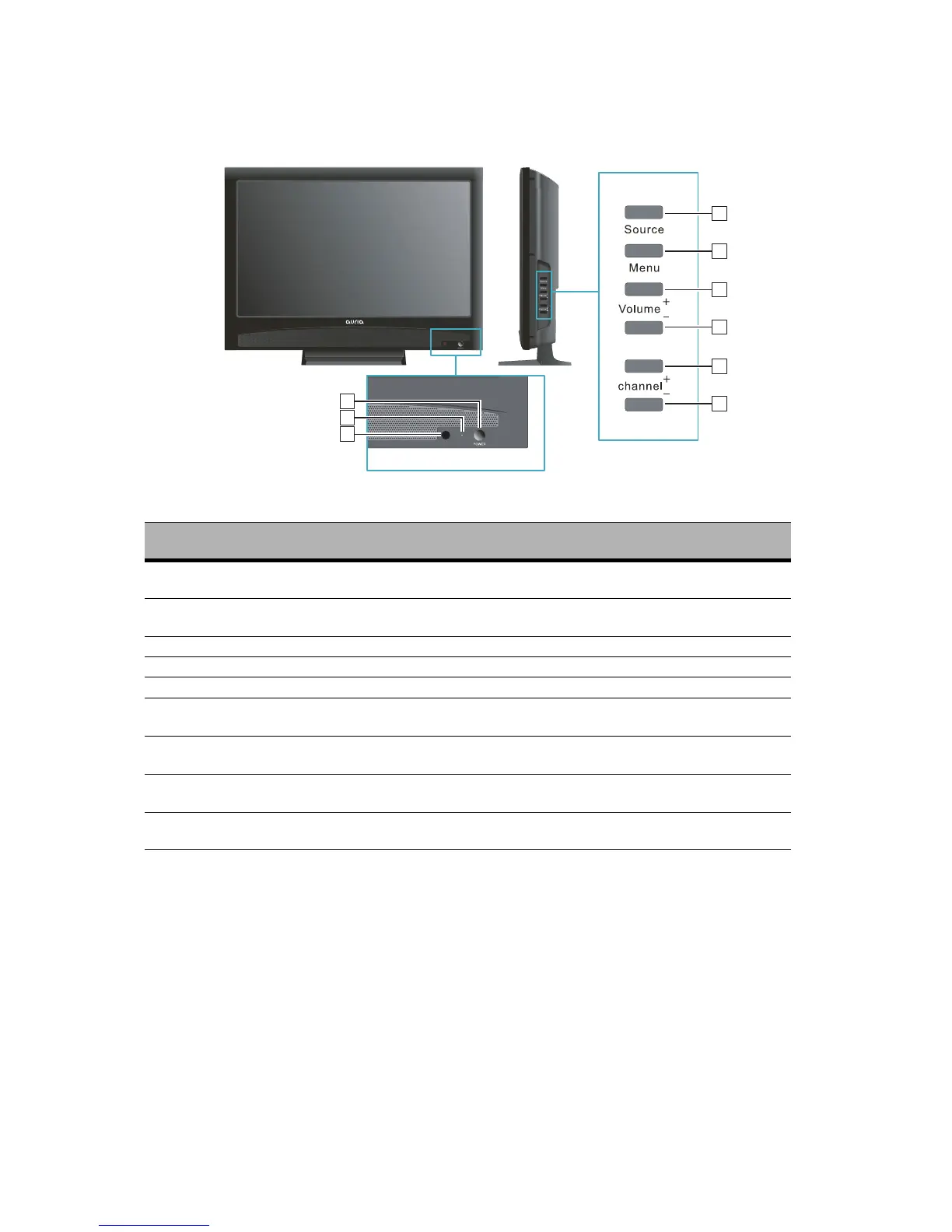
Front View of the product
Item Description
1 Power ON/OFF button
Turn the power on from standby mode or turn the
power off to return to the standby mode.
2 Power LED Indicator
Lights up in blue when the TV is turned on. Lights
up in orange when the TV is in standby mode.
3 Remote Control Receiver Receives IR signals from the remote control.
4 SOURCE Select input source.
5 MENU Turn OSD menu ON/OFF.
6 Volume Up
Increase sound volume or select a control while in
OSD menu.
7 Volume Down
Decrease sound volume or select a control while
in OSD menu.
8 CH Up
Channel up when source is TV, or adjust a high-
lighted control while in OSD menu.
9 CH Down
Channel down when source is TV, or adjust a high-
lighted control while in OSD menu.
4
6
5
7
8
9
1
2
3



 To Next Page