Getting Started
EQD
®
3 EQ2288F
Package Contents
Check the contents of your package. It should contain:
•LCD TV
• Remote Control with batteries
• Auria User Guide
• Auria Quick Start Guide
•Power Cord
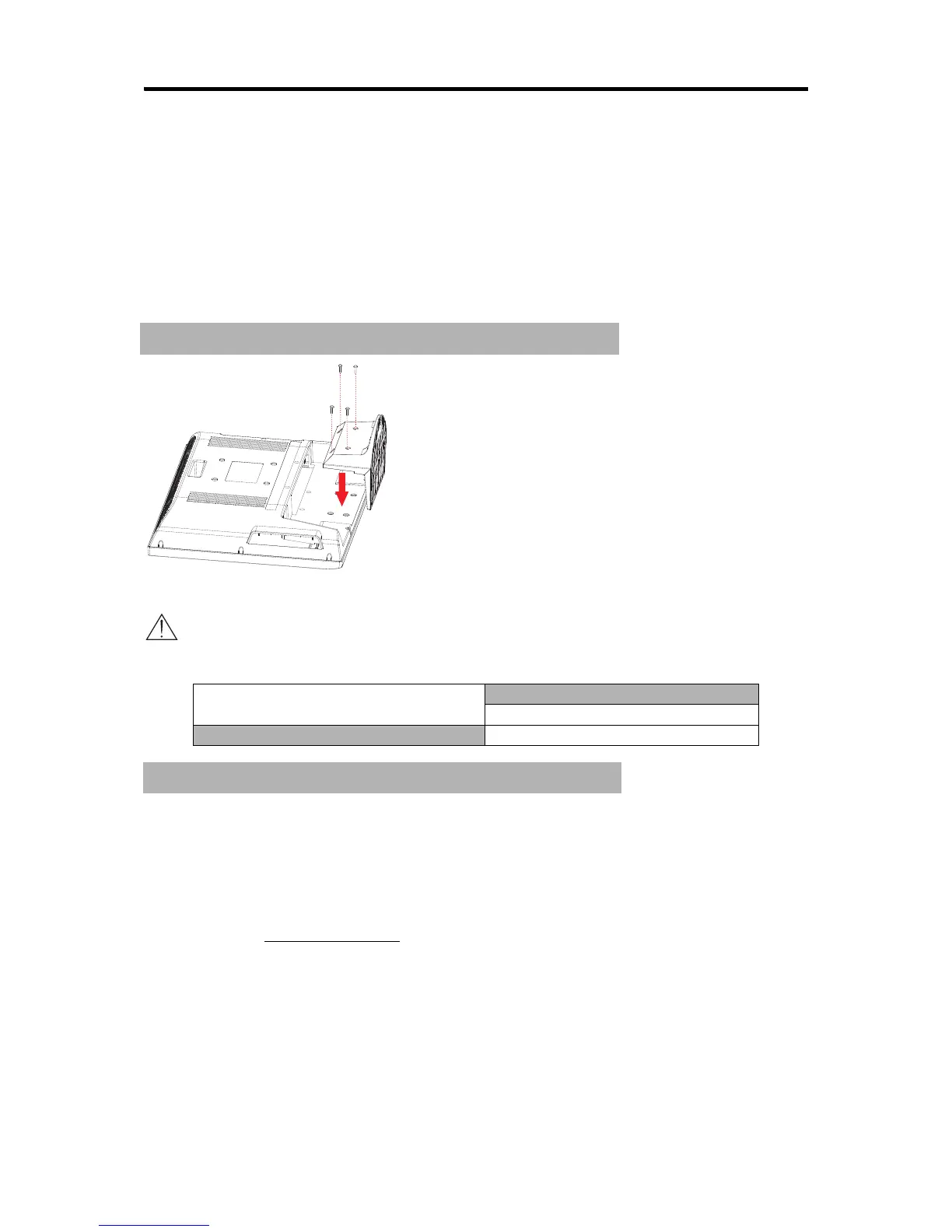
Installing the LCD TV
Disconnecting the stand
Caution
Please use the following Auria TVs wall-mount kit only.
Mounting Auria LCD TV to the wall
The LCD TV can be used in a free standing position or wall-mounted. Before
installing the product to the wall, please consider the following guidelines:
• Read the Important Safety Instructions, at the start of this manual.
• Do not install in a moist or wet environment. This equipment is intended
for indoor use.
• Do not install near heat source, or strong magnetic fields.
• Use only Auria approved
wall-mounting brackets to support the LCD TV
weight.
• Before attaching the wall mount plate to the back cover, ensure the
product is working.
• If your LCD TV is already set up for free-standing operation, you need to
first remove the stand before mounting the device to the wall.
Auria TV Model No.
EQ2288F
Auria wall-mount kit model WMK-10



 To Next Page