EQD
®
17 EQ2288F
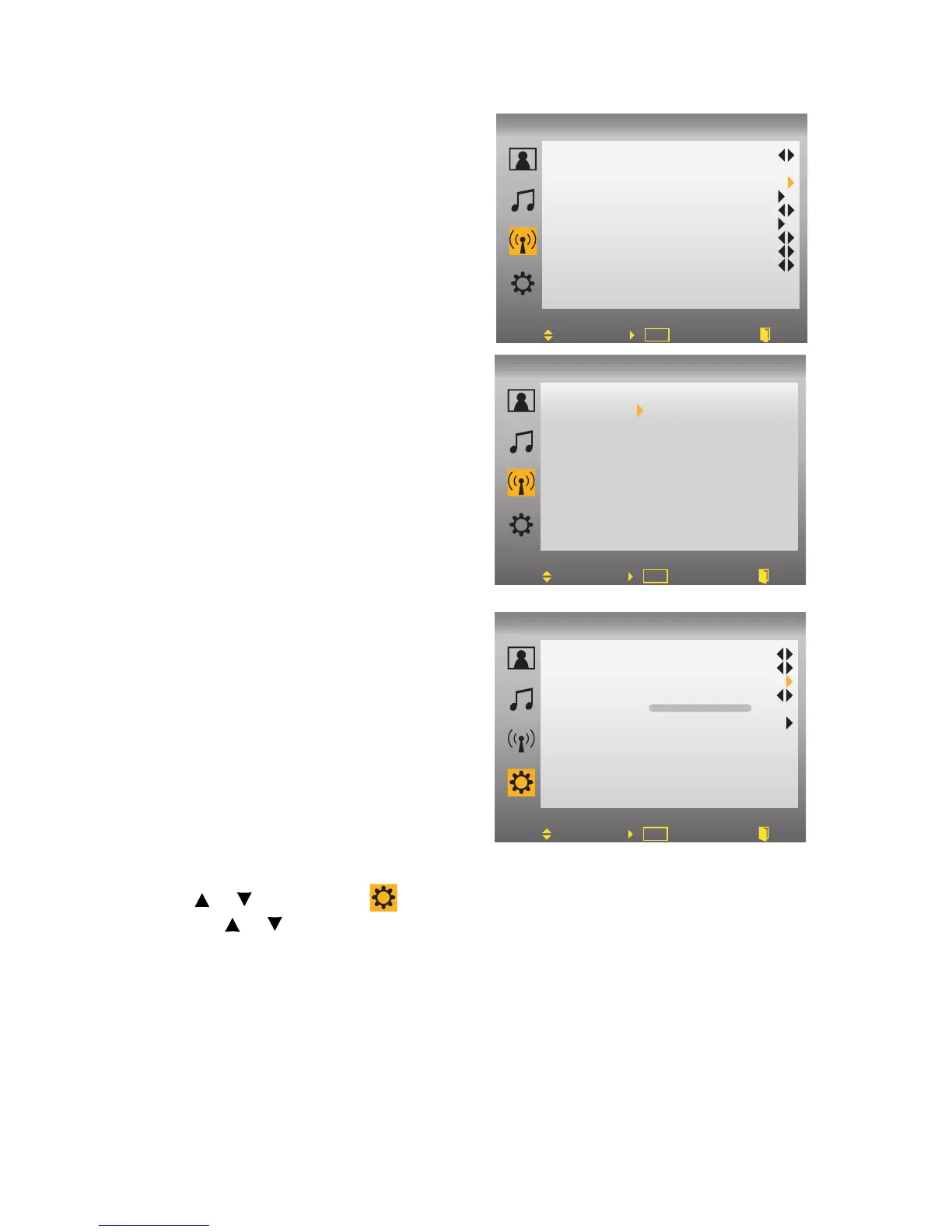
3.Select “System”, and select the
antenna connection to “AIR” or
“CATV”.
• AIR: RF signal programs by “Air”.
• CATV: RF signal programs by
“CATV”.
4.Select “Auto Search”, then select
“Yes” to begin the search. To stop
scanning, press EXIT at any time.
5.The Auto Search screen will be shown,
and after it is done, the screen will
return to the first found channel.
Using Parental Control Menu
Password is required to access the
Parental Control menu. The default
password is “0000”.
To Change Password:
1.Press the MENU button to display the
OSD main menu.
2.Use or to select the menu and press Enter to enter the submenu.
3. Use or to select “Parental Control” from the submenu.
4.Input your password.
5.Select “Change Password” to enter the Change Password setting.
6.Input your new password.
7.Enter your new password again to reconfirm.
8.After you complete the last step, the screen will return to the Parental
Control menu.
To turn Parental Control on or off:
1.Press the MENU button to display the OSD main menu.
Move Set
DTV
OK
Back
Tune
Channel No.
Channel Skip
System
Auto Search
DTV CC
DTV VCHIP2.0
Def AudioLang
DayLight Saving
Time Zone
11-1
CATV
Off
English
Auto
Alaska
Adjust Set Back
DTV
OK
Auto Search
No
Yes
Tune
Language
Sleep Time
Parental Control
Closed Caption
OSD Timer
Reset
English
Off
Off
Setup
Move Set Back
TV
OK
60



 To Next Page