EasyManua.ls Logo

Equinox Systems SpectraPix Batten - Operating Modes and Functions; Menu Navigation and Basic Modes

Equinox Systems SpectraPix Batten
16 pages
Print Icon
To Next Page IconTo Next Page
To Previous Page IconTo Previous Page
Loading...
www.prolight.co.uk SpectraPix Batten User Manual
5
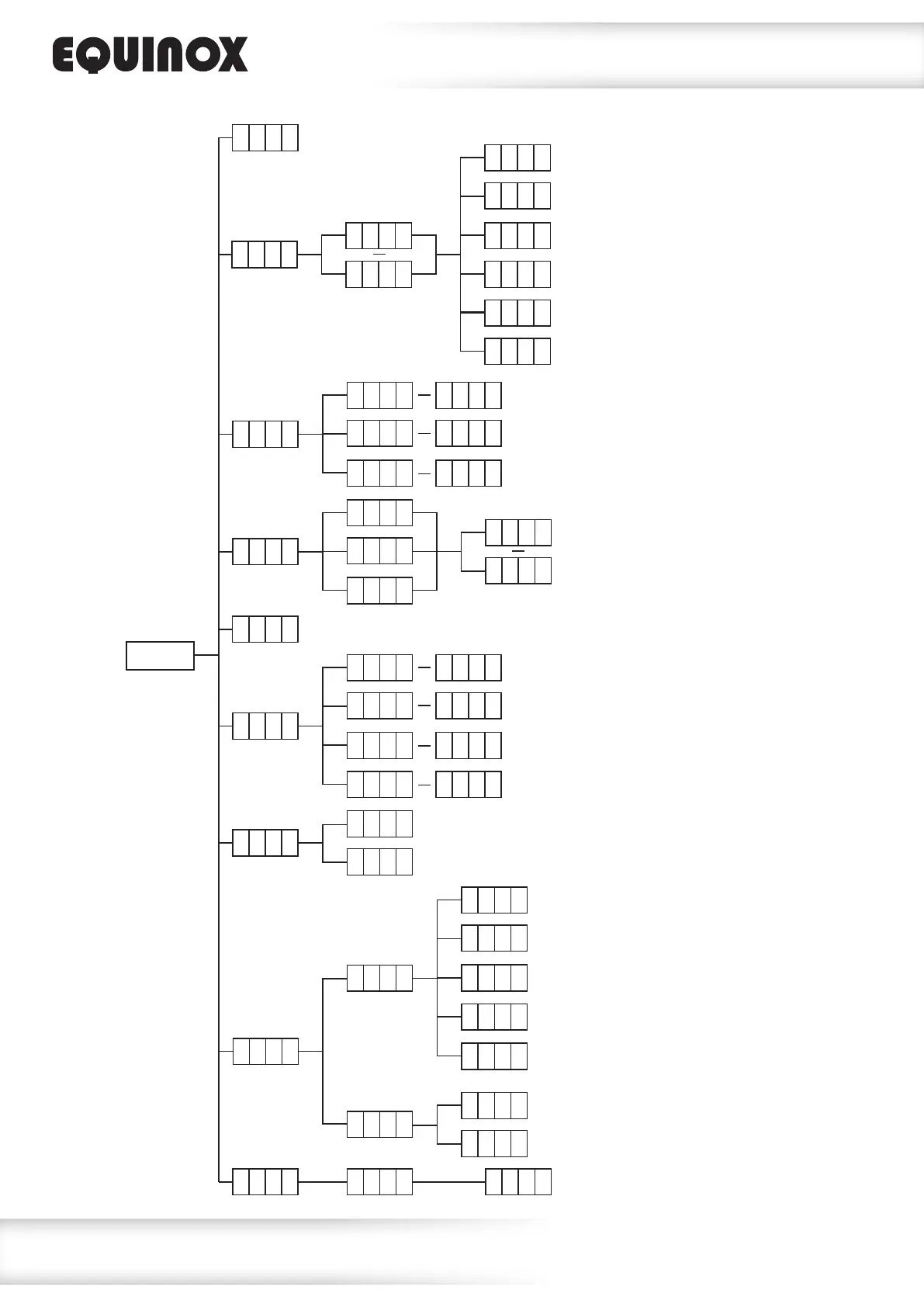
Operating instructions
S t A t
C L 0 1
C L 2 6
Static colour mode
S L a v
Slave mode
A u t o
Auto mode
C o L o
Colour mix mode
r 0 0 0
g 0 0 0
r 2 5 5
g 2 5 5
b 0 0 0
S t 0
b 2 5 5
S t 9
S h o u
Show modes
S h 1
S p 1
S h 5 4
S P 1 0
S t 0 S t 9
MENU
Sound mode
S o u d
S o u 1
S o u 2
S o u 3
S E n 1
S E n 9
DMX address/channel mode
A d d r
A 0 0 1
A 5 1 0
3 C H 1
3 C H 2
5 C H
2 4 C H
4 8 C H
5 3 C H
Software version
I n f o v e r V - - -
1 0 s
2 0 s
3 0 s
6 0 s
o n
d I S
S e t
d i r
E - - -
- - - 3
Display backlight setting
Program direction setting

Related product manuals