-11-
Notes:
1. To take a photo of your visitor during a conversation or when using the
'monitoring feature , press the 'Snap Key to save it to the Video Handset.' '
2. Up to 100 photos can be stored to the handset. Stored photos are
sequentially over-ridden when the number exceeds 100.
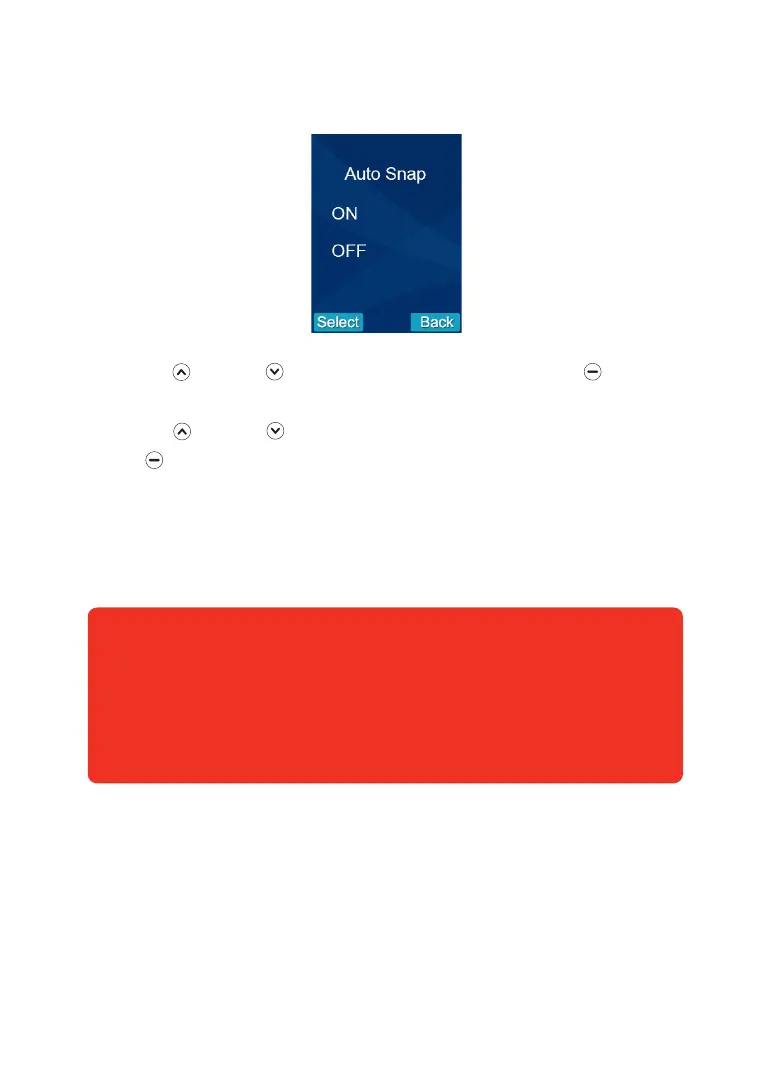
5. Auto Snap Settings
With 'Auto Snap' On, the camera will take a photo of visitor automatically when the
outdoor camera's call button is pressed. Photos can be viewed on the video
handset in 'Snap Show' .
1. Press Up or Down to select the 'Snap Set' menu, then press beneath
Select.
2. Press Up or Down to choose On or Off to enable or disable the function.
3. Press beneath Select to save the setting and return to the previous menu.


 To Next Page