ELite 3, User Manual
Page 34/72
There are two options to enter sample information:
• immediately before analysis
• in Database menu
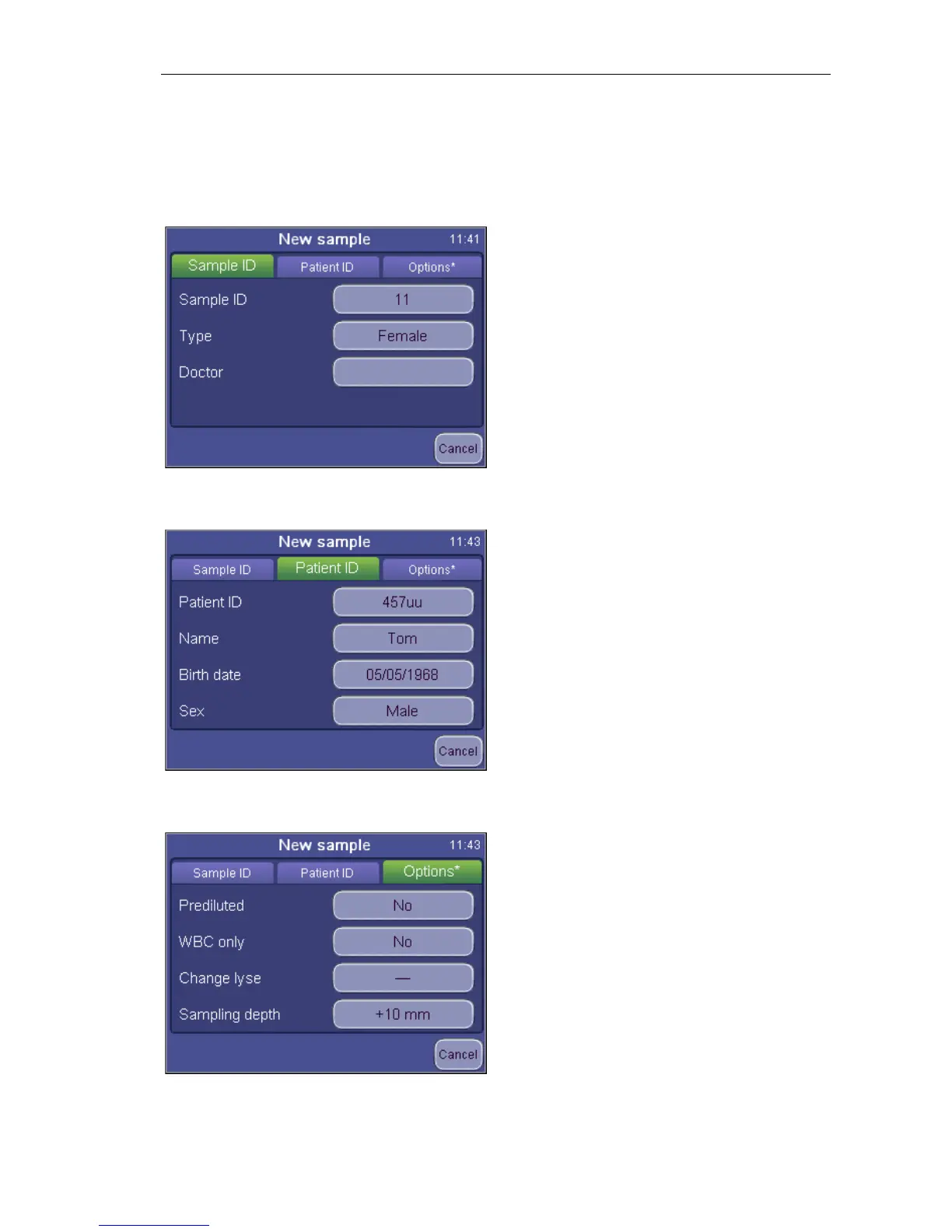
To enter sample information prior to sample analysis, touch sample info field in the
MEASURE screen. The following screen appears:
MEASURE
New
Sample ID
offering data entry for
the upcoming sample.
Sample ID can be defined to identify the
sample
Type offers a list of profiles to select from
Doctor will appear on the printout as well
Cancel will return to the measurement
screen (above).
MEASURE
New
Patient ID
offering data entry for
the patient.
Cancel will return to the measurement
screen.
offering data
entry for the upcoming sample.
Settings remain as they are set for the
following samples as well.
Cancel will return to the sample info
screen.


 To Next Page