ELite 3, User Manual
Page 42/72
6.1. Database services
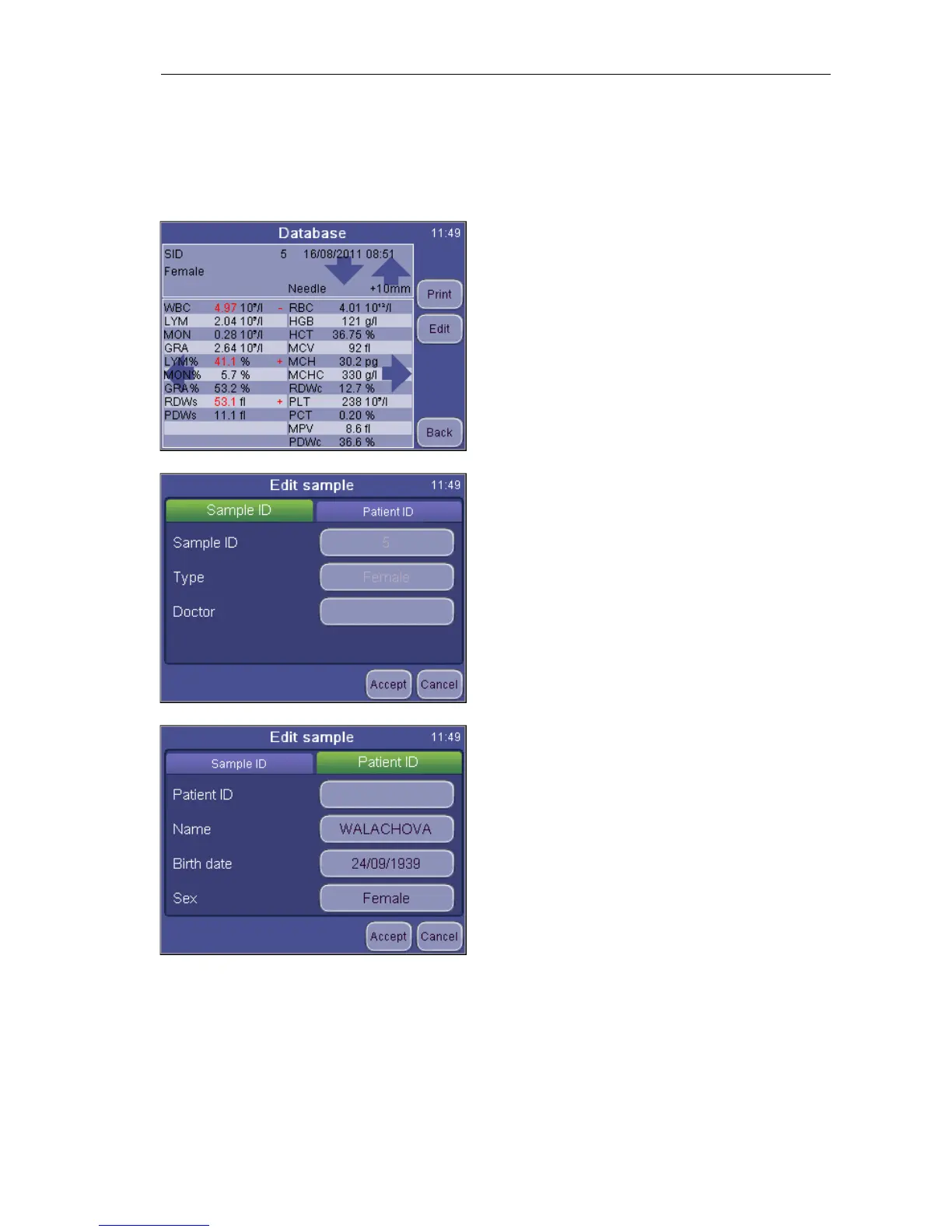
Detail will open up the parameter and histogram view of a record.
DATABASE
Detail
Print sends the record to the printer.
Edit opens up the dialog for data
manipulation of the record
Back returns to the Main menu
DATABASE
Detail
Edit
When looking at record from the database
view, some fields are not editable (Sample
ID, sample type). These can only be set
before running the sample. Patient ID tab
allows entering further data.
DATABASE
Detail
PID
This option allows editing patient
information. When you push the ACCEPT
button, your changes will be saved.
The Sample ID tab returns to the Sample ID
screen (above).
Patient ID can be 32 characters long and the name of the patient can hold 40
characters.


 To Next Page