ELite 3, User Manual
Page 45/72
6.4. Manage records
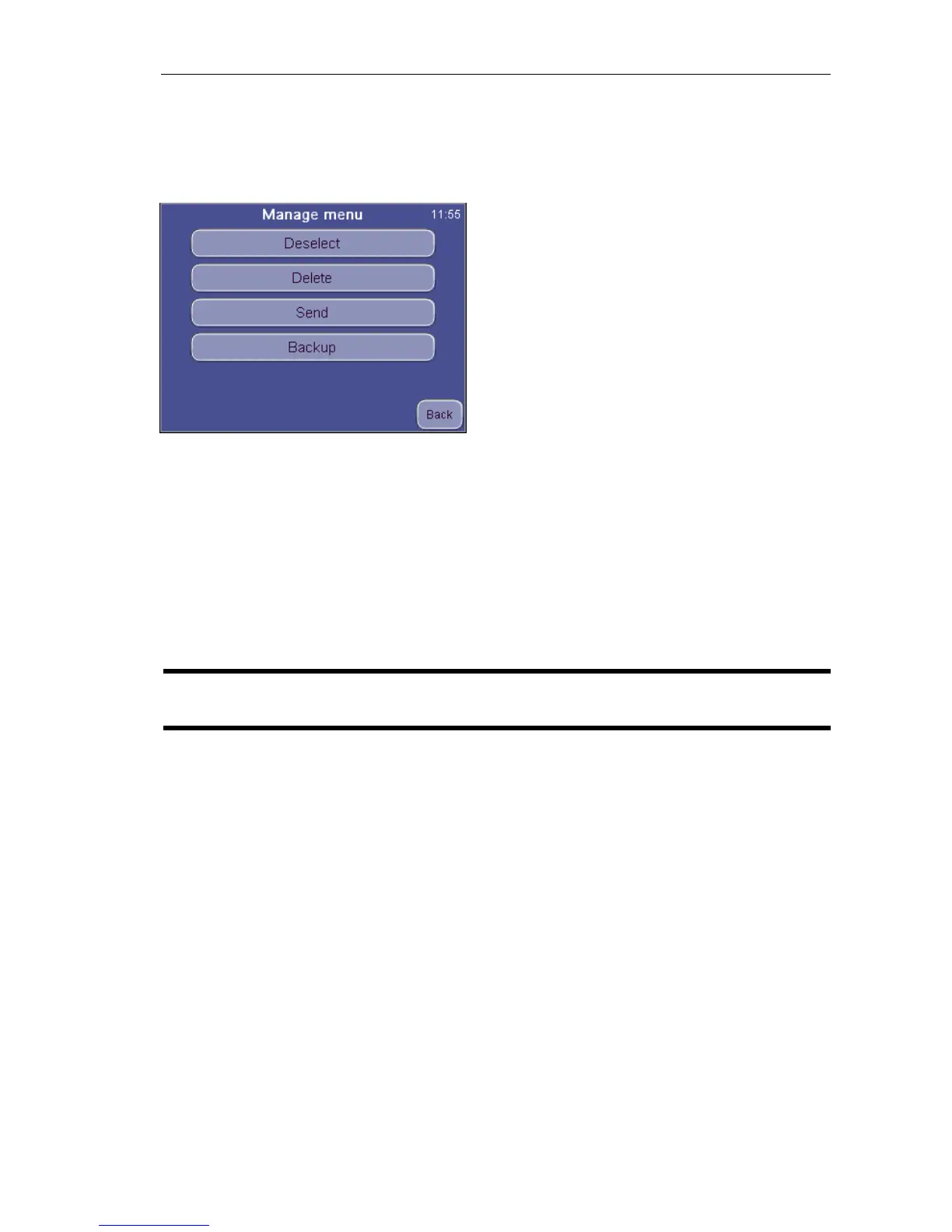
The Manage button becomes active if there is more than 1 record selected in the
database. Pressing Manage brings up the following screen:
DATABASE
Manage
Back aborts the operation and returns to the
table view.
Deselect will clear the checkboxes of all selected records.
Send will transmit record(s) to a connected computer. A progress bar shows the
status of the process.
Delete will permanently delete selected record(s) from the database. You have to
confirm this operation.
Backup will save selected record(s) to an external USB memory device. A progress
bar shows the status of the process.
NOTE Do not remove the USB memory device as long as its status LED
is blinking, because it can cause data loss on the memory device.


 To Next Page