ELite 3, User Manual
Page 56/72
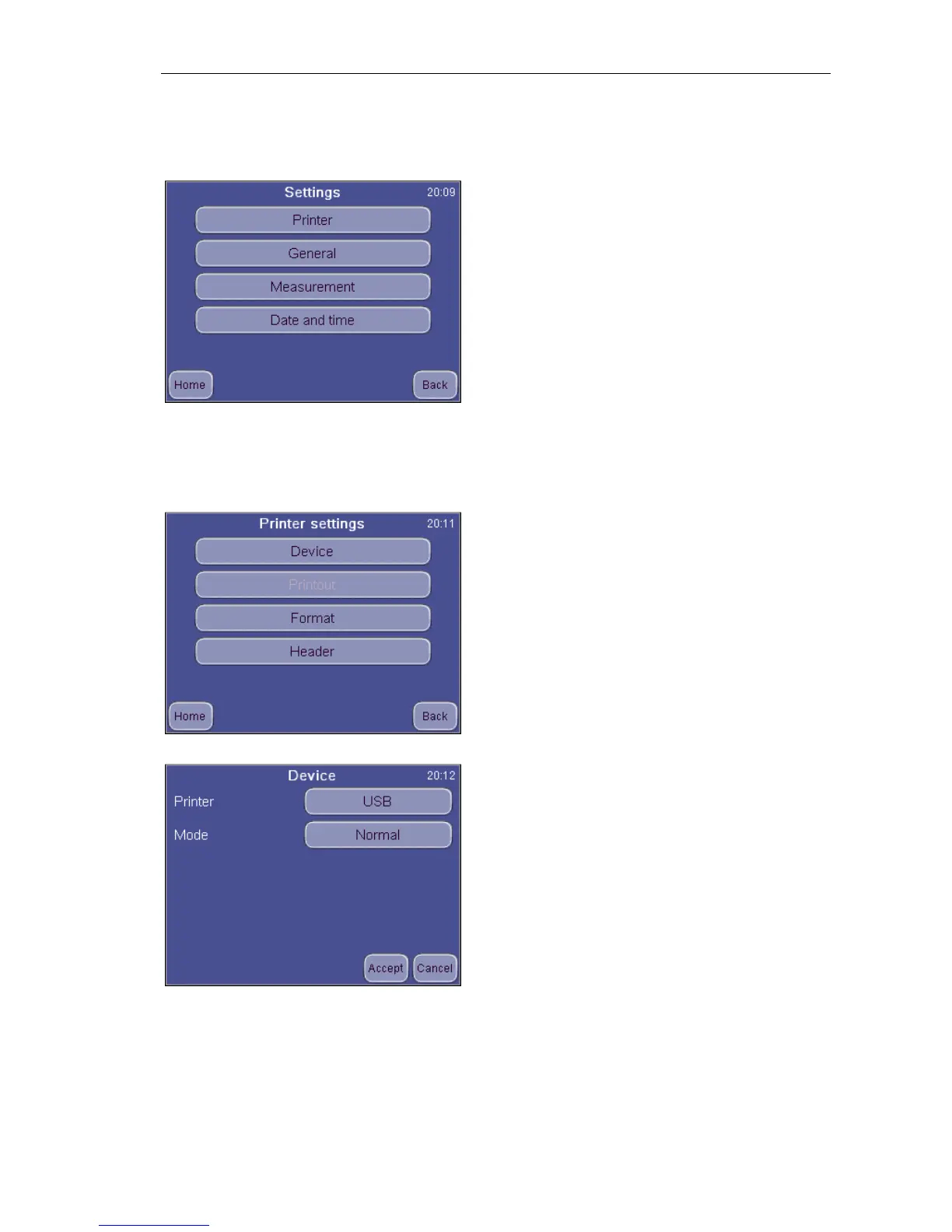
9. Settings
Selecting Settings accesses various lists of options
9.1. Printer settings
Printer settings menu allows setting up parameters of report printing.
Settings
Printer settings / Device
Printer: Selection between built-in or USB
printer. If the printer is recognized, the screen
will show the printer’s name.
Format: Selects printout quality.
Press Accept to approve changes made.
Press Cancel to go back to previous menu
keeping the old settings.


 To Next Page