71BusinessPhone – Analog Telephone
Installation
Wall mounting
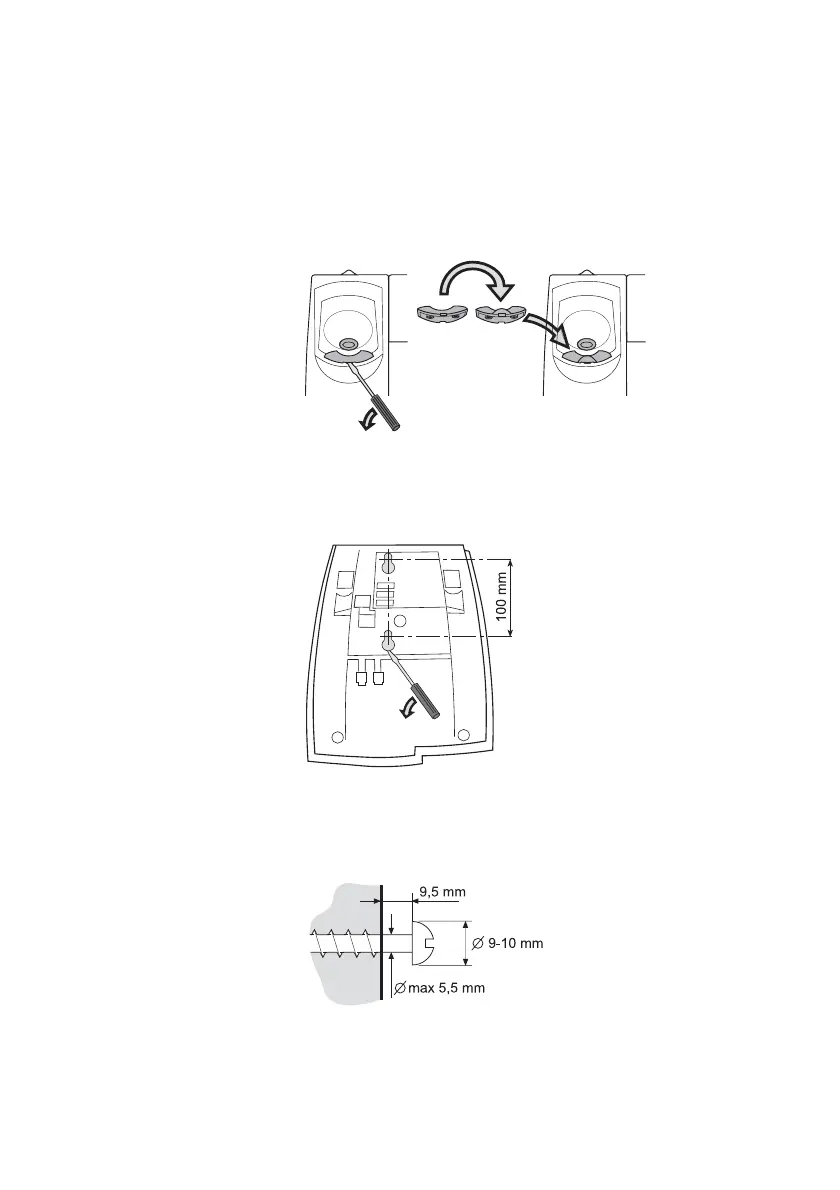
The phone can be wall mounted without using a special console.
Useful for instance in conference rooms or public areas.
1 Use a screwdriver to remove the handset hook.
2 Turn the hook upside down and insert.
3 Use a screwdriver to remove the two plastic covers.
4 Drill wall holes according to measure.
5 Mount screws according to measures and attach the
phone.








 To Next Page