9BusinessPhone – Analog Telephone
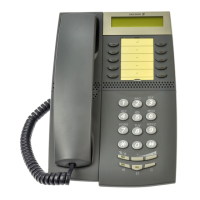
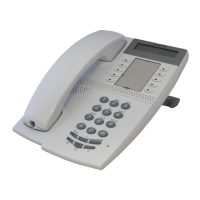
Description
1 Program
Store frequently called numbers, see section “Abbreviated
Numbers” on page 20.
2 Message Waiting / 2nd
a. A flashing light indicates a waiting message. See section
“Messages” on page 37.
b. Key for access to secondary key functions (these functions are
stated on the second line of the corresponding key).
3 Programmable keys
Eight keys for storing frequently called numbers. You can store two
numbers per key, see section “Abbreviated Numbers” on page 20.
Note: If you unplug the telephone, stored numbers will
remain for about 24 hours.
4Mute
Switch microphone on or off. See section “During Calls” on
page 25.
5 Loudspeaker on/off / Headset key
a. Switch loudspeaker on or off. See section “During Calls” on
page 25.
b. Activate headset. See section “Headset” on page 64.
6 Last number redial / Pause key
a. Redial last number dialled.
b. Insert a pause if you have to wait for dial tone.
7 R-key
Used for example to make an inquiry, to transfer a call or to
establish a conference, see section “During Calls” on page 25.
Note: Sometimes it is required to change the flash time for
the R-key, see section “Flash time” on page 65.
8 Volume control
To adjust the volume.
9 Headset / Loudspeaker switch
a. At the headset position the loudspeaker key activates a
connected headset. See section “Settings” on page 59.
b. At the loudspeaker position the loudspeaker key activates the
loudspaker. See section “Settings” on page 59.
10 Prog On/Off switch
Enable or disable the program key. See section “Settings” on
page 59.








 To Next Page