# VSH400PLC090909
4. On the instrumentation error screen in its bottom part, click TRYB
SERWISOWY (service mode)
5. The device switches into service mode
6. Press the pedal and wait till the mobile knife shifts to the low position [Fig.28]
Fig.28
7. Shift the bus of minimal length 1.5 m under the measurement roll (1) pushing
it up to the knife (2). The bus should have the length of 1 m marked, counting
from the side of the knife (2).[Fig.29]
Fig.29
8. Release the pedal and wait till the knife withdraws completely to its top
position
9. Slowly but firmly shift the bus by 1 m (the marked value on the bus should
match the left edge of the cutting die)
10. Hold the bus so as to not allow it to be moved and press the pushbutton
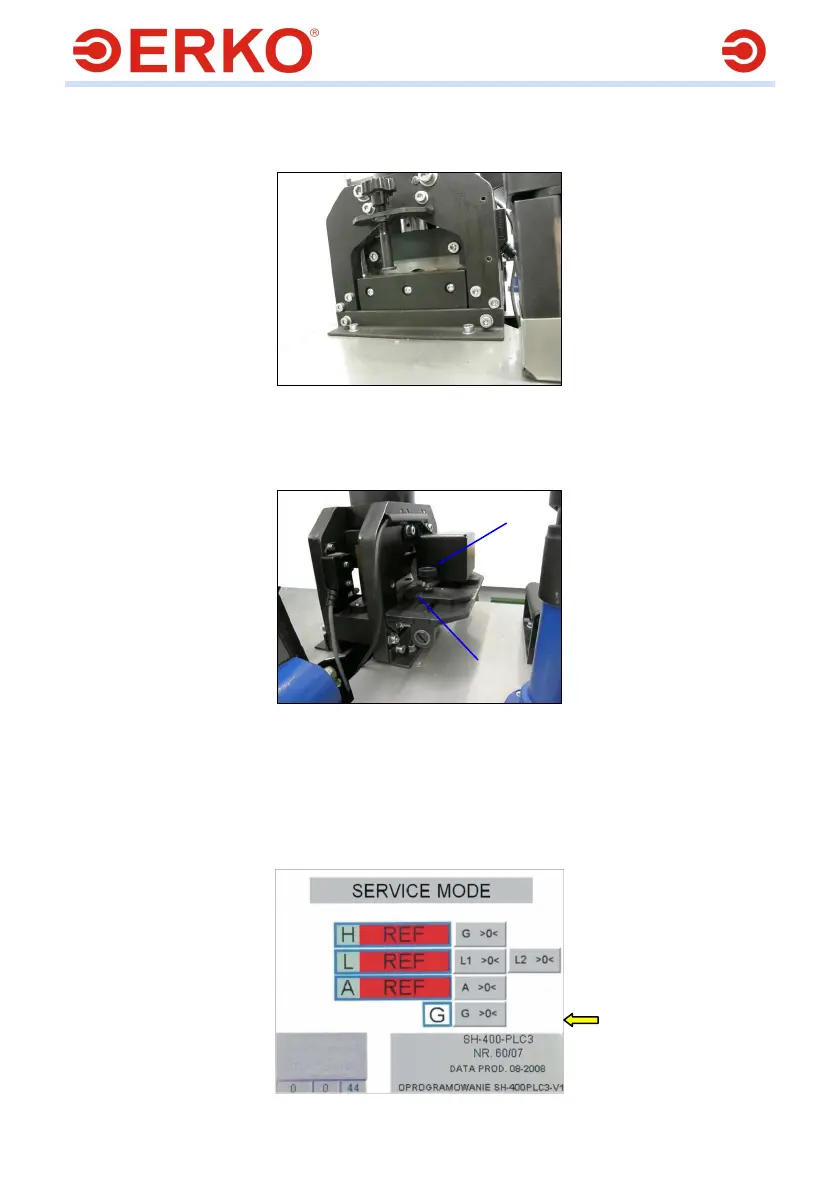
G >0< on the panel at the height of the counter G [Fig.30]
Fig.30
1
2



 To Next Page