EasyManua.ls Logo

Erreka CAT - User Manual

Erreka CAT
4 pages
Print Icon
To Next Page IconTo Next Page
Loading...
5
CAT
Quick installation and programming guide English
WARNING
This quick guide is a summary of the complete installation manual. The manual contains safety warnings and
other explanations which must be taken into account. The most recent versions of this guide and the
installation manual are available at the "Downloads" section on Erreka's website.
http://www.erreka-automation.com
The options and functions described in this guide apply for the firmware version indicated on the circuit. The
firmware, as part of a process of continuous improvement, is subject to new functionalities or upgrades being
included as a result of new versions which are not necessarily compatible with previous ones. For this reason,
some options or functions may differ or be unavailable if your firmware is older than shown in this guide.
90º
90º
D287A
90
135
200,5
130
200
FCC
FCA
E287C
Assembly levels (mm) Manual operation
Motorised operation locking:
Proceed in reverse order to release.
Move the gate manually to interlock it in the operator
mechanism.
E287D
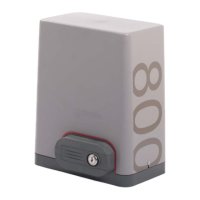
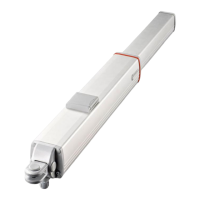
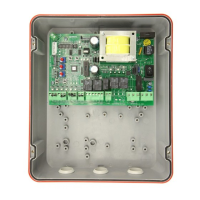
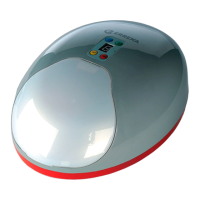
Elements of the complete installation
Unlocking for manual operation:
Insert the key (1) and turn clockwise about 90º, without
forcing it.
Pull the release lever (2) until it is about 90º, without forcing it.
Electrical wiring
A: Main power supply
B: Flashing light
C: Photocells (Tx / Rx)
D: Pushbutton/wall key
MSM-048/00
Firmware V1.0 or later
Question and Answer IconNeed help?

Do you have a question about the Erreka CAT and is the answer not in the manual?

Summary

Installation and Wiring

Elements of Complete Installation

Overview of the physical components required for gate operator installation.

Electrical Wiring Guide

Details on connecting power, flashing light, photocells, and pushbutton/wall key.

Assembly Level Measurements

Provides key dimensions for correctly assembling the gate operator.

Manual Operation Procedures

Instructions for unlocking the operator for manual gate movement.

General Connections and Components

Control Panel Connectors

Detailed list and function of each terminal on the control panel.

Indicator LEDs

Explanation of the status indicated by each LED on the control panel.

Fuse Information

Specifies the fuse rating and location for the gate operator.

Programming and Operation

Turning Direction Check

Procedure to verify and correct the motor's turning direction.

Radio Code Programming

Steps for programming transmitters for total and pedestrian opening.

Deleting Transmitters

Instructions for clearing all previously programmed radio transmitters.

Programming the Run

Automatic process for setting the gate's full operational travel.

Function and Mode Selection

DIP Switch Settings

Configuration options for soft-start, limit switches, and automatic modes.

Potentiometer Adjustments

Guide to tuning sensitivity, braking, soft-stop, and operator force.

Erreka CAT Specifications

General IconGeneral
BrandErreka
ModelCAT
CategoryGate Opener
LanguageEnglish

Related product manuals