EasyManua.ls Logo

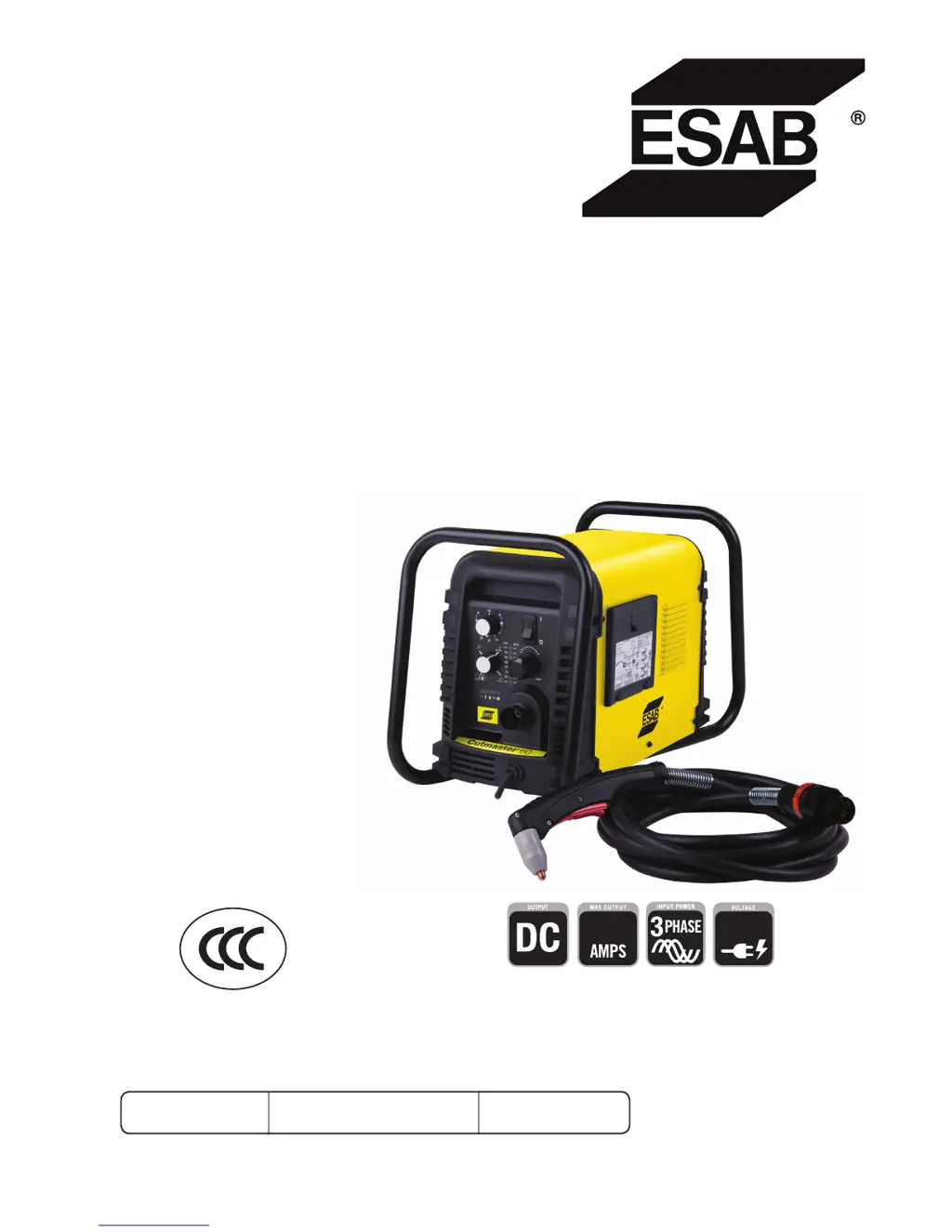
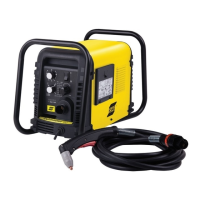
ESAB Cutmaster 60 - User Manual

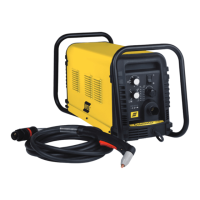
ESAB Cutmaster 60
68 pages
Print Icon
To Next Page IconTo Next Page
Loading...
60
380/400V
Art # A-12773
esab.com.cn
ESAB Cutmaster
®
60
Plasma Cutting System
SL60 1Torch
TM
Operating
Manual
Revision: AA Issue Date: January 15, 2015 Manual No.: 0-5402

Table of Contents

Questions and Answers

  • B
    Brittany RichSep 7, 2025
    Why is the GAS LED OFF and FAULT and MIN pressure indicators flashing on my ESAB Welding System?
    • T
      travisoneillSep 7, 2025
      If the GAS LED is OFF and the FAULT and MIN pressure indicators are flashing on your ESAB Welding System, it could be due to several reasons: * The gas supply might not be connected. Ensure the gas supply is properly connected to the unit. * The gas supply may not be turned ON. Make sure to turn the gas supply ON. * The gas supply pressure could be too low. Set the air supply inlet pressure to the unit to 120 psi. * The AIR PRESSURE CONTROL regulator might be set too low. Adjust the regulator to set the air pressure.
  • B
    Bonnie HickmanAug 22, 2025
    What causes the ESAB Cutmaster 60's fault indicator to flash along with the 65 PSI indicator?
    • B
      brittanywebbAug 22, 2025
      The flashing fault and 65 PSI indicators on your ESAB Welding System could be due to a primary input voltage problem. Have a qualified person check the primary voltage to ensure it meets the unit requirements. It could also indicate faulty components in the unit, in which case you should return it to an authorized service center for repair or replacement.
  • C
    Chad SimmonsSep 4, 2025
    What to do if the ESAB Welding System's fault and 85 PSI indicators are flashing?
    • L
      Lauren RichardsonSep 5, 2025
      If the FAULT and 85 PSI indicators are flashing on your ESAB Welding System, try turning the ON / OFF switch OFF and then back ON again. If that does not clear the fault, return to an authorized service center for repair.
  • D
    Douglas MorrisSep 3, 2025
    Why is the ESAB Welding System ON / OFF Switch is ON but the A/C Indicator does not light?
    • B
      Bethany SimmonsSep 3, 2025
      If the ON / OFF Switch is ON but the A/C Indicator does not light on your ESAB Welding System, here are a few things to check: 1. Ensure the primary power disconnect is in the ON position. If it's OFF, switch it to ON. 2. Check the primary fuses/breakers. If they are blown or tripped, have a qualified person check and replace them. Also, connect the unit to a known good primary power receptacle. 3. Inspect the unit's internal fuse. If it's blown, replace it. If it blows again, return the unit to an authorized service center for repair or replacement. 4. It could be due to faulty components in the unit, requiring a return to an authorized service center for repair or replacement.
  • E
    Emily StokesSep 2, 2025
    Why does nothing happen when the torch switch or remote switch is closed on the ESAB Cutmaster 60 Welding System?
    • H
      heidipriceSep 2, 2025
      If nothing happens when the torch switch or remote switch is closed (or the CNC START signal is active) on your ESAB Welding System, and there is no gas flow with the DC LED OFF, it could be due to a problem in the torch and leads switch circuit (or remote pendant switch circuit). In this case, take the Torch and Leads (Remote Pendant) to an Authorized Repair Facility. Another possibility is that the CNC Controller device is not providing a Start signal. Finally, it could be due to failed components in the unit, requiring a return to an authorized service center for repair or replacement.
  • M
    Michelle TorresAug 30, 2025
    What to do if the ESAB Cutmaster 60's GAS LED is OFF, and the FAULT and MIN pressure indicators are flashing?
    • E
      Erica JamesAug 30, 2025
      If the GAS LED is OFF, and the FAULT and MIN pressure indicators are flashing on your ESAB Welding System, check the following: * Ensure the gas supply is connected to the unit. If not, connect it. * Verify the gas supply is turned ON. If not, turn it ON. * Make sure the gas supply pressure is adequate. Set the air supply inlet pressure to the unit to 120 psi. * Check the AIR PRESSURE CONTROL regulator setting. * It could be due to failed components in the unit, requiring a return to an authorized service center for repair.
  • J
    Jacob StevensAug 29, 2025
    Why is the ESAB Cutmaster 60 Welding System torch cutting diminished?
    • M
      Melissa HughesAug 29, 2025
      If the torch cutting is diminished on your ESAB Welding System, consider the following: * The current setting might be incorrect. Check and adjust to the proper setting. * The torch consumables may be worn. Check and replace as needed. * The work cable connection to the work piece might be poor. Check the connection of the Work Lead to the work piece. * The torch might be moved too fast. Reduce cutting speed. * There might be excessive oil or water in the torch. * There could be failed components in the unit, requiring a return to an authorized service center for repair.
  • S
    Sharon SandersAug 27, 2025
    What to do if the ESAB Cutmaster 60 Welding System's pilot arc is ON but the cutting arc will not establish?
    • M
      Mrs. Sharon TerryAug 27, 2025
      If the pilot arc is ON but the cutting arc will not establish on your ESAB Welding System, make sure that the work cable is connected to the work piece. If the work cable/connector is broken, replace it. It could also be due to failed components in the unit, requiring a return to an authorized service center for repair.
  • N
    Neil DavisAug 26, 2025
    Why is the ESAB Cutmaster 60 Welding System's temperature indicator ON and the fault indicator flashing?
    • C
      carolynkennedyAug 26, 2025
      If the temperature indicator is ON and the fault indicator is flashing on your ESAB Welding System, it could be due to several reasons: * Air flow through or around the unit is obstructed. * The duty cycle of the unit has been exceeded. Allow the unit to cool. * Failed components in unit. Return to authorized service center for repair or replacement.
  • E
    edwin84Aug 25, 2025
    What does it mean if the ESAB Cutmaster 60 Welding System's fault and 75 PSI indicators are flashing?
    • P
      Paul HarrisAug 25, 2025
      If the fault and 75 PSI indicators are flashing on your ESAB Welding System, it could indicate that the start signal is active when the ON/OFF switch is turned to the ON position. This can occur if the hand torch switch or hand pendant switch is held closed, or if the CNC START signal is active low. Release the START signal source. Another possibility is a problem in the torch and leads switch circuit, which would require replacing the torch and leads or returning them to an authorized service center for repair or replacement. Finally, it could be due to failed components in the unit, also requiring a return to an authorized service center for repair or replacement.

Summary

SECTION 1: SAFETY

1.0 Safety Precautions

General safety guidelines and recommendations for operating the equipment.

SECTION 2 SYSTEM: INTRODUCTION

2.01 How To Use This Manual

Instructions on how to navigate and use the manual effectively.

2.02 Equipment Identification

Details on identifying the unit's model, serial number, and part numbers.

2.03 Receipt Of Equipment

Procedures for checking received equipment for completeness and damage.

2.04 Power Supply Specifications

2.05 Input Wiring Specifications

2.06 Power Supply Features

SECTION 2 TORCH: INTRODUCTION

2 T.01 Scope of Manual

Details the manual's coverage of SL60/Manual and SL100/Mechanized Plasma Cutting Torches.

2 T.02 General Description

Explains the basic design and function of plasma torches and gas flow.

2 T.03 Specifications

Provides technical specifications for torch configurations, leads, and parts.

2 T.04 Options And Accessories

2 T.05 Introduction to Plasma

SECTION 3 SYSTEM: INSTALLATION

3.01 Unpacking

Instructions for identifying and inspecting equipment after receiving it.

3.02 Lifting Options

Details on safe lifting procedures and options for the power supply unit.

3.03 Primary Input Power Connections

Guidance on connecting the primary input power, including voltage and wiring requirements.

3.04 Gas Connections

Installing Optional Two - Stage Air Filter Kit

Using High Pressure Air Cylinders

SECTION 3 TORCH: INSTALLATION

3 T.01 Torch Connections

Procedure for connecting the torch to the power supply unit.

3 T.02 Setting Up Mechanical Torch

Instructions for mounting and aligning the mechanical torch for cutting.

SECTION 4 SYSTEM: OPERATION

4.01 Front Panel Controls; Features

Description of the power supply's front panel controls and indicators for operation.

4.02 Preparations for Operation

SECTION 4 TORCH: OPERATION

4 T.01 Torch Parts Selection

Guidance on selecting appropriate torch parts for different cutting operations.

4 T.02 Cut Quality

Factors influencing cut quality and characteristics of a good cut.

4 T.03 General Cutting Information

4 T.04 Hand Torch Operation

Shield Cup With Straight Edge

Drag Cutting With a Hand Torch

Piercing With Hand Torch

4 T.05 Gouging

4 T.06 Mechanized Torch Operation

4 T.07 Parts Selection for Manual and Mechanized Torch Cutting

4 T.08 Recommended Cutting Speeds for Mechanized Torch With Exposed Tip

4 T.09 Recommended Cutting Speeds for Mechanized Torch With Shielded Tip

PATENT INFORMATION

Plasma Cutting Torch Patents

Lists US and Foreign patents covering plasma cutting torch parts.

SECTION 5 SYSTEM: SERVICE

5.01 General Maintenance

Routine maintenance tasks for the power supply unit, categorized by frequency.

5.02 Maintenance Schedule

5.03 Common Faults

5.04 Fault Indicator

5.05 Basic Troubleshooting Guide

5.06 Power Supply Basic Parts Replacement

Optional Single-Stage Filter Element Replacement

Optional Two-Stage Filter Element Replacement

SECTION 5 TORCH: SERVICE

5 T.01 General Maintenance

Procedures for cleaning and lubricating torch components for optimal performance.

5 T.02 Inspection and Replacement of Consumable Torch Parts

SECTION 6: PARTS LISTS

6.01 Introduction

Overview of the parts list breakdown and arrangement.

6.02 Ordering Information

Guidelines for ordering replacement parts, including necessary information.

6.03 Power Supply Replacement

Details on what is included with a replacement power supply unit.

6.04 Replacement Power Supply Parts

6.05 Options and Accessories

6.06 Replacement Parts for Hand Torch

6.07 Replacement Parts - for Machine Torches with Unshielded Leads

6.08 Replacement Shielded Machine Torch Leads Assemblies

6.09 Torch Consumable Parts (SL60)

6.10 Torch Consumable Parts (SL100)

APPENDIX 1: SEQUENCE OF OPERATION (BLOCK DIAGRAM)

APPENDIX 2: DATA TAG INFORMATION

APPENDIX 3: TORCH PIN - OUT DIAGRAMS

APPENDIX 4: TORCH CONNECTION DIAGRAMS

APPENDIX 5: SYSTEM SCHEMATIC, 380;400 V UNITS

APPENDIX 6: Publication History

ESAB Cutmaster 60 Specifications

General IconGeneral
Output Current Range20-60 A
Rated Output Current60 A
Protection ClassIP23
Duty Cycle60% @ 60A
Recommended Cut Capacity20mm (3/4 inch)
Gas SupplyCompressed air
No Load Voltage265 V

Related product manuals