EasyManua.ls Logo

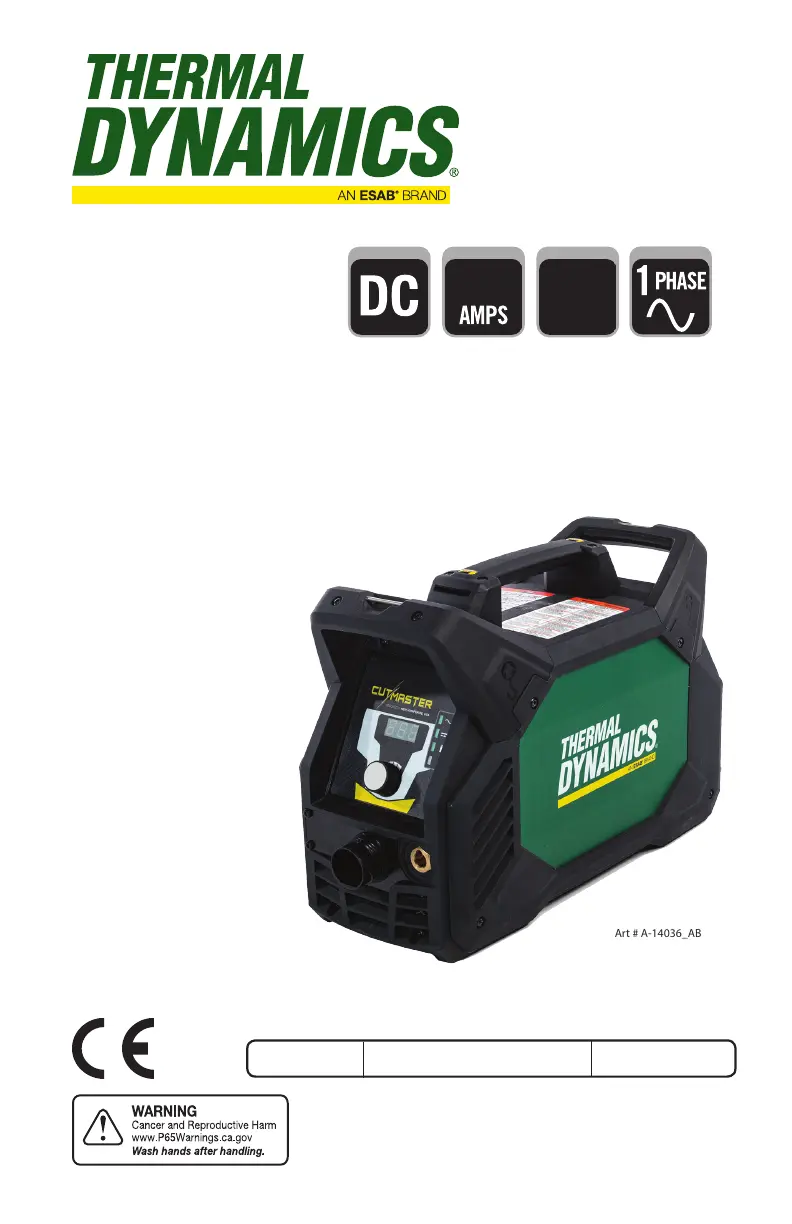
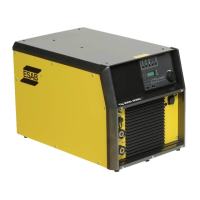
ESAB Thermal Dynamics CUTMASTER 40 - User Manual

ESAB Thermal Dynamics CUTMASTER 40
64 pages
Print Icon
To Next Page IconTo Next Page
Loading...
40
120-
240V
esab.com
OUTPUT MAX OUTPUT
VOLTAGE
Art # A-14036_AB
INPUT POWER
Revision: AE Issue Date: 29 June, 2020 Manual No.: 0-5557
OPERATING
MANUAL
CUTMASTER® 40
PLASMA CUTTING SYSTEM

Table of Contents

Questions and Answers

  • S
    Stephen MillerAug 14, 2025
    What to do if GAS LED is OFF on my ESAB Welding System and Communication Fault shows LoP?
    • J
      joe48Aug 14, 2025
      If the GAS LED is off and the Communication Fault shows LoP, it could be due to several reasons: * The gas supply might not be connected. Ensure the gas supply is connected to the unit. * The gas supply might not be turned on. Make sure to turn the gas supply on. * The gas supply pressure might be too low. Set the air supply inlet pressure to 120 psi and adjust the leads length to match the actual length being used. * There may be failed components in the unit.
  • T
    Tiffany MoonAug 18, 2025
    What to do if my ESAB Thermal Dynamics CUTMASTER 40 Welding System torch cutting is diminished?
    • N
      Nicholas OconnorAug 18, 2025
      If the torch cutting is diminished, consider the following: * The current setting may be incorrect. Check and adjust to the proper setting. * The torch consumables could be worn. Inspect and replace them as needed. * The work cable connection to the work piece might be poor. Check the connection of the work lead to the work piece. * The torch might be moving too fast. Reduce the cutting speed. * There might be excessive oil or water in the torch. * There may be failed components in the unit.
  • M
    Mr. Eric StephensAug 20, 2025
    What to do if FAULT and Communication Fault show PIP on ESAB Thermal Dynamics CUTMASTER 40 Welding System?
    • H
      hunterpatriciaAug 20, 2025
      If the FAULT and Communication Fault show PIP, check these: * The shield cup might be loose. Hand tighten the shield cup until it is snug. * The torch might not be properly connected to the power supply. Ensure the torch ATC is securely fastened to the unit. * There might be a problem in the torch and leads PIP circuit. * There may be failed components in the unit.
  • M
    Michael HatfieldAug 25, 2025
    What to do if FAULT and Communication Fault show PIC on my ESAB Thermal Dynamics CUTMASTER 40?
    • A
      Allen NelsonAug 25, 2025
      If the FAULT and Communication Fault are showing PIC, try the following: * Tighten the torch shield cup by hand, but do not over tighten. * Turn off the power supply and check if the torch tip, electrode, or starter cartridge is missing; install any missing parts. * Turn off the power supply, bleed down the system pressure, and check the torch start cartridge for being stuck. Replace the start cartridge if the lower end fitting does not move freely. * Decrease the gas supply pressure if the unit inlet gas pressure is too high, causing continuous gas flow (set to 125 PSI or less). * There may be an open conductor in the torch leads. * There may be a problem in the torch and leads switch circuit. * There may be failed components in the unit.
  • L
    Lisa KirkAug 27, 2025
    Why is the TEMPERATURE LED ON with Communication Fault showing HI on my ESAB Welding System?
    • S
      Shane MorenoAug 27, 2025
      The TEMPERATURE LED might be on and the Communication Fault showing HI due to: * Obstructed air flow through or around the unit. * Exceeding the unit's duty cycle. If this is the case, allow the unit to cool. * Failed components in the unit.
  • D
    Destiny ConleyAug 31, 2025
    What to do if pilot arc is ON but cutting arc will not establish on ESAB Welding System?
    • D
      Danny VillaAug 31, 2025
      If the pilot arc is on but the cutting arc won't establish: * Ensure the work cable is connected to the work piece. Connect it if it is not. * Check for a broken work cable or connector. Replace the work cable if necessary. * There may be failed components in the unit.
  • V
    Victoria Miller MDSep 3, 2025
    What to do if my ESAB Thermal Dynamics CUTMASTER 40 Welding System does nothing when torch switch or remote switch is closed?
    • L
      Lisa HernandezSep 3, 2025
      If nothing happens when the torch switch or remote switch is closed (or CNC START signal is active) and there is no gas flow, and the DC LED is OFF, the possible causes are: * A problem in the torch and leads switch circuit (Remote pendant switch circuit). * Failed components in the unit. * Gas pressure too high; reduce gas pressure.
  • K
    Kristine CollinsSep 6, 2025
    How to troubleshoot Error Code E02 on my ESAB Welding System?
    • W
      William SmithSep 6, 2025
      To troubleshoot Error Code E02: * Have a qualified person check the primary voltage to ensure it meets the unit requirements. * There may be faulty components in the unit.
  • Z
    Zoe FreemanSep 9, 2025
    What to do if ON/OFF Switch is ON but the A/C Indicator does not light on ESAB Welding System?
    • E
      Emily CantuSep 9, 2025
      If the ON/OFF switch is ON, but the A/C Indicator doesn't light, check the following: * Ensure the primary power disconnect is in the ON position. Turn it ON if it's OFF. * Have a qualified person check the primary fuses/breakers, as they may be blown or tripped. * There may be faulty components in the unit.

Summary

SECTION 1: GENERAL INFORMATION

1.01 Notes, Cautions and Warnings

Explains categories of important information and safety alerts within the manual.

SECTION 2 SYSTEM: INTRODUCTION

2.04 Power Supply Specifications

Provides detailed electrical input and output specifications for the power supply unit.

2.05 Input Wiring Specifications

Outlines required input voltage, fuse, and wire sizes for installation.

SECTION 2 TORCH: INTRODUCTION

2 T.03 Specifications

Lists torch configurations, parts, gas requirements, and operational ratings.

SECTION 3 SYSTEM: INSTALLATION

3.01 Unpacking

Instructions for identifying, inspecting, and recording equipment details upon receipt.

3.04 Primary Input Power Connections

Covers power cord types, adapters, and important CAUTIONs for input power connection.

SECTION 3 TORCH: INSTALLATION

3 T.01 Torch Connections

Details the procedure for connecting the SL60 or SL60QD torch to the power supply.

SECTION 4 SYSTEM: OPERATION

4.01 Front Panel Controls; Features

Identifies and explains the function of controls and indicators on the power supply's front panel.

4.02 Preparations for Operation

Lists essential checks and procedures to perform before starting an operating session.

SECTION 4 TORCH: OPERATION

4 T.01 Torch Parts Selection

Guides on choosing and changing torch parts based on the type of cutting operation.

4 T.03 Gouging

Details parameters like lead angle, standoff, speed, and current for plasma gouging.

4 T.04 PATENT INFORMATION

SECTION 5 SYSTEM: SERVICE

5.03 Common Faults

Lists common problems, their possible causes, and recommended actions for troubleshooting.

5.05 Basic Troubleshooting Guide

Offers a guide to diagnose and resolve common operational issues with the power supply.

SECTION 5 TORCH: SERVICE

5 T.02 Inspection and Replacement of Consumable Torch Parts

Guides on inspecting and replacing wear items like tips, electrodes, and cartridges.

SECTION 6: PARTS LISTS

6.06 External Replacement Parts

Provides a breakdown and catalog numbers for external components of the power supply.

6.09 Torch Consumable Parts (SL60)

Illustrates and lists consumable parts for the SL60 plasma cutting torch.

APPENDIX 1: DATA TAG INFORMATION

APPENDIX 2: TORCH PIN - OUT DIAGRAMS

APPENDIX 3: TORCH CONNECTION DIAGRAMS

ESAB Thermal Dynamics CUTMASTER 40 Specifications

General IconGeneral
BrandESAB
ModelThermal Dynamics CUTMASTER 40
CategoryWelding System
LanguageEnglish

Related product manuals