EasyManua.ls Logo

ESAB Caddy Series - User Manual

ESAB Caddy Series
26 pages
Print Icon
To Next Page IconTo Next Page
Loading...
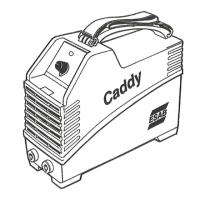
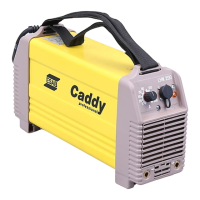
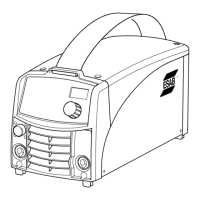
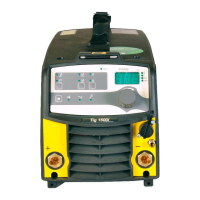
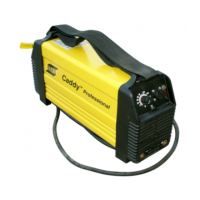
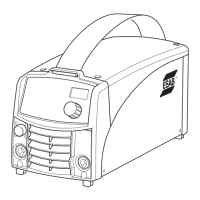
Caddy®
Instruction manual
0460 446 301 GB 20190619
Valid for: serial no. 840-xxx-xxxx
Arc 151i, Arc 201i

Questions and Answers

  • R
    russellaliceJul 28, 2025
    Why is my ESAB Welding System giving poor welding performance?
    • J
      Jean WilsonJul 28, 2025
      If you're experiencing poor welding performance with your ESAB Welding System, first ensure that the welding current supply and return cables are correctly connected. Also, verify that you're using the correct current value and electrodes. Finally, check the gas flow to ensure it's adequate for your welding needs.
  • M
    Mark MooreAug 4, 2025
    What to do if the thermal protection trips frequently on my ESAB Welding System?
    • R
      Ronald BrownAug 4, 2025
      If your ESAB Welding System's thermal protection trips frequently, start by checking if the dust filter is clogged. Additionally, ensure that you are not exceeding the rated data for the power source, meaning the unit is not being overloaded.
  • M
    mariahhallAug 11, 2025
    What to do if the welding current is interrupted during welding with my ESAB Welding System?
    • R
      Rebecca MurphyAug 12, 2025
      If the welding current is interrupted during welding with your ESAB Welding System, first check whether the thermal protections have tripped, indicated by the orange lamp on the front panel. Also, examine the mains power supply fuses to ensure they are in good condition.
  • H
    Harry GuzmanAug 19, 2025
    How to troubleshoot no arc on ESAB Welding System?
    • K
      Kimberly SmithAug 20, 2025
      If your ESAB Welding System has no arc, begin by checking that the mains power supply switch is turned on. Then, verify that the welding current supply and return cables are correctly connected. Ensure that the correct current value is set and check to see whether the MCB has tripped.

Summary

EU Declaration of Conformity

Safety Precautions

Meaning of Warning Symbols

Explains the meaning of hazard symbols used in the manual.

General Safety Practices

Details safety precautions for users and the work environment.

Electrical Hazards

Covers risks from electric shock and electromagnetic fields during operation.

Health and Environmental Risks

Addresses risks from fumes, gases, arc rays, noise, and environmental factors.

Mechanical and Fire Safety

Details risks from moving parts, fire, and equipment malfunction.

Introduction to Caddy Welding Machines

Equipment Components

Lists the components included with the welding power source.

Control Panel Functions

Describes the controls and indicators on the A31 and A33 control panels.

Technical Specifications

Installation and Setup

Location and Airflow Requirements

Specifies correct placement to ensure proper cooling and ventilation.

Mains Power Connection Guide

Details requirements for voltage, fuses, and cable sizes for safe connection.

Operating the Welding Machine

Power Factor Correction (PFC) Benefits

Explains the benefit of PFC for power efficiency and cable length.

Connection of Cables and Controls

Guides on connecting welding cables, return cables, and control units.

Welding Cable and Return Cable Connection

Details how to connect welding and return cables based on polarity.

Overheating Protection System

Explains the thermal overload trip mechanism and indicator.

MMA Welding Technique

Provides guidance on striking the arc and welding with coated electrodes.

TIG Welding Process

Explains TIG welding basics, required equipment, and starting methods.

Remote Control Unit Usage

Describes how to connect and use the remote control socket.

Maintenance and Cleaning

Inspection and Cleaning Procedures

Outlines regular inspection and cleaning of the power source and torch.

Troubleshooting Common Issues

Fault Diagnosis and Corrective Actions

Lists common operational issues and their corrective actions.

Understanding Fault Codes

Explains how fault codes are displayed and where to find details.

Parts and Accessories

Spare Parts Ordering Information

Instructions on how to order replacement parts and necessary information.

Product Ordering Numbers

Lists part numbers for power sources and control panels.

Available Accessories

Lists various accessories for the welding machines.

Technical Diagrams

ESAB Caddy Series Specifications

General IconGeneral
BrandESAB
ModelCaddy Series
CategoryWelding System
LanguageEnglish

Related product manuals