
 Need help?
Do you have a question about the Esaote MyLabX8 and is the answer not in the manual?
Manual on patient and operator safety and system conformity standards.
Guide to system installation and initial usage instructions.
Details on MyLab probes, consumables, and maintenance.
Manual for advanced features, optimization, measurements, and archiving.
System use requires trained personnel; images are aids, not sole diagnosis basis.
Post-market surveillance and accident reporting procedures.
Information on handling batteries and LCD screens as special waste.
System design for EMC and user assurance of the environment.
Tests and guidelines for system immunity to electromagnetic interference.
Information on built-in wireless capability and usage precautions.
Specifies the diagnostic general ultrasound studies the system is designed for.
Lists available probes and their corresponding clinical applications.
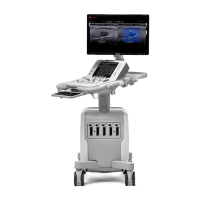
Overview of the system's physical parts, including monitor, console, and cart.
Details of the control panel, touchscreen, keyboard, and their operational functions.
Information on battery status, charging, and system error messages.
Covers acclimation time and connecting the system to a network.
Guidance on connecting devices and safety requirements for medical environments.
Procedures for connecting printers, gel warmers, and auxiliary monitors.
Instructions for safely moving, transporting, and quick displacement of the system.
Connecting to mains, turning system on/off, and overview of control panel elements.
Details on TGC sliding, trackball, joystick, and touchscreen functions.
Explains screen areas, keyboard, Wi-Fi, archival media, and advanced features.
Describes image display elements, machine parameters, and joystick/thumbnail areas.
How to create and manage clinical settings and real-time presets for exams.
Adjusting system parameters, general setup, security, and licenses.
Procedures for configuring control panel buttons, eTouch, and touchscreen layouts.
Covers license activation, import/export of settings, and system information.
Procedures for initiating a new patient exam and data entry.
Steps for selecting the appropriate probe, application, and preset.
Capturing, saving images, using freeze/scrolling, and reviewing exams.
Procedures for archiving exams and adjusting monitor settings.
Table outlining regular maintenance tasks and who performs them.
Guidelines for cleaning the system, peripherals, and specific components.
Detailed instructions for cleaning the trackball, touchscreen, and LCD.
Overview of MyLab characteristics, licenses, applications, and system features.
Details on display, connectors, image files, software, keyboard, dimensions, and weight.
Information on power supply, consumption, fuses, batteries, and operating/storage conditions.
Lists European and international standards relevant to the MyLab system.
 General
| Category | Medical Equipment |
|---|---|
| Type | Ultrasound System |
| Portability | Portable |
| Imaging Modes | B-Mode, M-Mode, Color Doppler, Power Doppler, PW Doppler, CW Doppler, Tissue Doppler, Elastography |
| Technology | XView |
| Connectivity | Ethernet, USB, HDMI |
| Applications | General Imaging, Vascular, Cardiology, Obstetrics/Gynecology, Urology, Musculoskeletal |
| Probes | Convex, Linear, Phased Array, Endocavitary |
| Power Supply | 100-240 VAC, 50/60 Hz |




 To Next Page