
 Need help?
Do you have a question about the Esaote MyLabDelta and is the answer not in the manual?
Details about the MyLab system's included items like licenses and pen drive.
Describes the Operator Manual and Advanced Operations Manual.
Information on system data, probe cleaning, disinfection, and veterinary use.
Outlines Esaote's responsibility for product safety and reliability.
Covers product life time, maintainability, and end-of-life disposal.
Details the terms for using the software included with the apparatus.
Information about third-party software components used in MyLab.
Guidance on product traceability and a form for conveyance of ownership.
Information on the post-marketing vigilance system and reporting hazards.
Covers CE marking, US Federal Law restrictions, and country approvals.
Guidelines for environmental safety and safe transport of the system.
Information on EMC design and compliance for the MyLab system.
Details on electromagnetic emissions and immunity test results.
Specifies immunity requirements for all medical equipment.
Specifies immunity requirements for non-life supporting equipment.
Guidance on minimum separation distances for RF communication systems.
Details on wireless capabilities and explanation of device labels.
Describes the primary intended use of the MyLab ultrasound system.
Lists applications for Convex, Linear, and Phased Array Probes.
Details applications like Abdominal, Cardiac, Musculo-Skeletal, and Obstetrical.
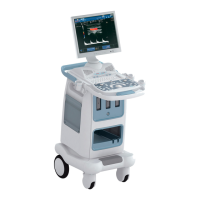
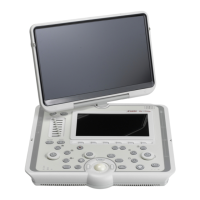
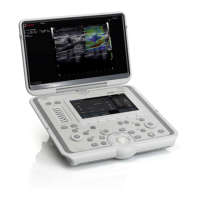
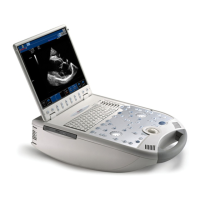
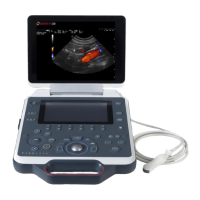
Provides an overview of system components and configurations.
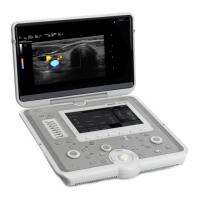
Describes the components and setup for the portable configuration.
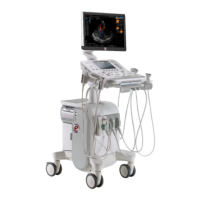
Details the mobile configuration setup and peripheral considerations.
Guides through the installation process for portable and mobile setups.
Identifies various connectors on the system for different peripherals.
Provides instructions for safely connecting peripheral devices.
Explains safety concepts related to medical environments and equipment.
Instructions on how to safely move and transport the MyLab system.
Specific precautions to observe when transporting the system in a vehicle.
General description of the MyLab control panel layout and components.
Details on the touchscreen controls, TGC sliders, and ON/OFF switch.
Describes the organization of the touchscreen into Navigation, Exam Management, and Image Areas.
Explains button colors, states, and the function of touchscreen toggles.
Details the multipurpose panel and alphanumeric keyboard layouts.
Focuses on Touch Screen TGC Sliders and the ON/OFF button functions.
Explains the trackball's operation modes and functions.
Details exam controls, exam flow, and the system's mode keys.
Describes gain controls, acquisition functions, and image saving.
Covers exam revision, reporting, printer control, and system settings access.
Explains how to assign and use the Acquire key function.
Describes the four main areas of the MyLab screen display.
Information displayed in the Heading Area of the screen.
Details icons and status indicators found in the Footer Area.
Explains battery icons, charging status, and error management.
Lists and explains specific error codes related to battery management.
Describes the image area elements and provides a parameter legend.
Details imaging, CFM, and Doppler machine parameters.
Explains symbols used on the screen, including the manual reference symbol.
Covers the steps for starting and ending an ultrasound exam.
Guides through selecting patient ID, probe, application, and preset.
Details patient data entry, navigation, and data retrieval options.
Describes modifying patient data, starting, and ending the exam.
Explains how to archive exams and export data to media.
Covers system reboots and exporting exams to CD/DVD medium.
Details saving images and clips in various exam modes.
Procedure for acquiring 2D and CFM clips with high frame rate.
Explains freeze mode, scrolling memories, and exam review features.
Covers system shut down procedures and general error messages.
Lists and explains specific power supply error codes and troubleshooting.
Allows user to record sequences of keys as macros.
Accesses the eTouch configuration menu for customizing touchscreens.
Guides on creating, naming, and organizing custom touchscreen layouts.
Describes the two main groups of settings: System and Clinical.
Details general system parameters like network, licenses, and reports.
Defines clinical settings (presets) and how to use them.
Covers renaming, deleting, and restoring factory clinical settings (presets).
Defines a clinical setting based on exam controls and parameters.
Procedure for creating or modifying clinical settings (presets).
Guides on how to rename or delete existing clinical settings.
Instructions on how to restore default factory clinical settings.
Covers periodic system inspection and general cleaning guidelines.
Detailed cleaning instructions for the system and peripheral devices.
Specific cleaning methods for the trackball, touchscreen, and LCD.
Details MyLab models, available applications, and modes.
Technical specs for display, connectivity ports, and video output.
Information on image file formats, operating system, and biometry features.
Specifications for power cables, AC/DC adapter, and batteries.
Lists relevant standards and directives complied with by the system.
Technical details for the trolley, scanner console, and optional accessories.
 General
| Display | 15" LCD |
|---|---|
| Weight | 68 kg (approx.) |
| Power Supply | 100-240Vac, 50/60Hz |
| Image Modes | Color Doppler |
| Applications | Vascular, Musculoskeletal |
| Imaging Modes | Color Doppler, Power Doppler |
| Operating System | Windows based |
| Connectivity | USB, Ethernet, DICOM |




 To Next Page