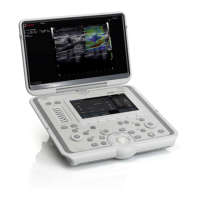
Need help?
Do you have a question about the Esaote mylab 30 gold and is the answer not in the manual?
Procedure for powering up the ultrasound system for portable and mobile configurations.
Procedure for safely shutting down the ultrasound system.
Information on the internal battery pack, status LEDs, and charging.
Steps to start a new patient exam, including data entry and settings.
Optimizing image quality and parameters in B-Mode for diagnostic imaging.
Adjusting subjective image parameters for optimal 2D display and analysis.
Activating and optimizing M-Mode for temporal analysis of cardiac structures.
Adjusting parameters specific to the M-Mode display and trace for clarity.
Adjusting image parameters for optimal M-Mode display.
Activating and adjusting parameters for Compass M-Mode functionality.
Activating and optimizing Color Flow Mapping and Power Doppler for blood flow visualization.
Adjusting parameters for Color Flow Mapping format settings.
Adjusting image parameters for optimal color Doppler display.
Activating and optimizing PW and CW Doppler modes for spectral analysis.
Adjusting parameters for Doppler spectral display and velocity.
Adjusting image parameters for optimal Doppler display.
Using multi-view formats and zoom functions for enhanced image viewing.
Freezing images and navigating through saved memory for review.
Procedures for saving still images and video clips during an exam.
Accessing and reviewing previously saved images and clips from exams.
Performing and managing various types of measurements on ultrasound images.
Activating, changing, and deleting anatomical body marks on images.
Adding free text or glossary-based annotations to images for context.
Procedures for printing images to connected printers.
Steps to properly end an exam and save data to various destinations.
Accessing and reviewing previously archived patient exams and data.
 General
| Brand | Esaote |
|---|---|
| Model | mylab 30 gold |
| Category | Medical Equipment |
| Language | English |

 To Next Page