Operation
Operation
19 20
Meter Mode
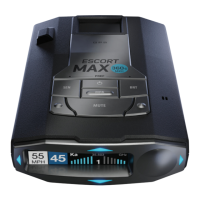
MAX 360c MKII offers five different settings for displaying information about alerts.
Standard
The Standard meter mode provides only the band information and front signal strength information of a single
alert. When radar is detected, the band (X, K or Ka) and a bar graph of the signal’s strength are displayed.
When laser is detected, the display will simply read “Laser.” If there are multiple alerts present, only the highest
priority threat is displayed. Laser is the highest priority threat, followed by Ka, K, then X band radar.
Standard FR1
The Standard FR1 meter mode (FR1 = Front and Rear signal strengths of 1 signal) displays the band of
the highest priority threat along with a front and rear bar graph of its signal strength. The left bar graph
shows the signal strength in front of the detector while the right bar graph shows the signal strength
from the rear. If there are multiple alerts present, only the signal strength of the highest priority threat
is displayed. Laser is the highest priority threat, followed by Ka, K, then X band radar. The number in
between the bar graphs is the total number of alerts that are being detected.
Standard FR2
The Standard FR2 meter mode (FR2 = Front and Rear signal strengths of 2 signals) displays the bands
of the two highest priority threats along with a front and rear bar graph of their signal strengths. The left
bar graph shows the signal strength in front of the detector while the right bar graph shows the signal
strength from the rear. When using this meter mode the rear signal strength bar graph is always the
opposite color of the selected display color. For instance, if blue is the display color, then the rear bar
graph will be red. If there are multiple alerts present, only the signal strength of the two highest priority
threats are displayed. Laser is the highest priority threat, followed by Ka, K, then X band radar. The
number in between the bar graphs is the total number of alerts that are being detected.
Spec FR1
The Spec FR1 meter mode (FR1 = Front and Rear signal strengths of 1 signal) displays the numeric
frequency and band of the highest priority threat along with a front and rear bar graph of its signal
strength. The left bar graph shows the signal in front of the detector while the right bar graph shows the
signal strength from the rear. If there are multiple alerts present, only the signal strength of the highest
priority threat is displayed. Laser is the highest priority threat, followed by Ka, K, then X band radar. The
number in between the bar graphs is the total number of alerts that are being detected.
Spec FR2
Expert FR
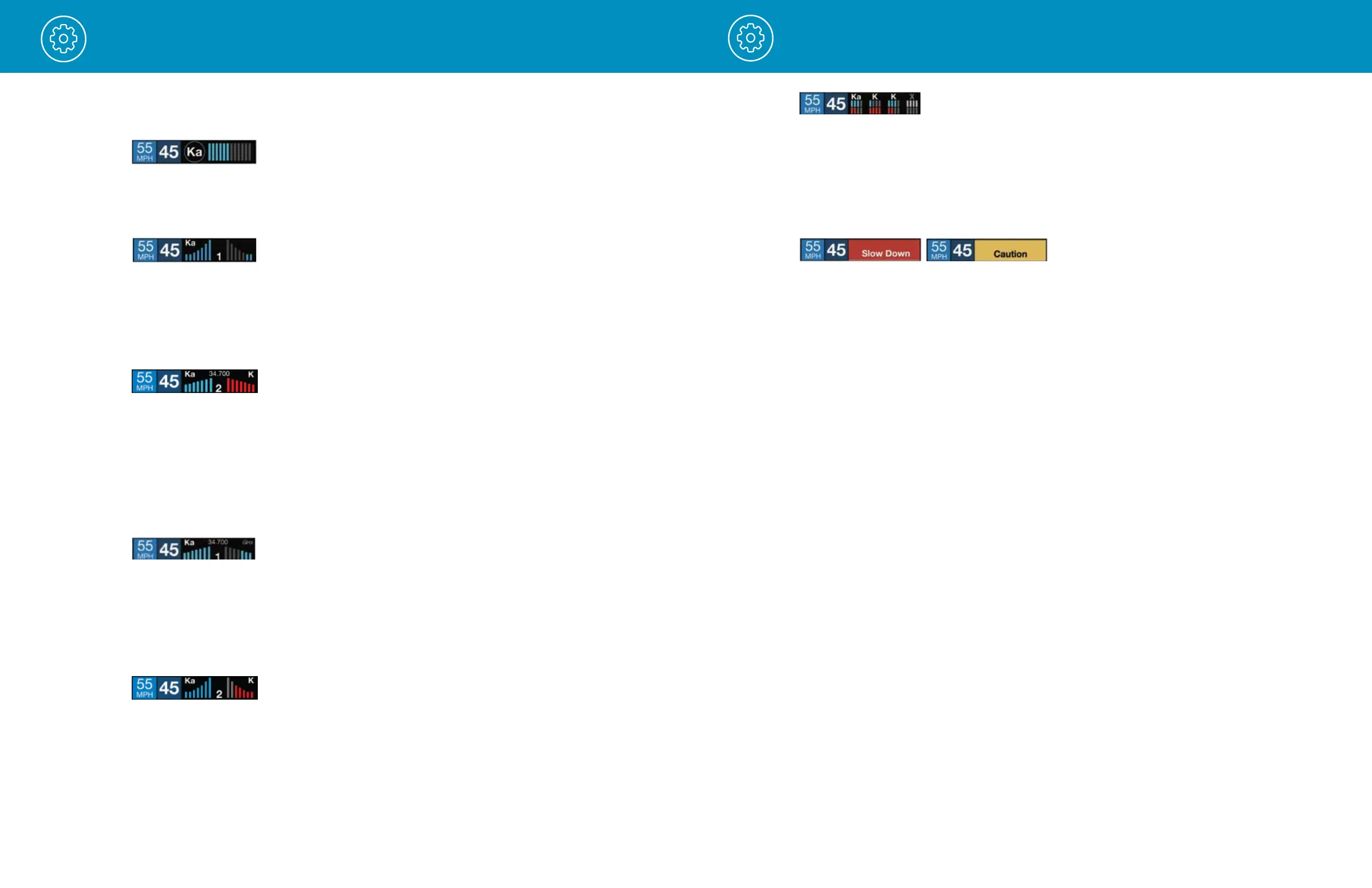
Expert FR meter mode (FR = Front and Rear signal strengths) simultaneously tracks up to four radar alerts
displaying each alert’s band along with a bar graph of their front and rear signal strengths. When using this
meter mode the rear signal strength bar graph is always the opposite color of the selected display color. In
the above image, a Ka band, two K bands, and an X band signal are being detected. The X band alert is
grey to show that it is a locked out false alert. For more information about locking out false alerts see the
GPS Filtering/TrueLock section. Expert FR meter mode can help you spot a change in your normal driving
environment (e.g., a traffic radar unit being operated in an area where there are normally other signals present).
Simple
Simple messages replace bands and signal strengths or frequencies:
Caution used when an alert is received while you are traveling below your current Cruise Alert
setting (or posted speed limit for your current location when connected to Drive Smarter).
Slow Down displayed when an alert is received while you are traveling above the current Cruise Alert
setting (or posted speed limit of your current location, when connected to Drive Smarter).
Tones
Standard
The factory default Standard alert tones uses a Geiger counter-type sound to indicate the signal strength
and type of radar signal being encountered. When you encounter radar, a distinct audible alert will sound
and will increase as the signal gets stronger. This allows you to judge the distance from the signal source
without taking your eyes off of the road. Each band has a distinct tone for easy identification:
X band = beep tone
K band = brap tone
Ka band = double-brap tone Laser = solid brap tone
POP = solid brap tone
Standard Plus
Features the Standard alert tones outlined above for the primary alert, plus double-beep tones for
additional alerts.
Mild
Mild alert tones offer softer, simpler alert tones that are less obtrusive to the driving experience:
X band, K band, Ka band and POP = Doorbell chime
Low signal strength = Double chime
High signal strength = Triple chime
If alert remains in area more than 15 seconds = Single chime (as a reminder)
Laser = Solid brap tone
Since laser signals are a possible threat no matter how weak, laser alerts are always full strength.
AutoMute
The Spec FR2 meter mode (FR2 = Front and Rear signal strengths of 2 signals) displays the numeric
frequency of the highest priority threat and the bands of the two highest priority threats along with a front
and rear bar graph of their signal strengths. The left bar graph shows the signal in front of the detector
while the right bar graph shows the signal strength from the rear. When using this meter mode the rear
signal strength bar graph is always the opposite color of the selected display color. For instance, if blue
is the display color, then the rear bar graph will be red. If there are multiple alerts present, only the signal
strength of the two highest priority threats are displayed. Laser is the highest priority threat, followed by
Ka, K, then X band radar. The number in between the bar graphs is the total number of alerts that are
being detected.
Your MAX 360c MKII also includes ESCORT’s patented AutoMute feature. Once MAX 360c MKII alerts
you to a radar encounter at your selected volume level, it automatically reduces the volume to the
selected AutoMute level. This keeps you informed without the annoyance of a continuous full-volume
alert. If you prefer, you can turn the AutoMute feature off.


 To Next Page
 Loading...