Step 6 - Viewing Video
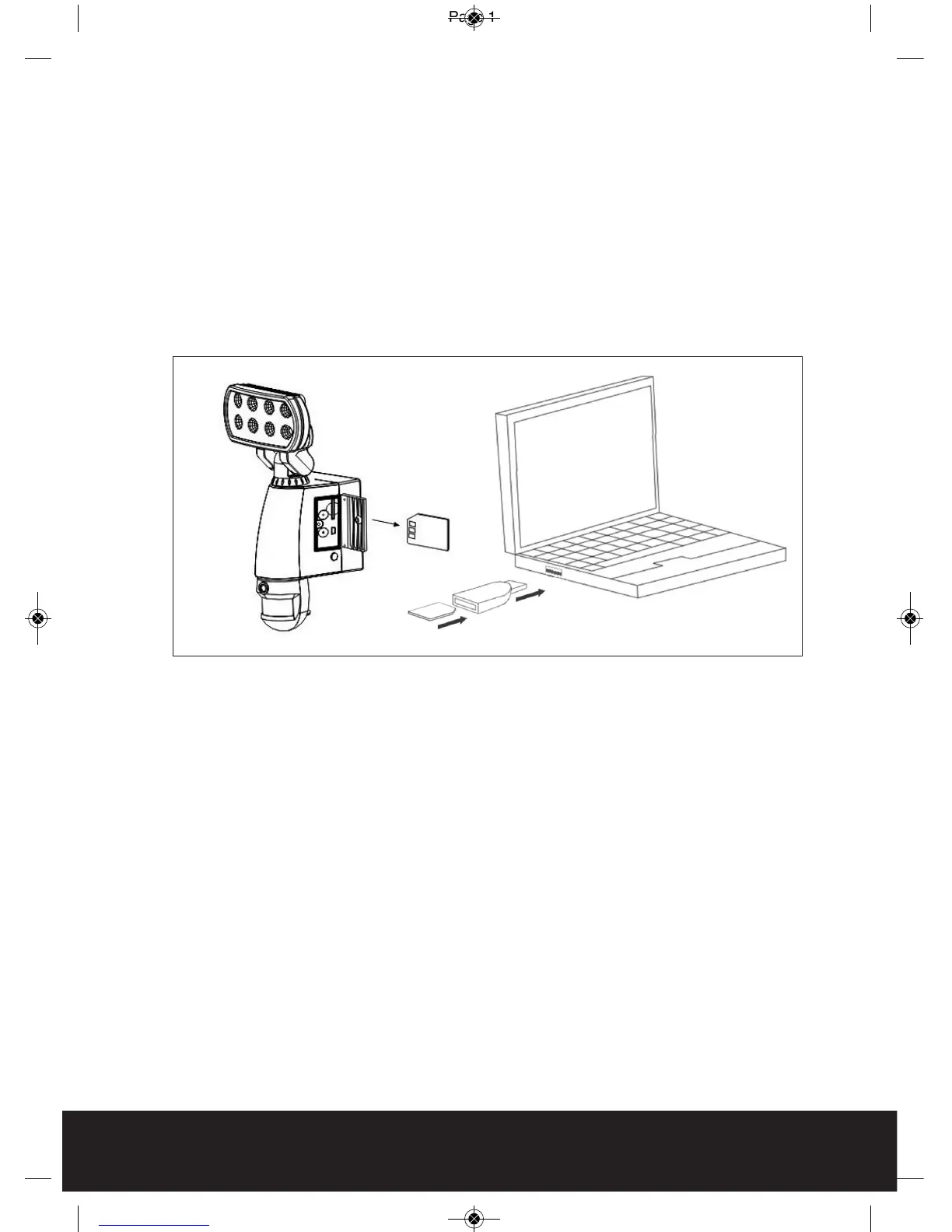
Viewing image by computer through USB card reader supplied (see Fig. 11)
Open SD card housing with allen key supplied
Press OFF/REC button and remove SD card from the slot.
Put the SD card into the USB card reader supplied, then insert the card reader
into PC via a USB port and open Windows Media Player to view the video.
NOTE: The SD card will contain a folder for each day, if the folder contains no images
then no activations have occurred during that day.
10
Fig. 11



 To Next Page