8
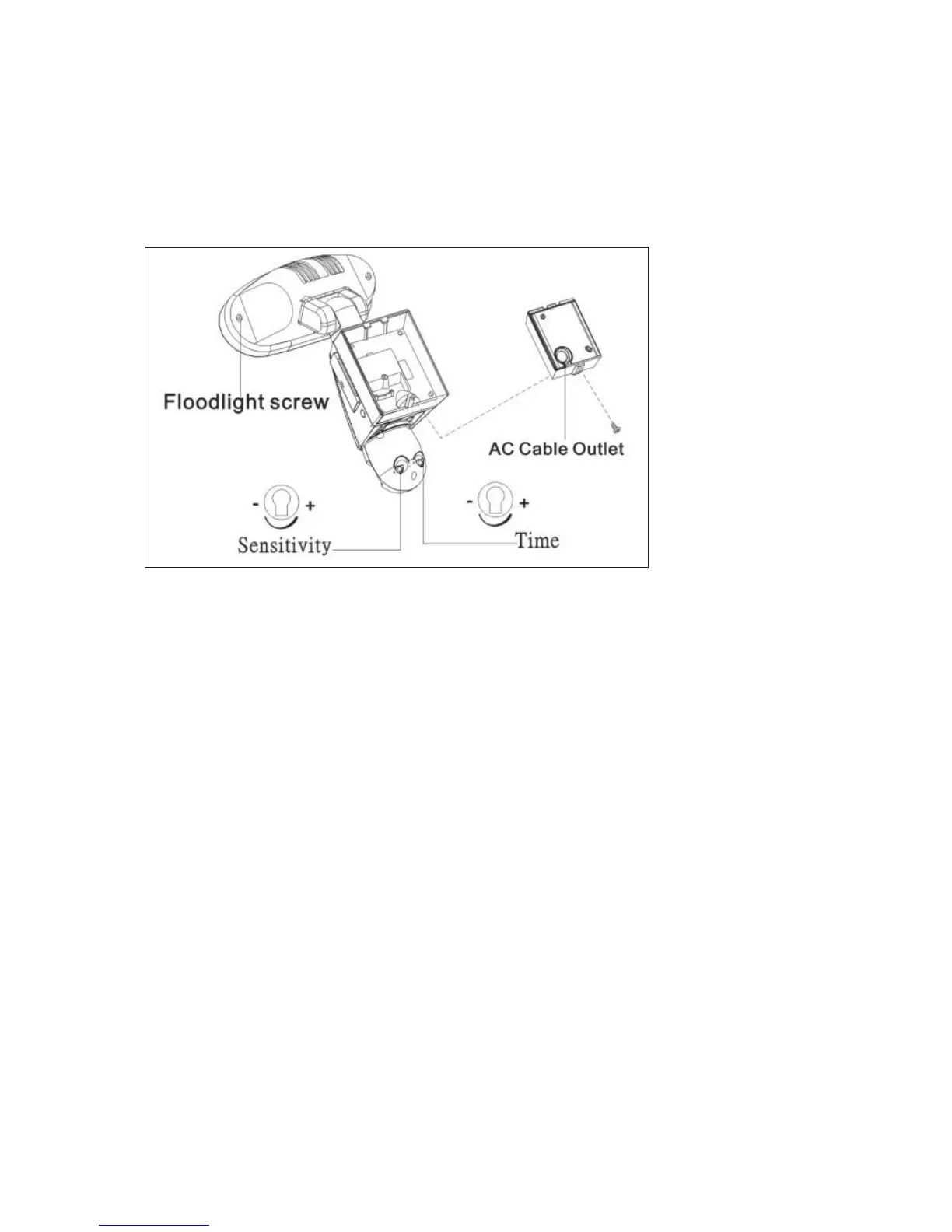
Step 5 - Adjusting the Settings (see Figs. 7 - 9)
I Time control: Turn the time control knob to”+” side to increase the illumination
time (7 minutes max.), turn the control knob to “-“ side to reduce the
illumination time (30 seconds min.)
I Sensitivity control: Adjust the detector range of Passive Infrared Motion Sensor
(± 2M ~ 10M)
I Selecting working mode:
Mode 1: Suggested setting when out of town
- Light + camera + speaker: all day detection
- Daytime and nighttime: light, camera and speaker are all in operation
Mode 2: Suggested for day to day use
- Light at night + camera all day + speaker in the daytime
- Daytime: light is off, camera is on, speaker is on
- Nighttime: light is on, camera is on, speaker is off.
Mode 3: Perfect for a place of business
- Light at night + camera all day + speaker at night
- Daytime: light is off, camera is on, speaker is off.
- Nighttime: light is on, camera is on, speaker is on.
I Audio mode: for different sound selection
Pre-set default is “silent mode”, push one time for “ding-dong”, push again for
“dog barking”. Push one more time for the message you just recorded.
I LED indicator: for indicating the function status of the unit by different colour
LED lights.
1) Red:SD card is not inserted into the SD slot or the system is malfunctioning.
2) Green:The unit is recording or USB is inserted and connecting with the computer
3) LED off: stand by (SD card is inserted into the slot), when off/record button is
pressed.
Fig. 7


 To Next Page