10
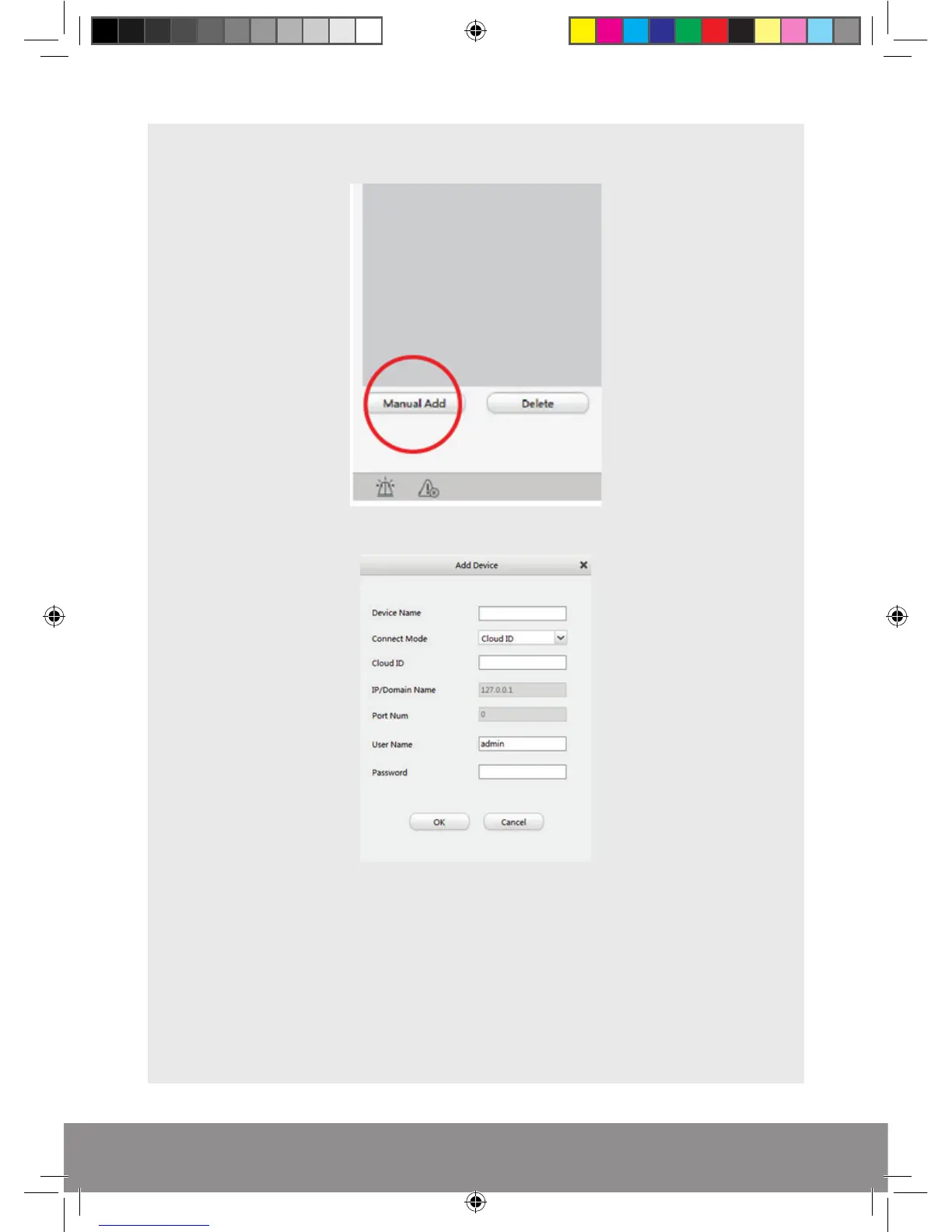
Select Manual Add from the bottom left hand corner of the screen
Enter the Cloud ID of the DVR
Enter Device Name; this can be anything to identify the unit.
Enter Cloud ID: input the Cloud ID from the Wizard Start-up guide from the DVR.
Enter Username and Password: Use the DVR’s log-in details.
Select ‘OK’.
Rekor HD Remote Viewing Guide.indd 10 09/05/2017 16:37:28



 To Next Page