6
Step 2. Remote Viewing Options
APP
From the P2P menu scan the required code for your smart phone which
will prompt the installation of the ESP RekorHD APP;
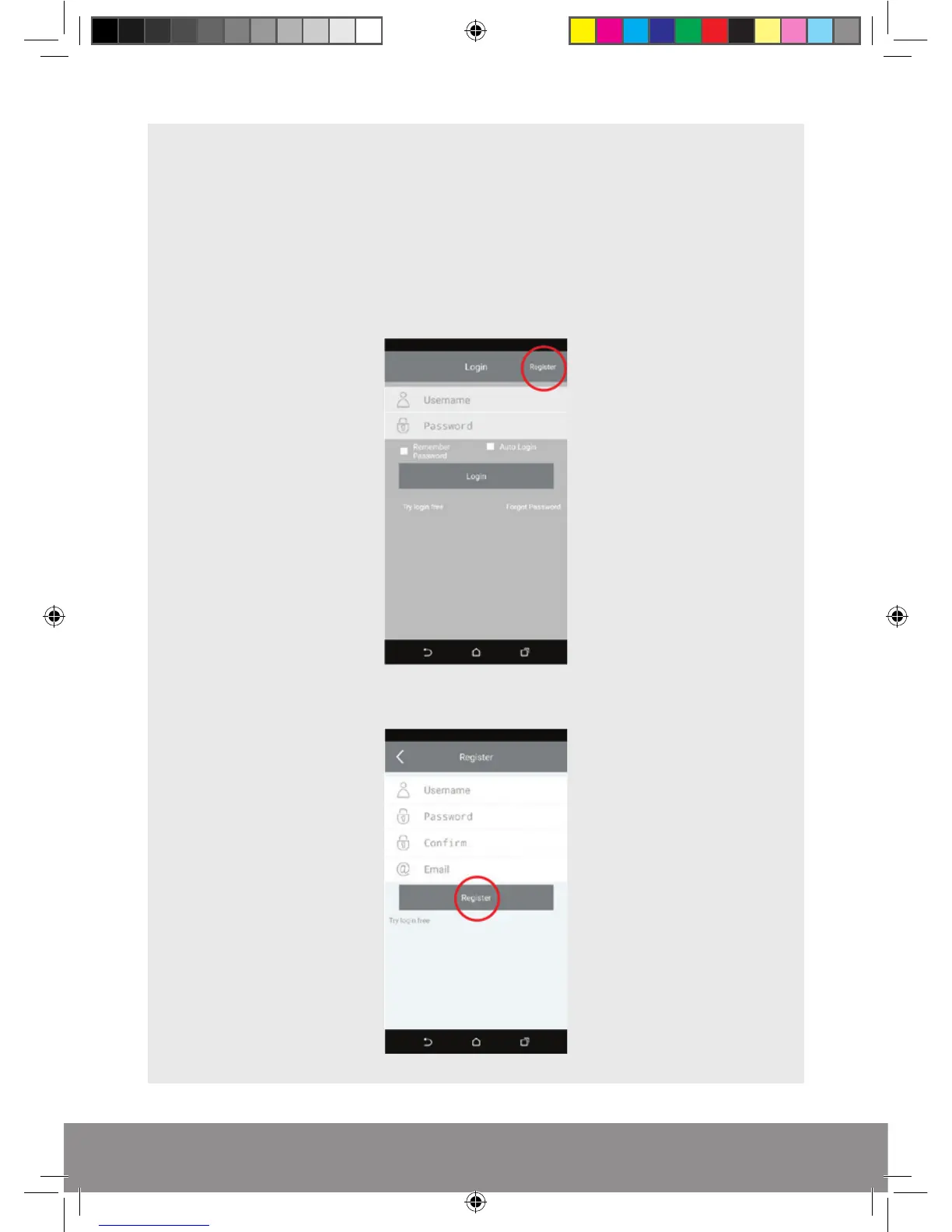
Once installed launch the APP and select Register;
Enter new account details and select Register;
Rekor HD Remote Viewing Guide.indd 6 09/05/2017 16:37:27



 To Next Page