33
WIFI Connection
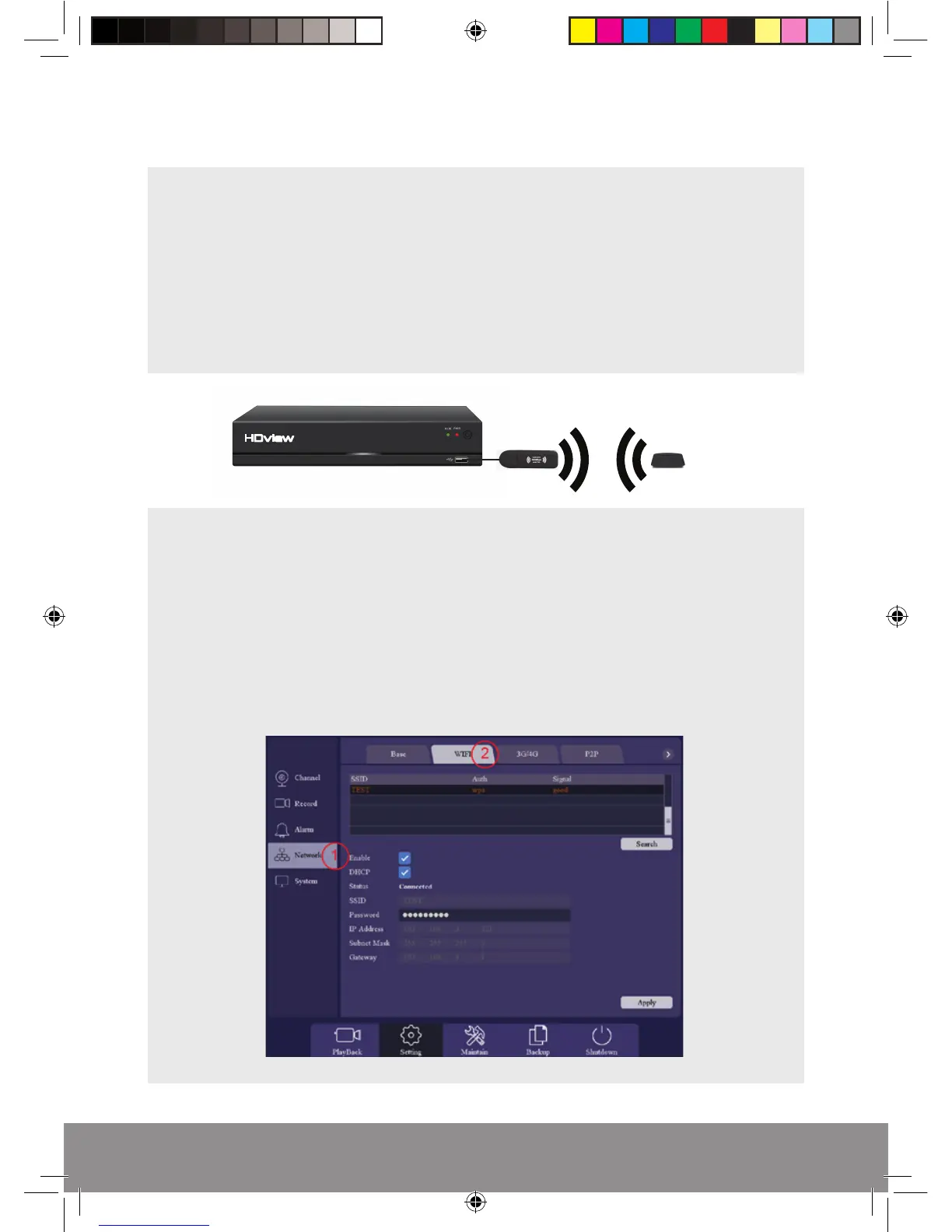
For a Wi-Fi connection the following information/ part will be required;
1) The name of the network (SSID)
2) The password of the network
3) The specified Wi-Fi adaptor. Part No.: DVRWLA
Plug-in the Wi-Fi adaptor into the bottom USB port on the rear of the DVR;
Power up/ Reboot the DVR.
Clear the Start-up Wizard menu options and log into the Main Menu.
1) Select the Network menu
2) Then select the Wi-Fi menu
Rekor HD Remote Viewing Guide.indd 3 09/05/2017 16:37:26
DVRWLA
DVR
Router



 To Next Page