P-300 Web Controller Configuration and Troubleshooting Manual 7
1.7.2 Hardware Installation Verification
Use the following steps to verify the functionality of a web server option installation:
1. Make sure that all cables and connections are made properly for the web server option.
2. Turn on power to the test chamber, which will apply control power to the SCP-220 controller and the
web server device.
3. Turn on the P-300 HMI.
4. After about 30 seconds, you should see the communications light under the P-300 HMI start to blink. It
should blink on and off once about every 60 seconds after RS232 communications has been estab-
lished between the SCP and the web server.
5. Connect a PC directly to the Ethernet port on the chamber, using a cross over cable.
6. Start the PC directly to the Ethernet port on the chamber, using a cross over cable.
7. After about another 30 seconds (following step 4), you should start to see the green LED on the Ether-
net connector for the gumstix turn on solid and the yellow LED should start to blink. If these LEDs are
not correct, turn off chamber power and go back to step 1 of this process (check all cables and connec-
tions). If you still can’t get the Ethernet port comms to work, call service for help.
8. Enter the following IP address into the web browser on your PC http://192.168.0.83/.
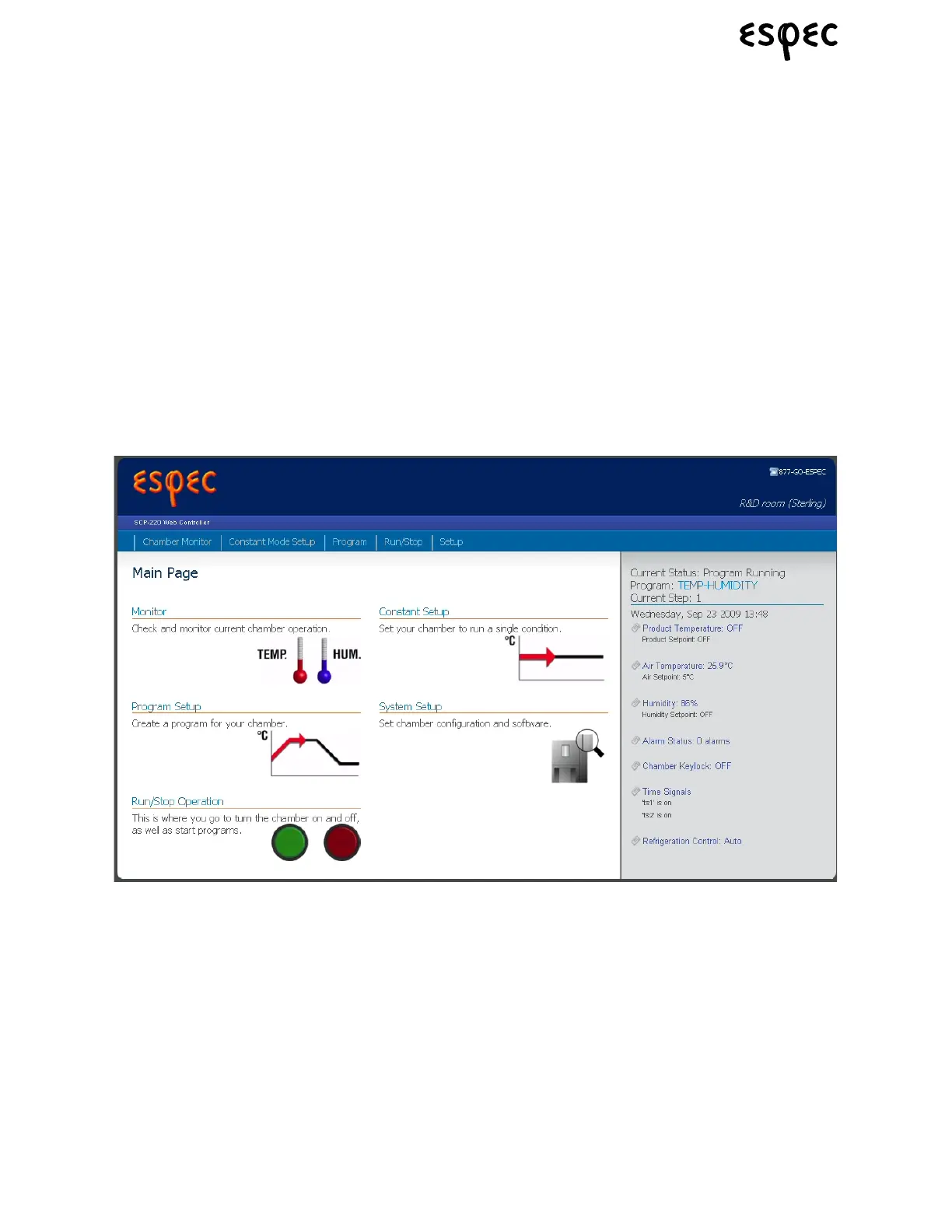
9. The web server should open up the main page, and it should show the status of the chamber on the
right status bar of the web page (as shown below).
10. Click on the link to navigate to the setup page, and then click on the “Configure Web Controller” button.
Enter “4141” as the configuration password and click OK.
11. Configure the web server using the instructions detailed in Section 2.1 “Web Controller Configuration”.
12. Start the chamber operation using the P-300 HMI and verify that the chamber operational status
updates on the web server to properly reflect the SP & PV data as shown on the chamber monitor HMI
screen.
13. Navigate to the Constant Mode Setup screen and verify that you can successfully send a new setpoint
to the P-300, without getting any error messages.
14. The web server is now validated as being fully functional.



 To Next Page