24
Method for changing the setting mode
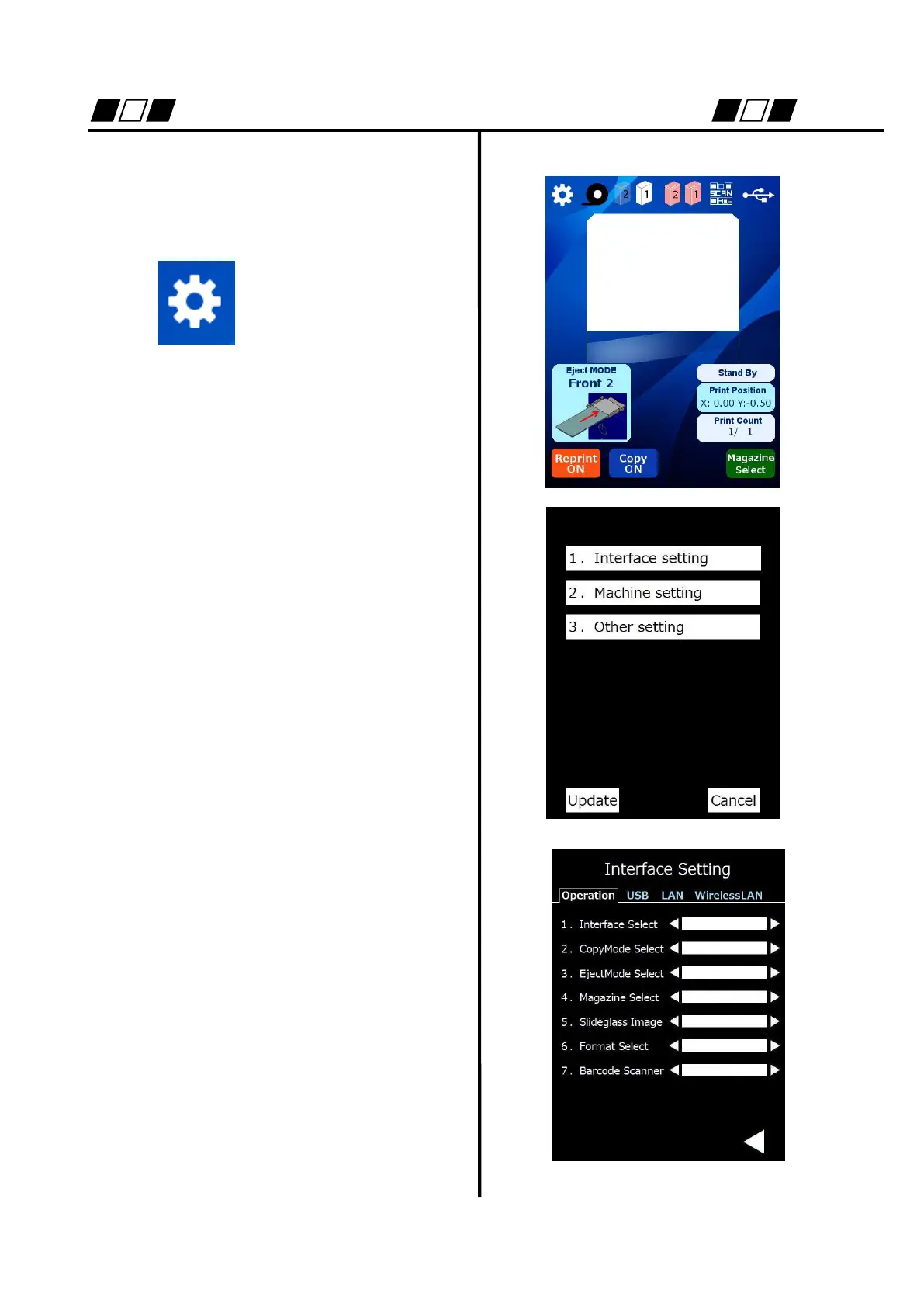
Here shows the method for changing the
setting of printer.
The mode shifts to
setting mode.
The following settings are available.
1. Interface setting
2. Machine setting
3. Other setting
1.Interface setting
Change of operation mode
1.Interface select
Set the interface when the product is
used by connecting it to PC.
2. Copy Mode select
Set ON/OFF of copy mode. This
setting is used for temporarily
switching the mode to the copy mode
even if the product is connected to PC.


 To Next Page