30
Troubleshooting
[1] Description of error or alarm and coping process
Indication Description Coping process
Ribbon end The ribbon runs short. Change the ribbon.
Glass empty
The magazine runs short of slide
glass.
Replace the magazine to the magazine
in which slide glasses are set.
Head break The thermal head is damaged. Change the thermal head.
Jam error
The slide glasses are not
transferred normally.
Remove the clogging of slide glass.
Head position error
Up/down movement of head is
abnormal.
It is necessary to carry out adjustment or
replacement etc. Contact the maintainer.
Cover open Upper cover or front cover is opened.
Close upper cover or front cover.
Magazine holder
switching error
The magazine holder cannot be
switched.
It is necessary to carry out adjustment or
replacement etc. Contact the maintainer.
[2] Coping process when a slide glass is clogged
in the printer
If a slide glass is clogged during transfer, turn
OFF the power supply and remove the glass.
OFF
Open the upper cover and check the point
where the glass is clogged.
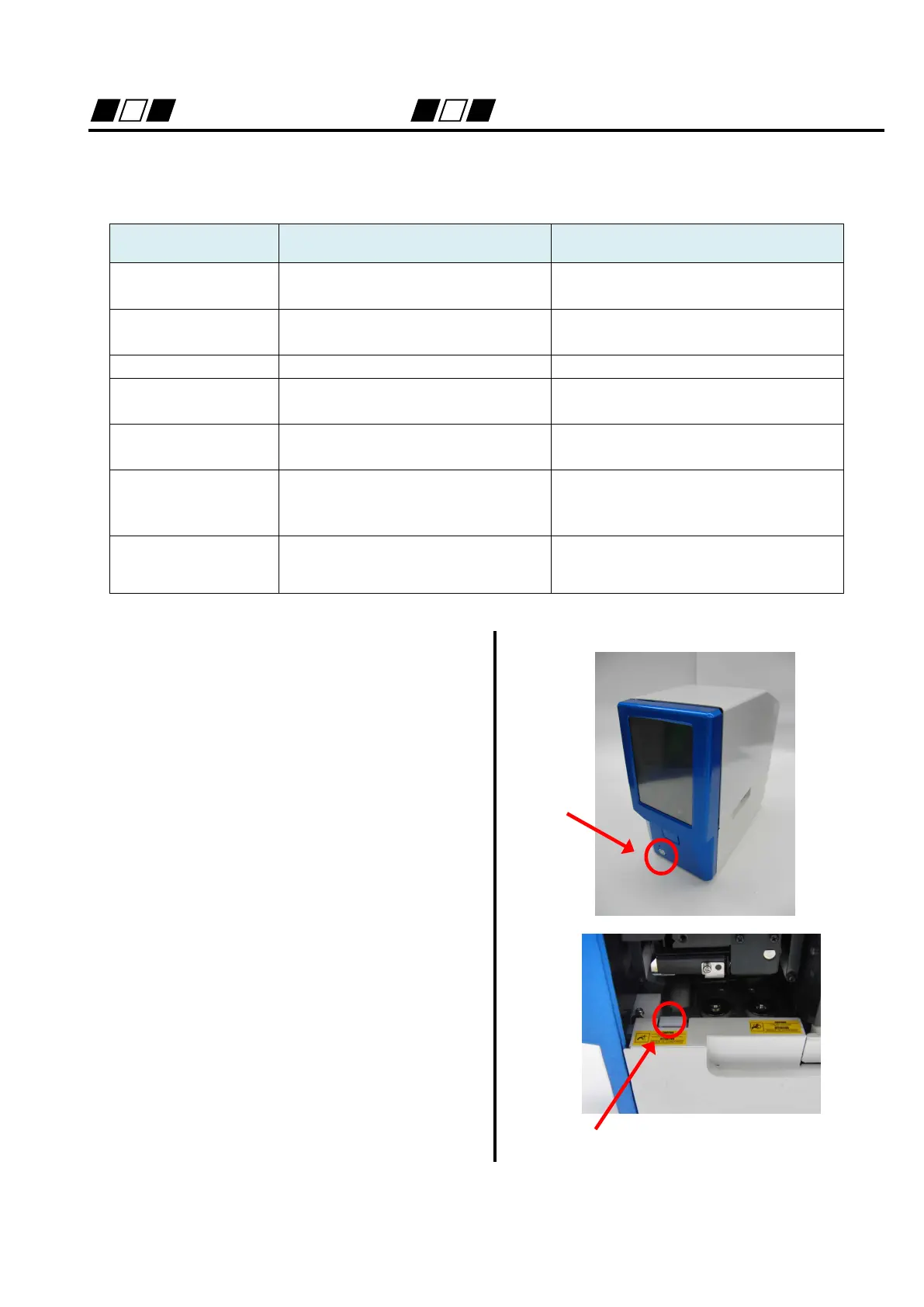
The front cover can be opened by pressing
the front cover unlock lever.
Unlock lever


 To Next Page